GitHub Actions Runs & Live Logs for VS Code
Watch your GitHub Actions runs inside VS Code. The tree refreshes by itself, and logs open in an editor tab and keep updating while the job runs. Sign in with the GitHub account VS Code already uses. Free for your repository; Pro is a licence key that is checked offline. This is an independent extension by PuzariCloud, not GitHub's official extension, and it is not made by or affiliated with GitHub.
$29 once for a lifetime licence (one developer, all 1.x updates), or $19 a year. Billing stops when you cancel, and there are no surprise price jumps: you keep the price you bought at. · My licences
Screenshots
Free
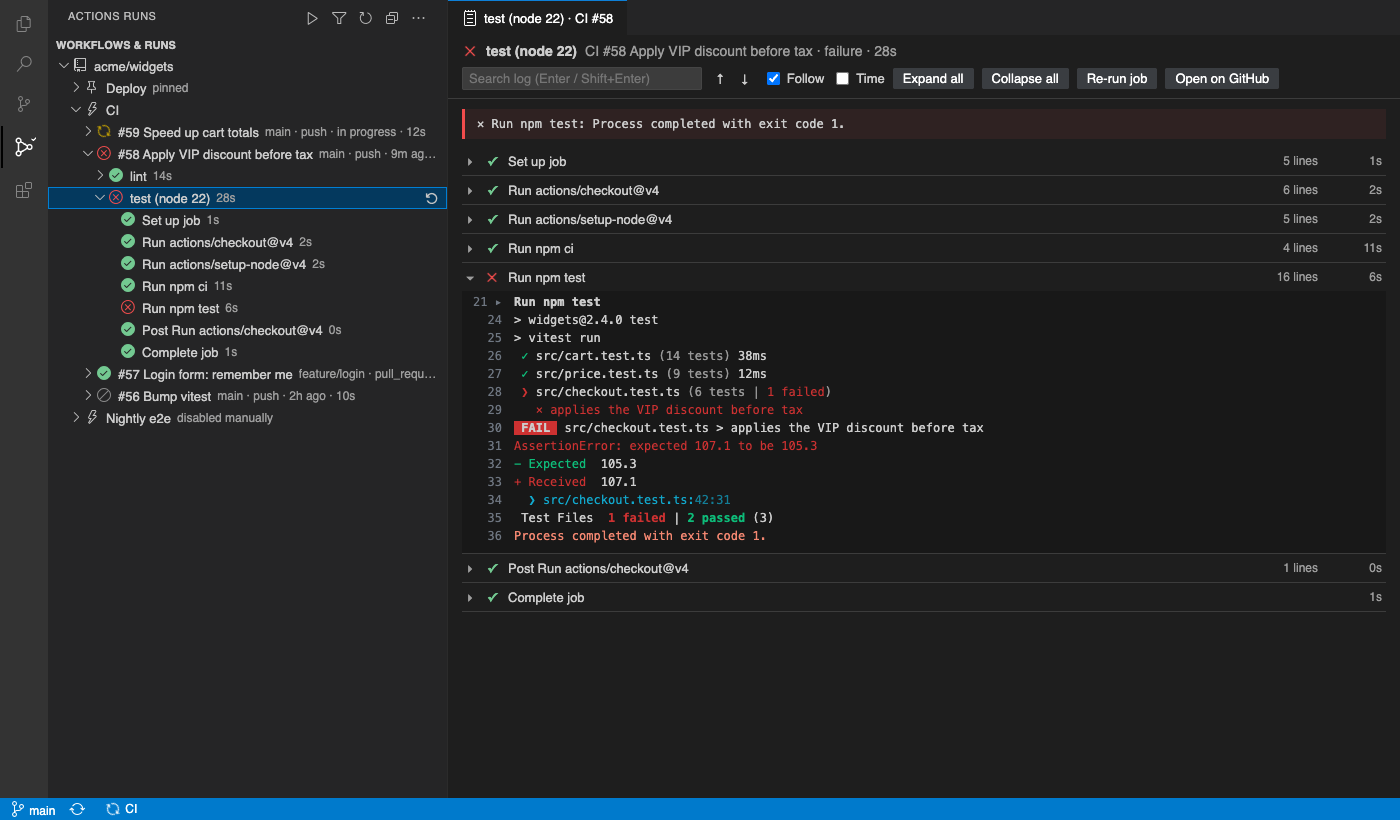
- Tree view: repository, workflows, runs, jobs and steps, with status icons, branch, event, age and duration
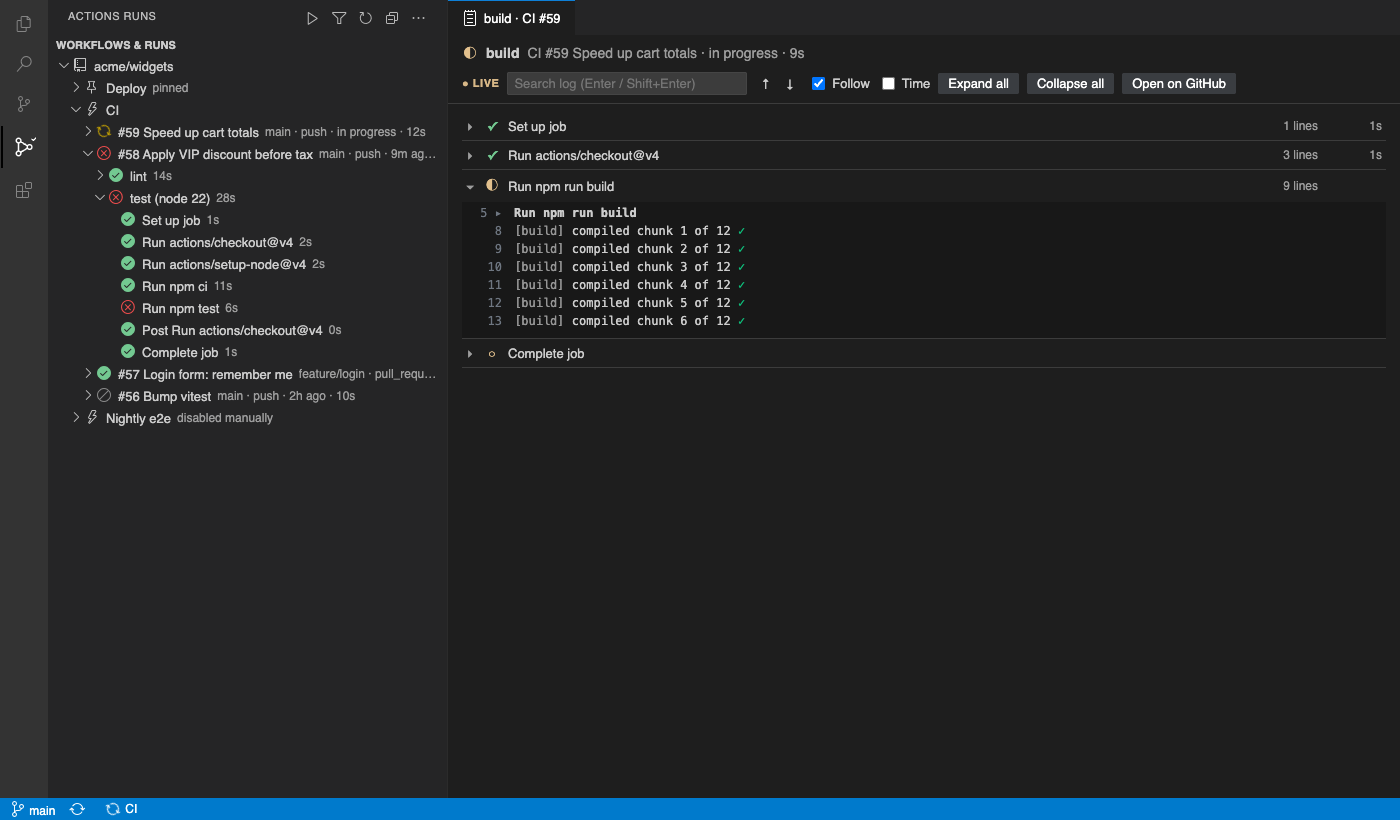
- Refreshes by itself: every 5 s while something runs, every 60 s when idle, with ETag requests (a
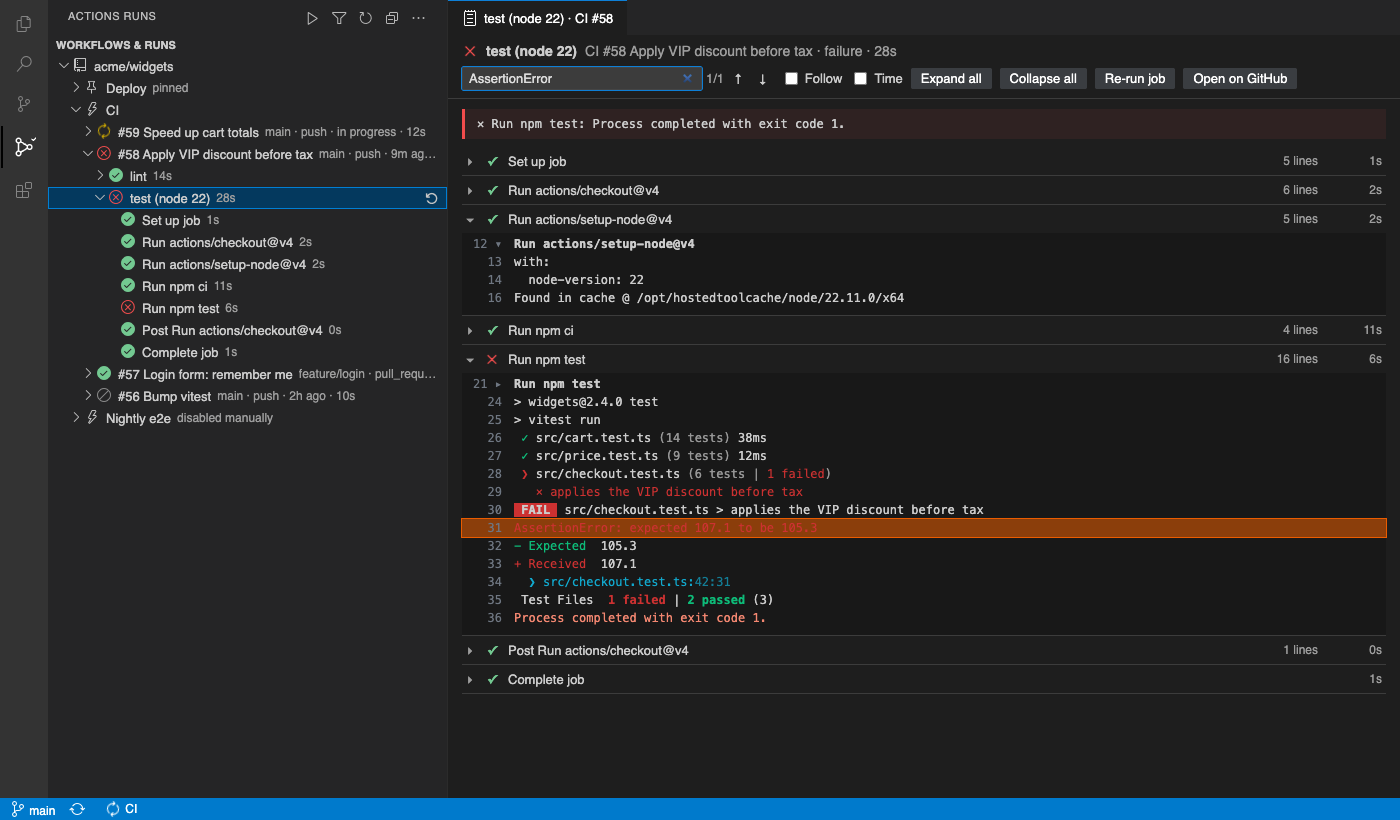
304does not count against your rate limit) - Logs in an editor tab: each step folds,
##[group]blocks fold inside it, ANSI colours, failed steps open with the##[error]lines on top, search and timestamps - Live tail: while a job runs its steps update and the log grows in place
- Re-run failed jobs, all jobs or a single job; cancel a run (with a confirmation)
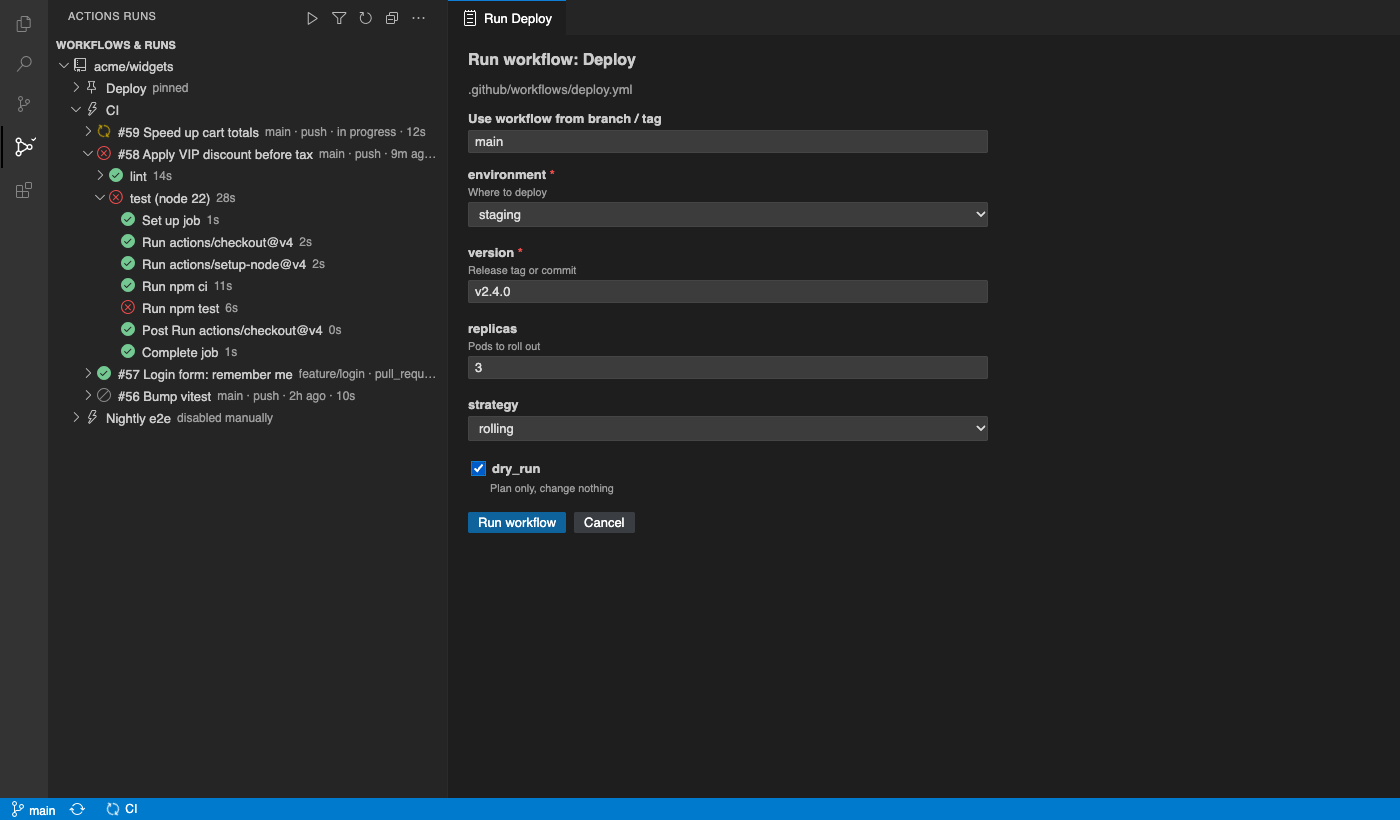
- Run workflow (
workflow_dispatch) form built from the workflow file: branch/tag picker, typed string, number, choice, environment and boolean inputs - Status-bar badge for your branch's latest run, and a notification when a run you started finishes
- GitHub Enterprise Server, through VS Code's GitHub Enterprise sign-in or a Personal Access Token
Pro adds
- Several repositories: every repo in a multi-root workspace plus any
owner/repoyou add - Organisation view: an organisation's most recently pushed repositories in one tree
- Run history filters by branch, status, event and actor, applied on the server so older runs are found too
- Artifact download: pick a run's artifacts and save them as
.zip - Pinned workflows at the top of the tree
- Notification rules, for example branch main, failures only or workflow Deploy*, always
Good to know
- Not GitHub's official extension: an independent extension by PuzariCloud, not made by or affiliated with GitHub.
- It talks only to GitHub (api.github.com) or your GitHub Enterprise Server, with your own sign-in or token. Nothing goes to PuzariCloud.
- The key is checked offline with a public key built into the extension. One licence per developer; the yearly key expires a week after the paid year and each renewal emails a new key.
- The free version shows the first repository, then a single N more repositories (Pro) row. There are no timed pop-ups.
- Needs a local workspace: repository detection reads
.git, so vscode.dev and virtual workspaces are not supported.
Install
Install GitHub Actions Runs & Live Logs from the VS Code Marketplace or Open VSX, open a clone of a GitHub repository, click the Actions Runs icon and sign in. For Pro, run Actions Runs: Enter Pro License Key and paste the key from your email.
Requirements: VS Code 1.90+ or a compatible editor (Cursor, VSCodium, Windsurf), a GitHub.com account or GitHub Enterprise Server.
Price, cancelling and refunds
$29 once for a lifetime licence (one developer, all 1.x updates), or $19 a year. Billing stops when you cancel, and there are no surprise price jumps: you keep the price you bought at. Cancel from the link in your Paddle receipt; Pro keeps working until the end of the period you paid for.
Not happy? Email support@puzaricloud.in within 14 days of buying for a full refund. Paddle.com is our merchant of record: it handles checkout, tax and invoices. Privacy · Terms · Refund policy.