SQLite Viewer & Editor for VS Code
Open SQLite databases right in VS Code, VSCodium, Cursor and Windsurf. Viewing, searching, filtering, schema and SQL queries are free at any file size, with no account and no ads. It runs on SQLite compiled to WebAssembly, so it also works in Remote SSH, WSL, Dev Containers, Codespaces and vscode.dev. Pro is a licence key that is checked offline.
$29 once for a lifetime licence (one developer, all 1.x updates), or $19 a year. Billing stops when you cancel, and there are no surprise price jumps: you keep the price you bought at. · My licences
Screenshots
Free
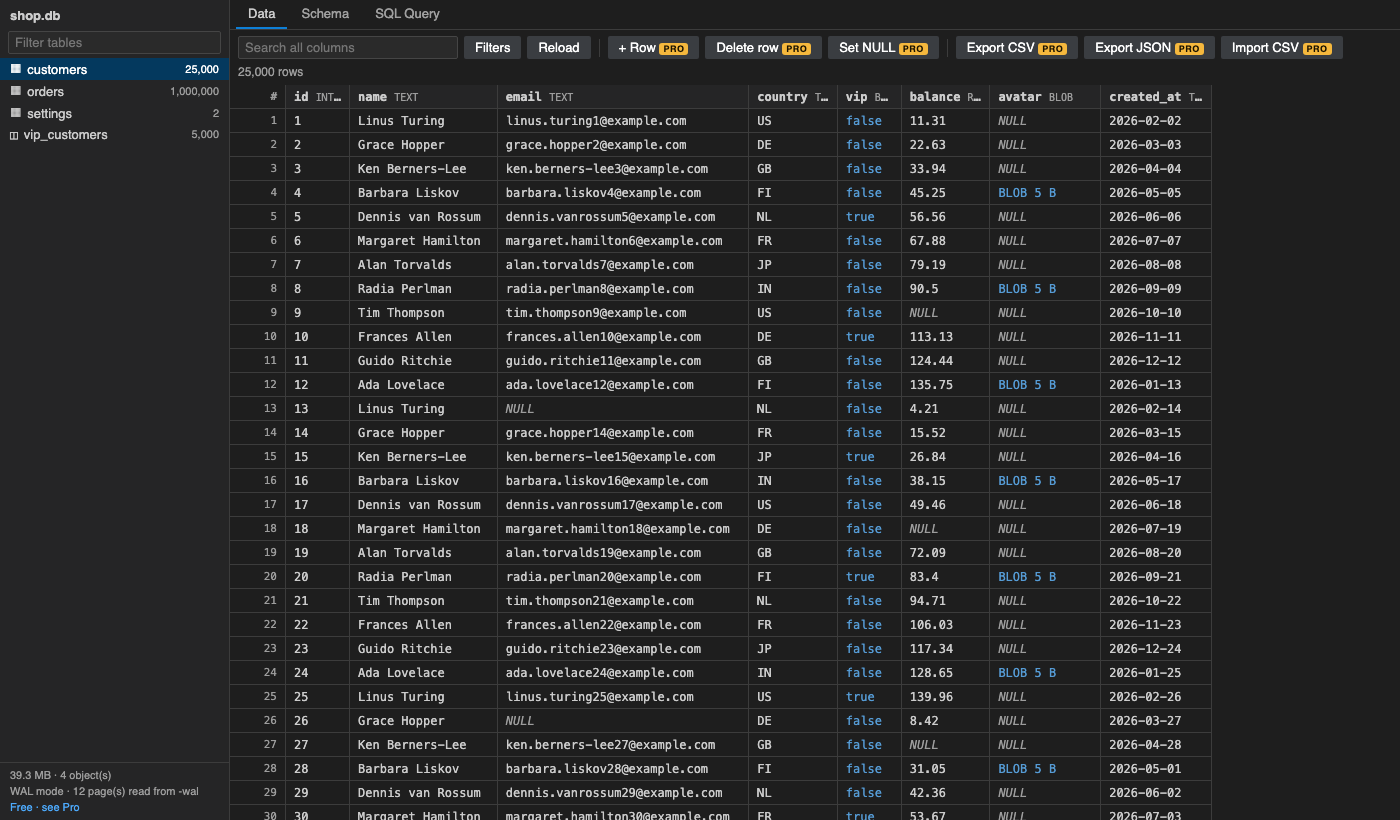
- Table and view list with row counts; a virtual grid that pages with SQL, so a 1,000,000-row table opens instantly and scrolls to the last row
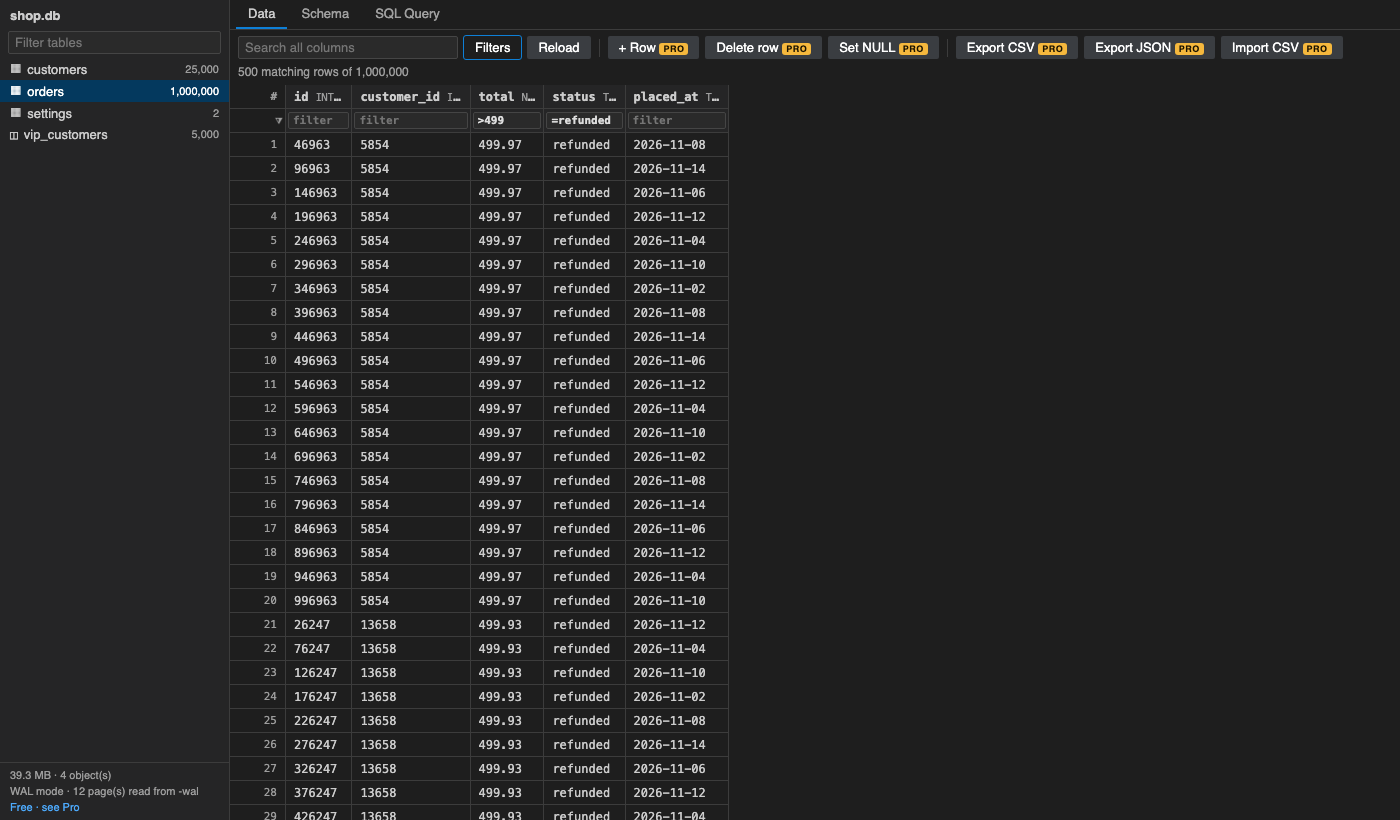
- Sort any column, search all columns, per-column filters (
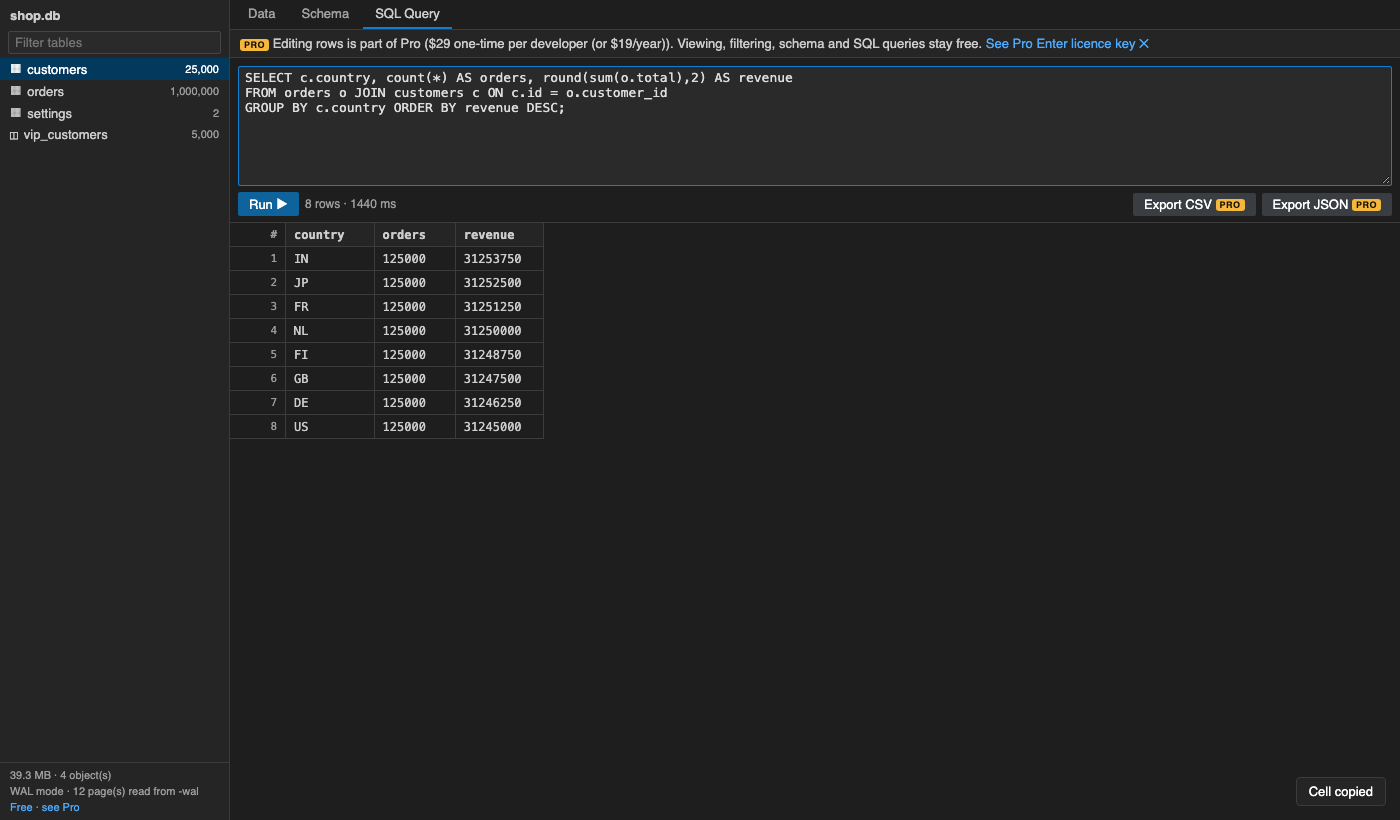
=text,>5,!=x,NULL,!NULL) - SQL query tab: run the selection or everything with Ctrl/Cmd+Enter, multiple statements, row count, timing and inline errors
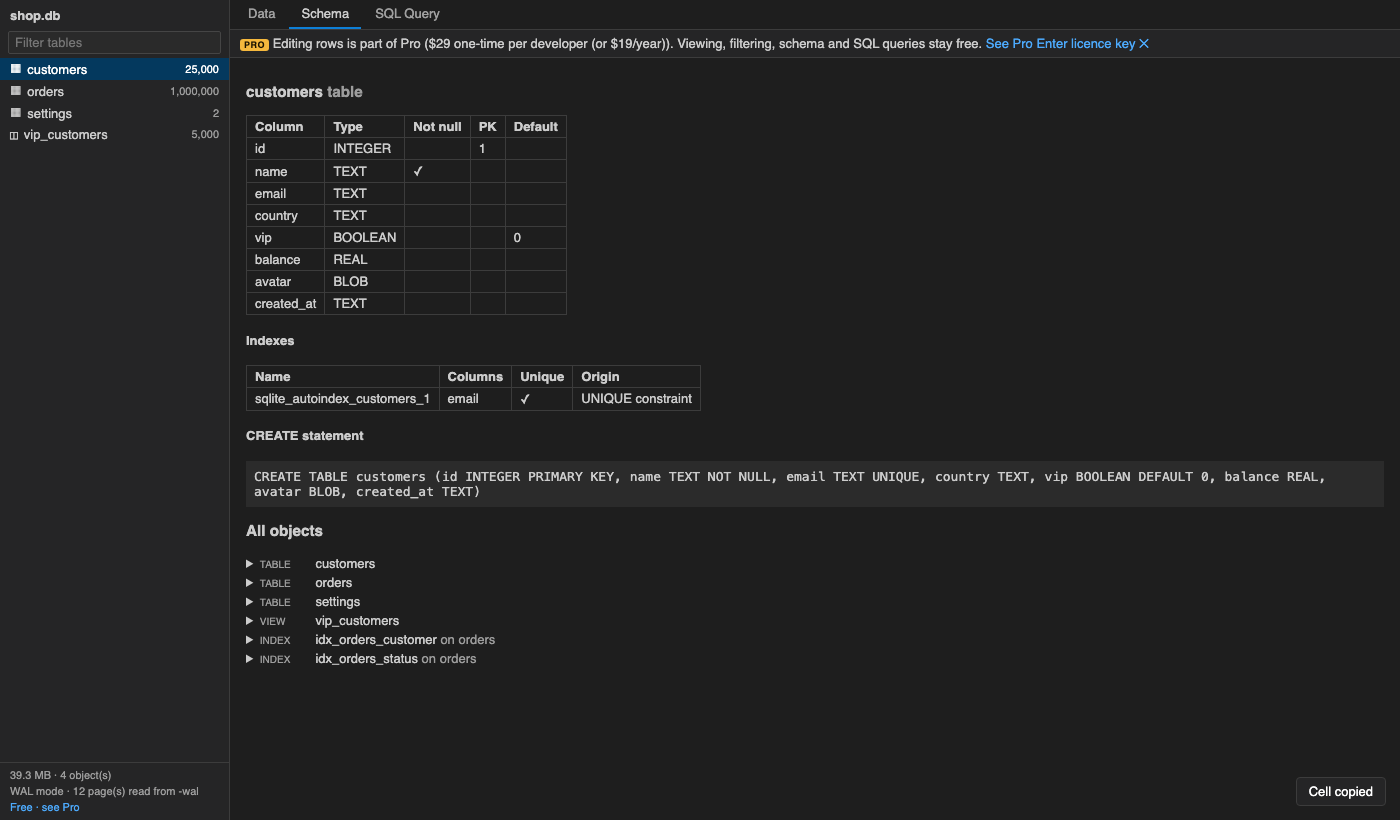
- Schema tab: columns, indexes, foreign keys, CREATE statements, views and triggers
- Reads WAL-mode databases correctly, live reload when another program changes the file
- NULL, empty string, BLOB and BOOLEAN shown distinctly; 64-bit integers never rounded;
WITHOUT ROWIDtables and tables namedtablework - No file-size paywall: above 256 MB you are only asked before the file is loaded into memory
Pro adds
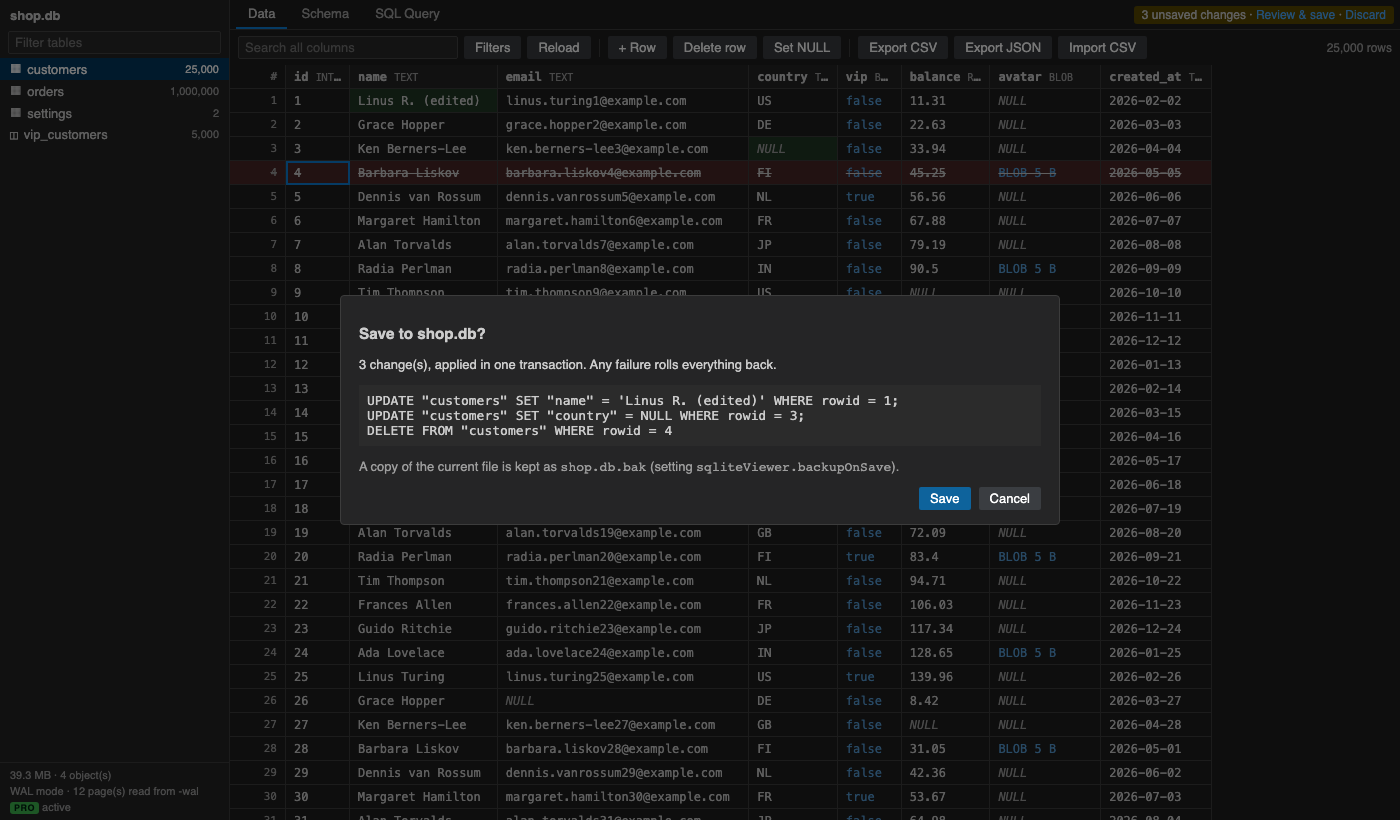
- Edit cells inline, set NULL, add and delete rows; changes stay highlighted until you save
- Save-changes diff: review the exact SQL first, then it runs in one transaction (a failure rolls everything back) and a
.bakcopy is kept - Saving is refused if another program changed the file or holds unflushed WAL data, so nothing gets corrupted
- Save
INSERT/UPDATE/DELETEstatements from the query tab to the file - Export tables and query results to CSV or JSON; import CSV into a new or existing table (comma, semicolon and tab detected)
- Several databases side by side (Free shows one at a time)
Good to know
- The key is checked offline with a public key built into the extension. Nothing is sent to us.
- One licence per developer. The yearly key expires a week after the paid year; each renewal emails a new key.
- Pro features carry a small PRO badge and an inline note when you try one. There are no timed pop-ups.
- Limits: the database is held in memory, so files over about 1.9 GB need the
sqlite3CLI. Encrypted (SQLCipher) databases are not supported.
Install
Install SQLite Viewer & Editor – Fast, Local, Free from the VS Code Marketplace or Open VSX and click any .db, .sqlite or .sqlite3 file. For Pro, run SQLite Viewer: Enter Pro License Key and paste the key from your email.
Requirements: VS Code 1.90+ or a compatible editor (Cursor, VSCodium, Windsurf), desktop, remote or vscode.dev.
Price, cancelling and refunds
$29 once for a lifetime licence (one developer, all 1.x updates), or $19 a year. Billing stops when you cancel, and there are no surprise price jumps: you keep the price you bought at. Cancel from the link in your Paddle receipt; Pro keeps working until the end of the period you paid for.
Not happy? Email support@puzaricloud.in within 14 days of buying for a full refund. Paddle.com is our merchant of record: it handles checkout, tax and invoices. Privacy · Terms · Refund policy.