Clean Material-Style Themes for VS Code
Material-style palettes without the baggage: no popups, no startup notifications, no font or icon changes. The themes are plain JSON that VS Code loads itself, so they cost nothing at runtime. Each colour keeps its hue and only its lightness is nudged until it reaches 4.5:1 on its background (7:1 for High Contrast); a script checks 1,860 colour pairs on every build. Seven themes are free; Pro is a licence key that is checked offline.
$5 a year, or $15 once for a lifetime licence (one developer, all 1.x updates). Billing stops when you cancel, and there are no surprise price jumps: you keep the price you bought at. · My licences
Screenshots
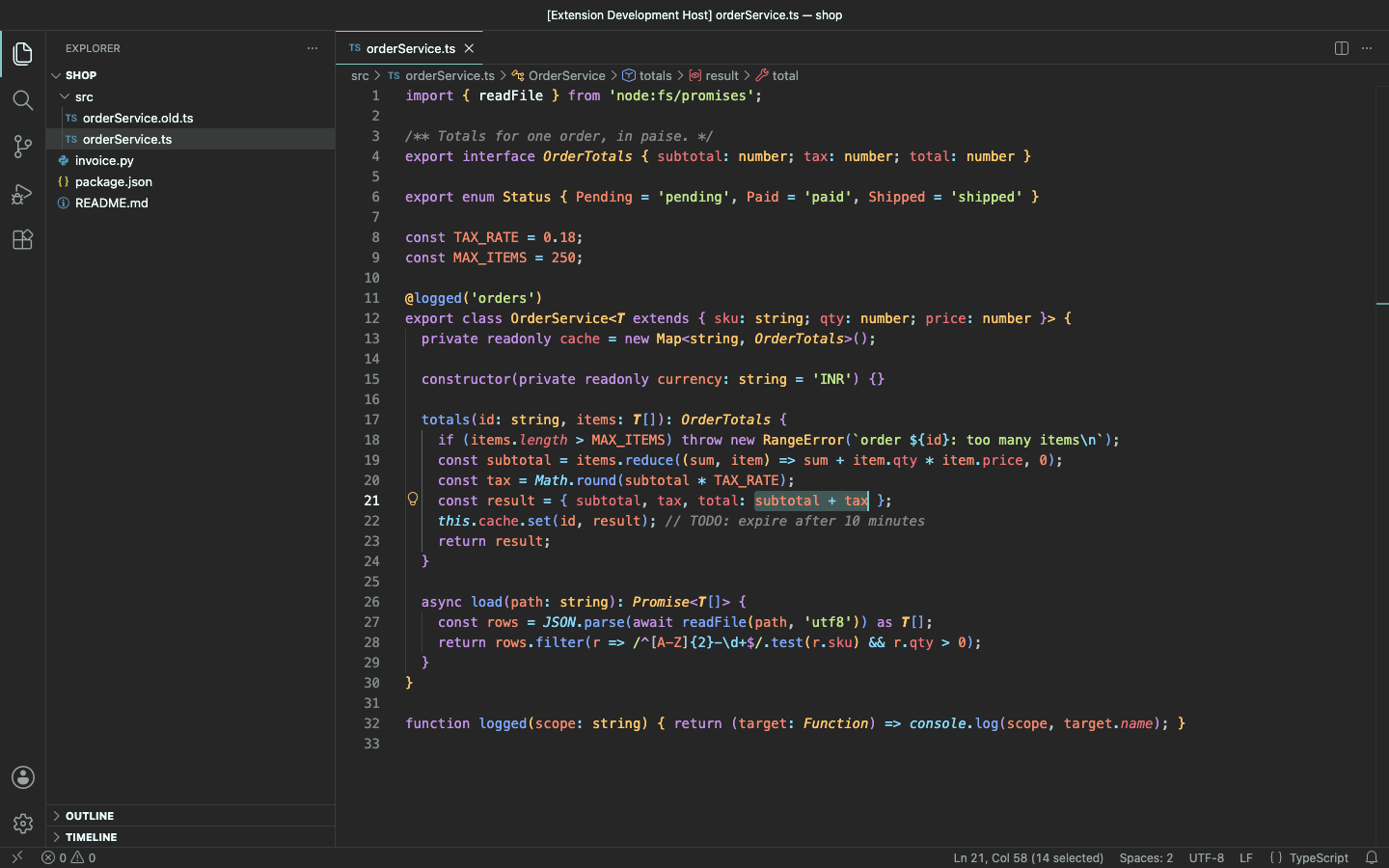
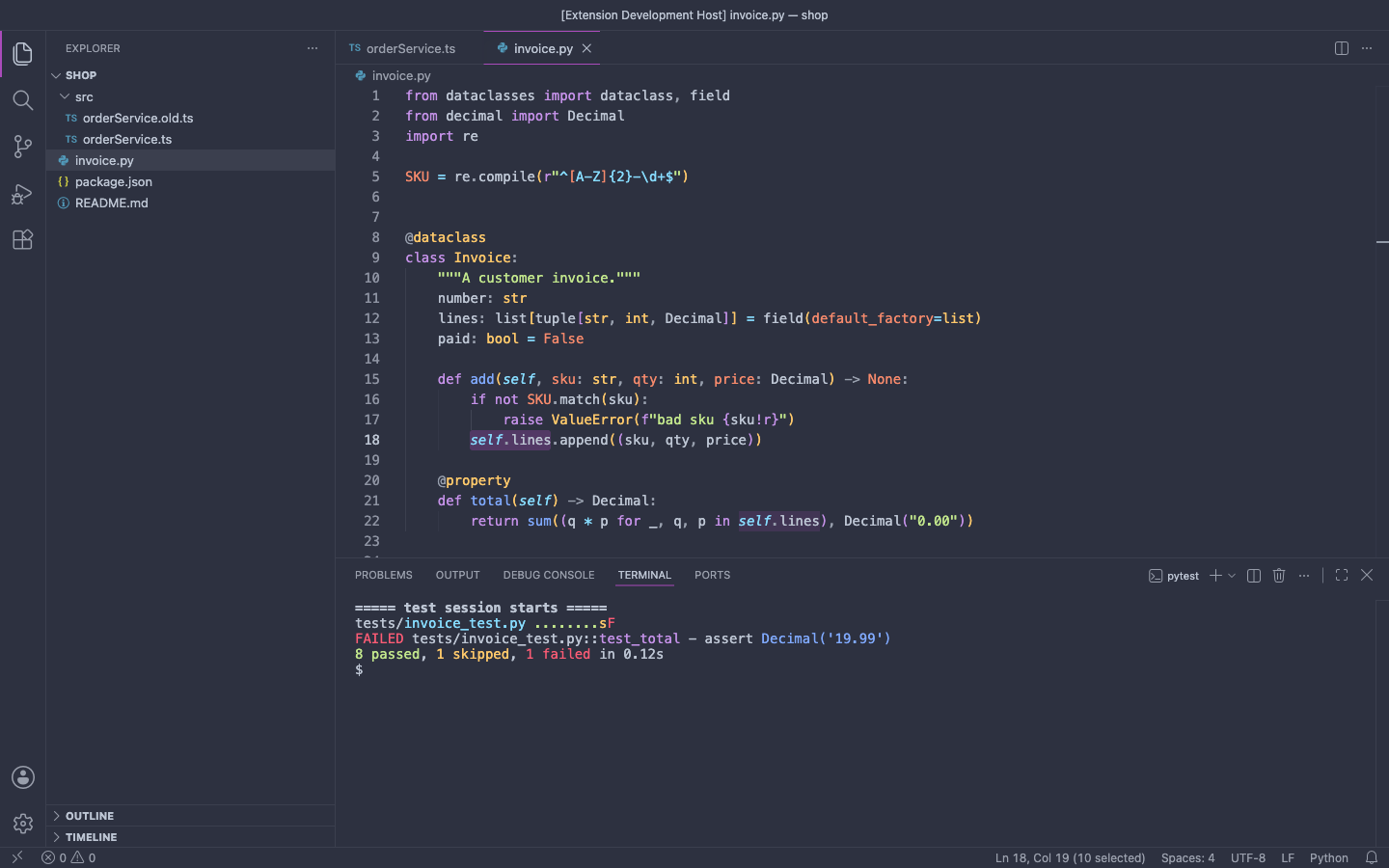
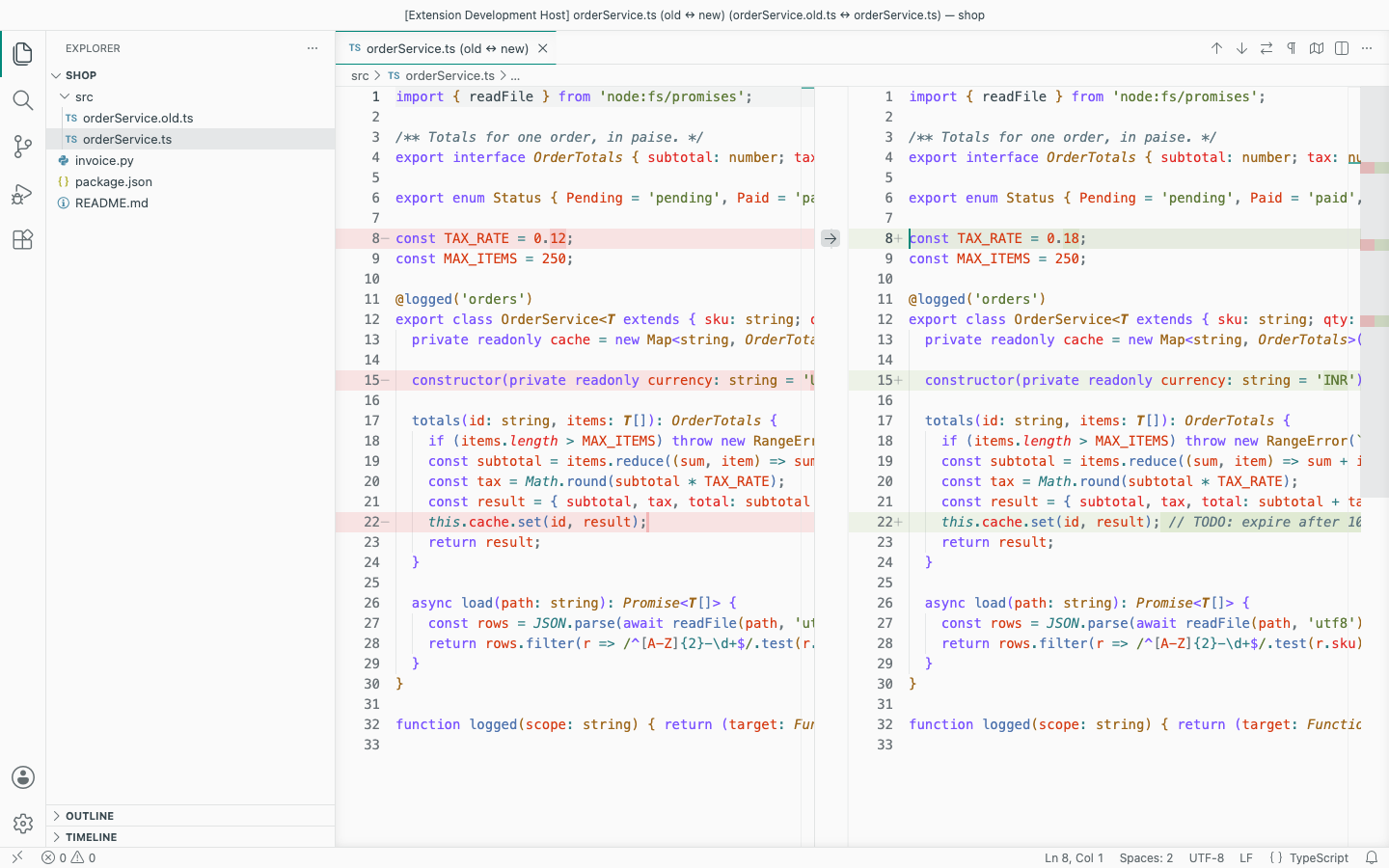
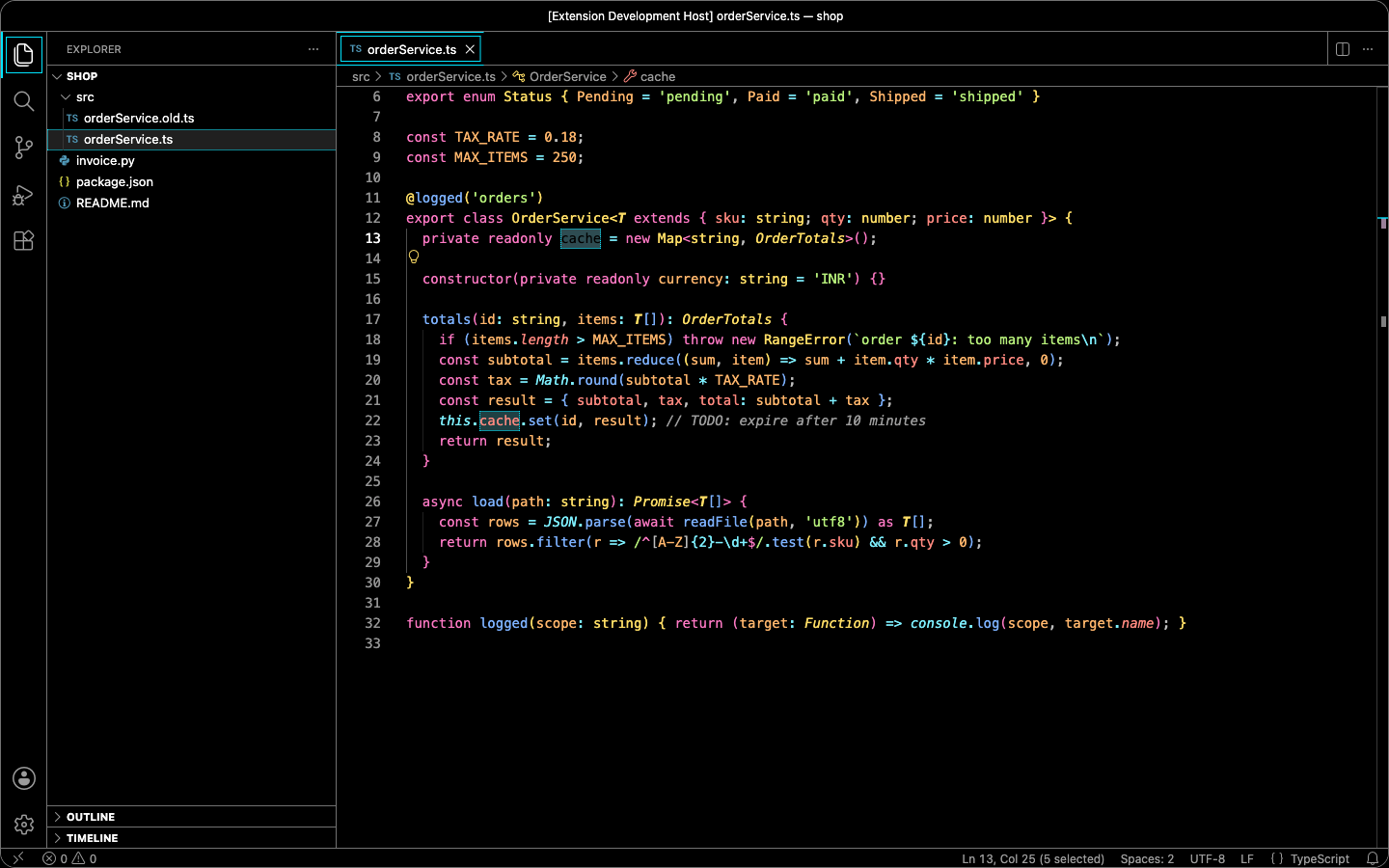
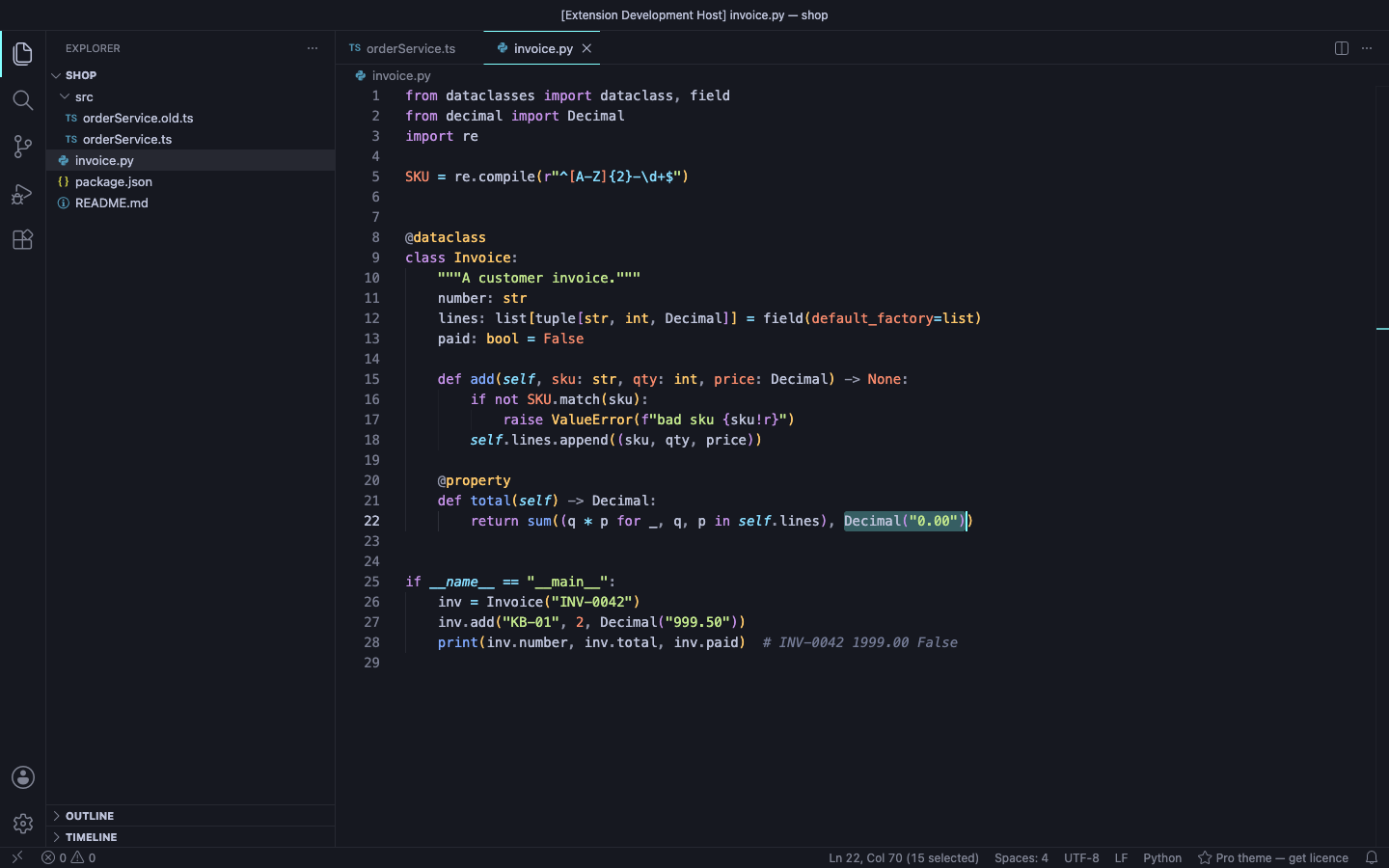
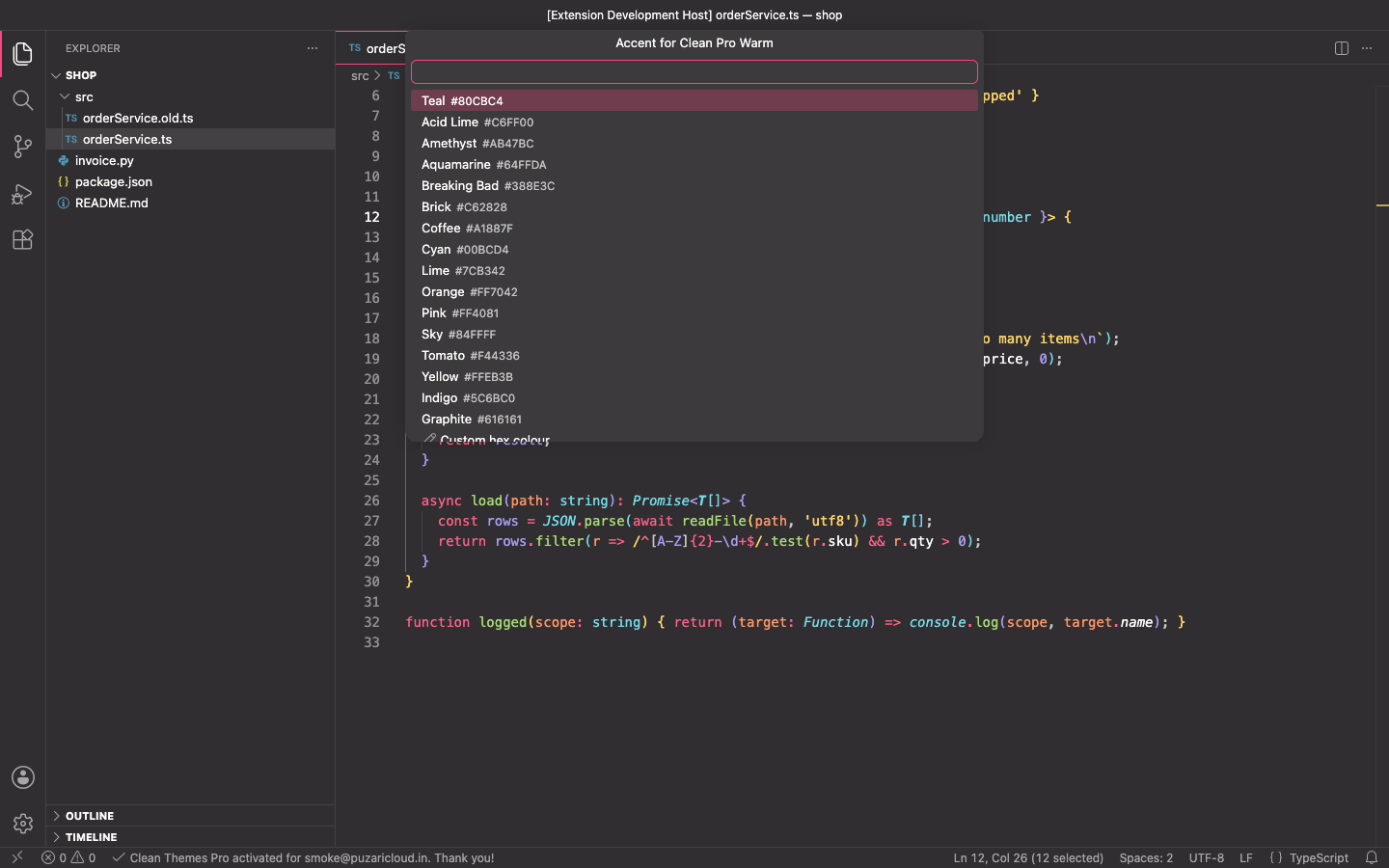
Free
- Clean Darker, Clean Oceanic and Clean Palenight (dark)
- Clean Solarized Dark and Clean Solarized Light
- Clean High Contrast: 7:1 (WCAG AAA) for every syntax colour and UI text
- Clean Paper Light
- Semantic highlighting and TextMate scopes, terminal ANSI colours, diff and merge views, git decorations, peek views, notifications and the status bar, all from one palette
- No popups, no notifications, no timers and no network calls; fonts, icons and layout are never changed
Pro adds
- Clean Deep Ocean, Clean Pro Warm and Clean Sandstone Light
- Accent customiser: 16 preset accents or any hex colour on buttons, badges, tabs, links, cursor and selections, with text contrast re-checked for each theme; Reset removes only the keys it added
Good to know
- An independent extension by PuzariCloud.
- VS Code cannot hide themes an extension contributes, so the three Pro themes are always in the theme list. Without a licence, choosing one shows a single status-bar item, Pro theme — get licence; nothing else happens.
- The key is checked offline with a public key built into the extension. One licence per developer; the yearly key expires a week after the paid year and each renewal emails a new key.
- The accent is written to your workbench.colorCustomizations user setting; your own customisations are kept.
Install
Install Clean Material-Style Themes – Lightweight, No Popups from the VS Code Marketplace or Open VSX, open Preferences: Color Theme and type Clean. For Pro, run Clean Themes: Enter Pro License Key and paste the key from your email.
Requirements: VS Code 1.90+ or a compatible editor (VSCodium, Cursor, Windsurf). Nothing else to install.
Price, cancelling and refunds
$5 a year, or $15 once for a lifetime licence (one developer, all 1.x updates). Billing stops when you cancel, and there are no surprise price jumps: you keep the price you bought at. Cancel from the link in your Paddle receipt; Pro keeps working until the end of the period you paid for.
Not happy? Email support@puzaricloud.in within 14 days of buying for a full refund. Paddle.com is our merchant of record: it handles checkout, tax and invoices. Privacy · Terms · Refund policy.