.env File Manager for VS Code: Syntax, .env.example Diff & Secrets Mask
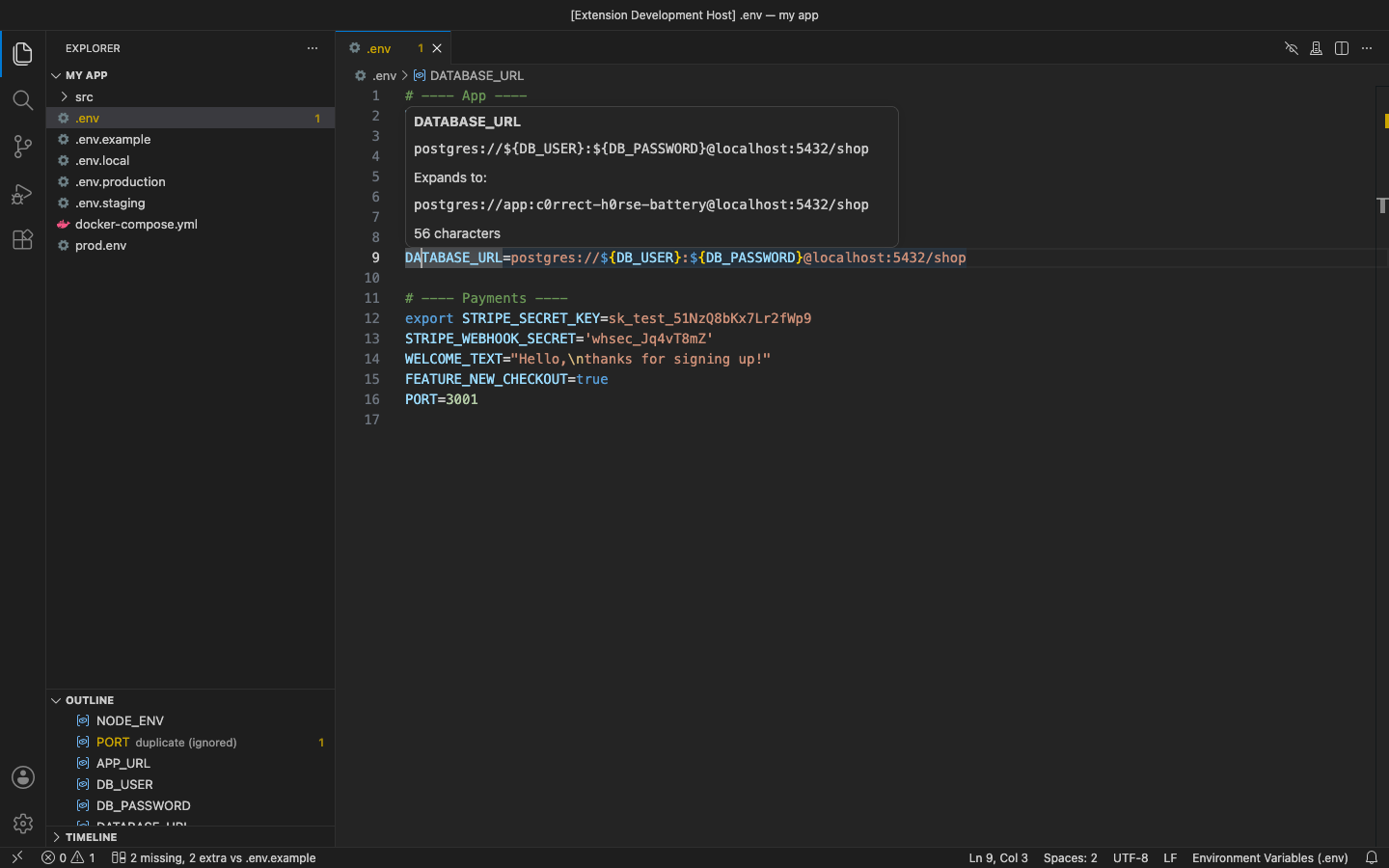
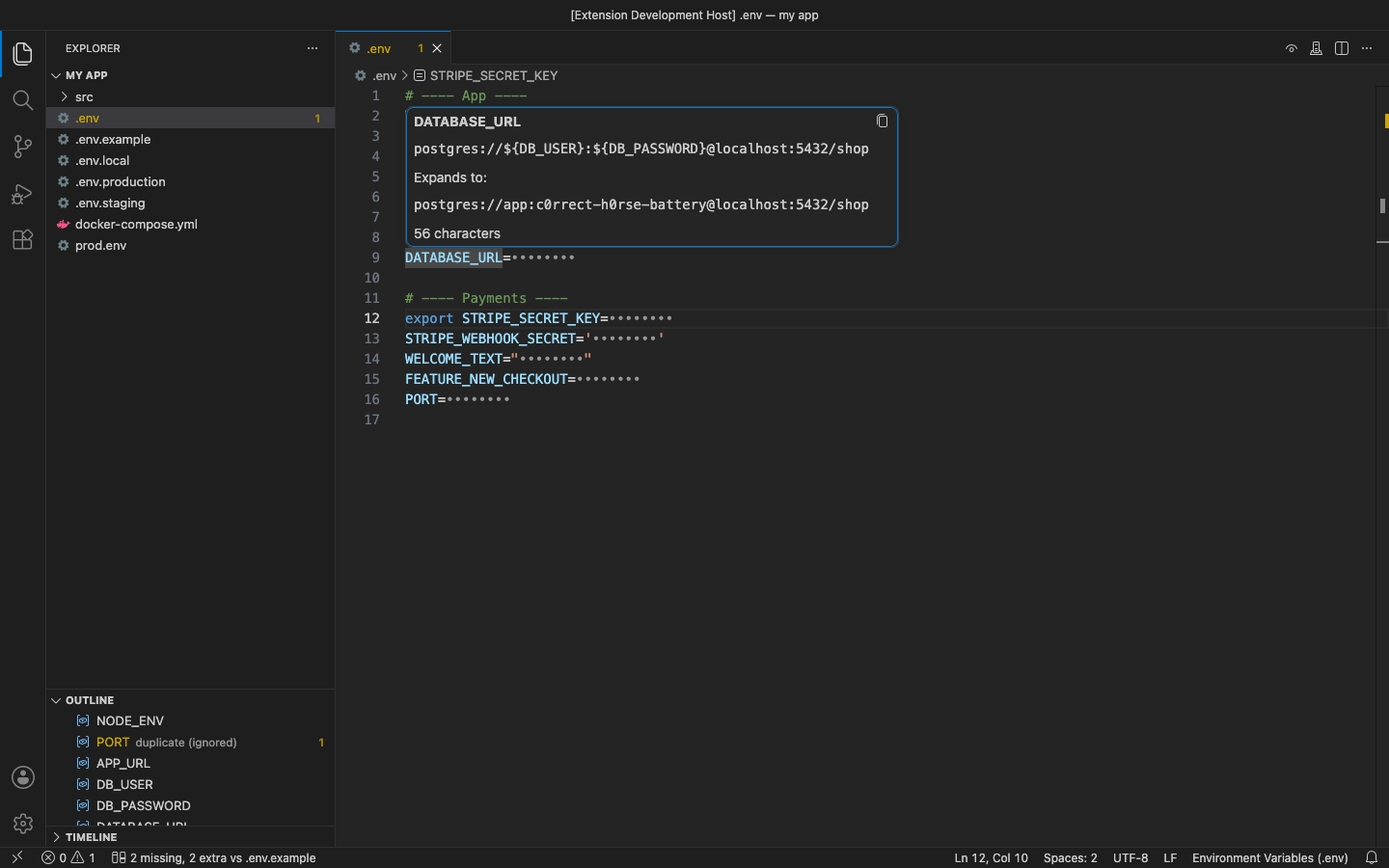
Every <code>.env</code> variant gets highlighted the moment it opens: <code>.env.local</code>, <code>.env.production</code>, <code>prod.env</code>, with no <code>files.associations</code> and no reload. Hover a key to see its value and what <code>${VAR}</code> expands to, and hide every value with one click before you share your screen. No account, no vault and no network calls: your values never leave the editor. Free for everything below; Pro is a licence key that is checked offline.
$5 a year, or $15 once for a lifetime licence (one developer, all 1.x updates). Billing stops when you cancel, and there are no surprise price jumps: you keep the price you bought at. · My licences
Screenshots
Free
- Syntax highlighting for
.env,.env.*and*.env: comments,export, quoted and multi-line values, escapes,${VAR:-default} - Hover with the value, the
${VAR}expansion, its length, and which duplicate is used - Outline, breadcrumbs and Go to Symbol for every key
- Mask / Unmask values with one click (the file is never changed): every value, or only the ones that look like credentials; optionally masked by default
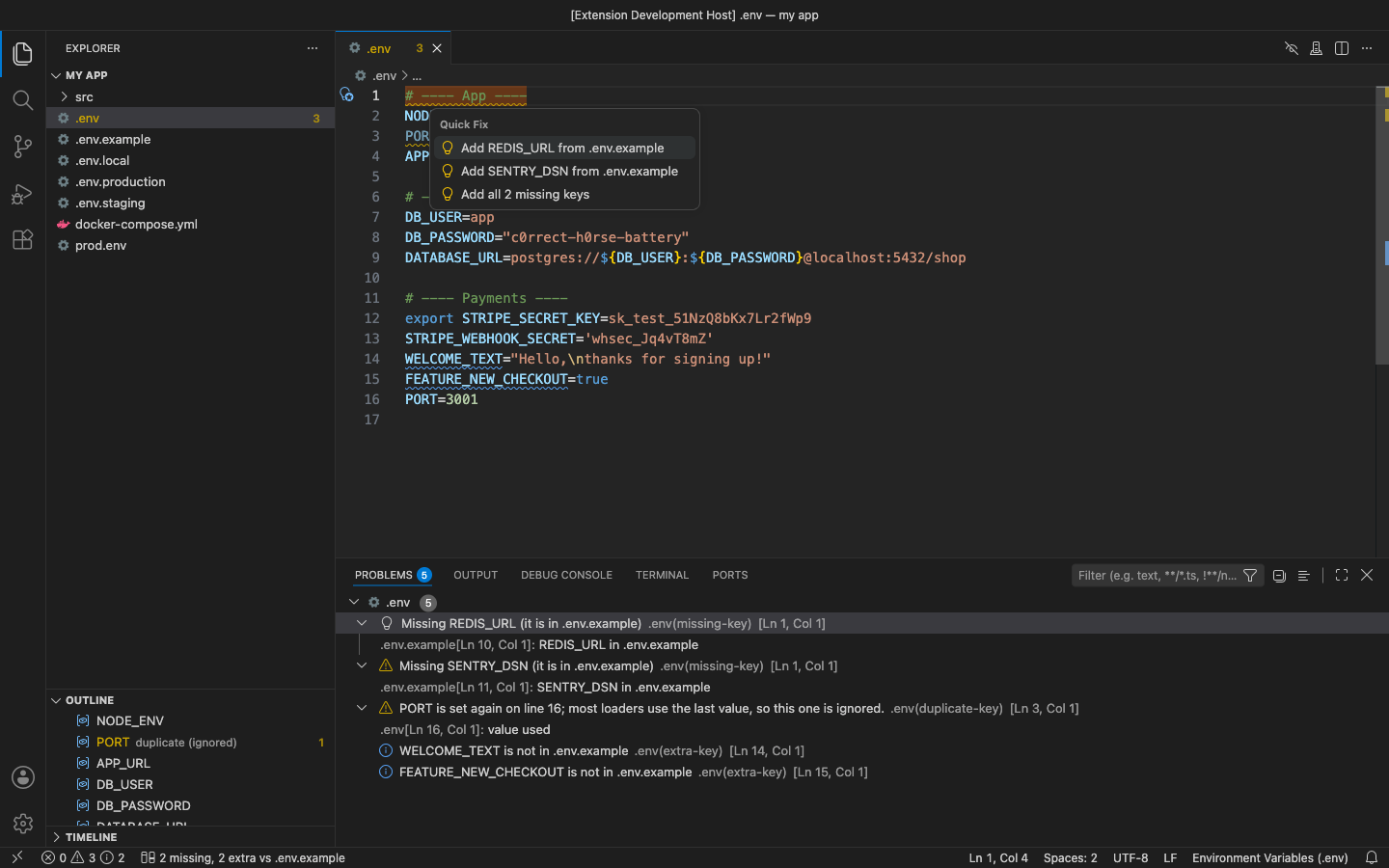
- Warnings for duplicate keys (with a quick fix), lines that are not KEY=value and unclosed quotes
Pro adds
- Missing and extra keys compared with
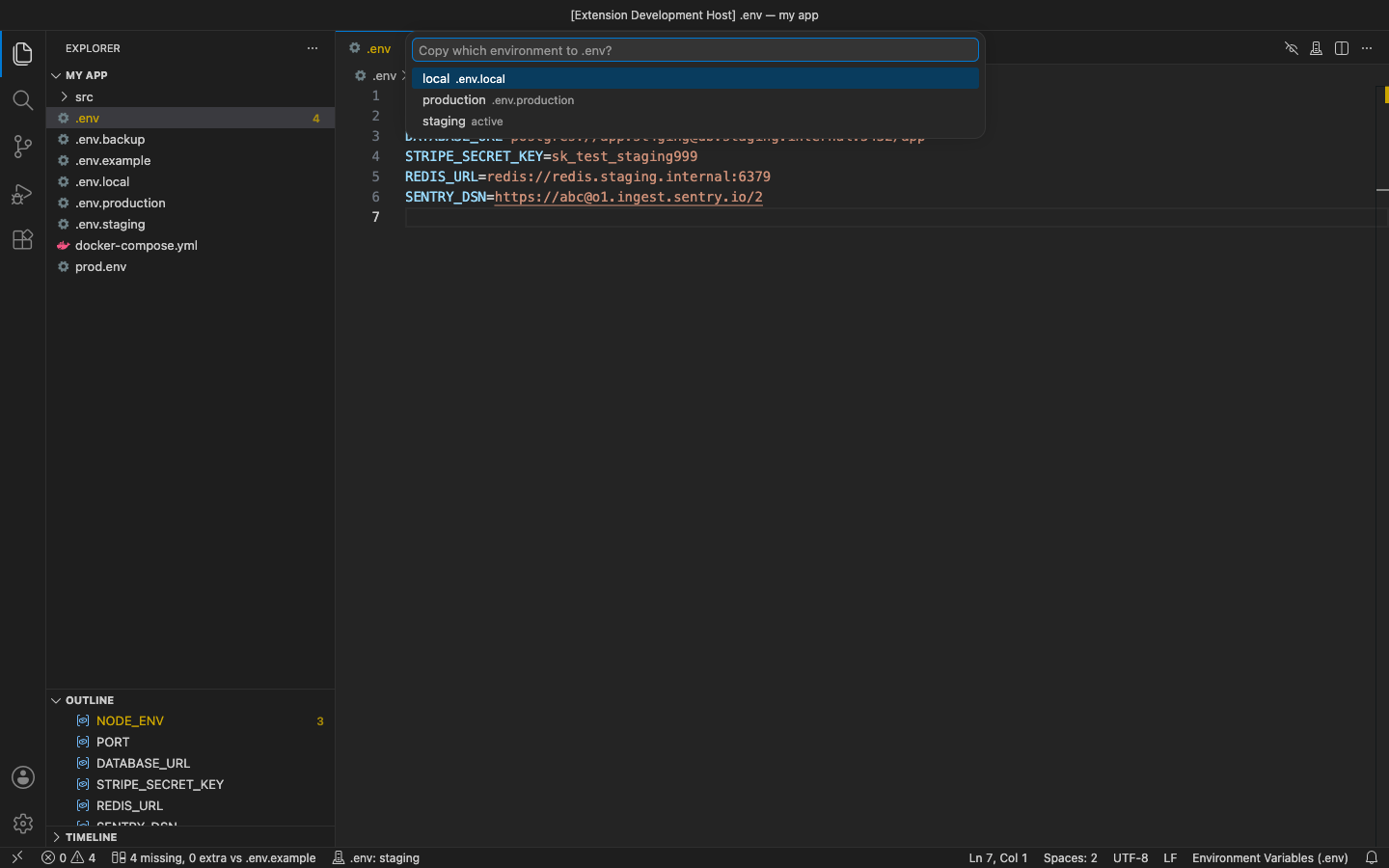
.env.example(or .env.sample / .env.template), marked in the file, with quick fixes both ways; the example never gets your values - Environment switcher: copy .env.staging, .env.production or any .env.<name> over .env after a confirmation, with the active environment in the status bar
- Presenting mode: every value hidden in every editor and hover, by command, by setting, or automatically while Zoom is sharing your screen
- Unused-key scan: finds keys no code reads (process.env, import.meta.env, os.environ, getenv, env::var, ${X} in compose files and more)
- Export to JSON or a Kubernetes Secret manifest (base64 data or stringData)
Good to know
- An independent extension by PuzariCloud. Not made, endorsed or supported by the dotenv project or dotenv.org.
- Masking changes only what is drawn on screen. Screen-sharing detection looks for Zoom's sharing helper in the local process list; add other apps' process names in the settings.
- The key is checked offline with a public key built into the extension. One licence per developer; the yearly key expires a week after the paid year and each renewal emails a new key.
- In the free version, the six (Pro) commands say what they do when you use them. There are no timed pop-ups.
Install
Install .env File Manager – Syntax, .env.example Diff & Secrets Mask from the VS Code Marketplace or Open VSX and open any .env file. For Pro, run .env File Manager: Enter Pro License Key and paste the key from your email.
Requirements: VS Code 1.90+ or a compatible editor (VSCodium, Cursor, Windsurf). Nothing else to install.
Price, cancelling and refunds
$5 a year, or $15 once for a lifetime licence (one developer, all 1.x updates). Billing stops when you cancel, and there are no surprise price jumps: you keep the price you bought at. Cancel from the link in your Paddle receipt; Pro keeps working until the end of the period you paid for.
Not happy? Email support@puzaricloud.in within 14 days of buying for a full refund. Paddle.com is our merchant of record: it handles checkout, tax and invoices. Privacy · Terms · Refund policy.