i18n Translation Editor for VS Code: Missing Keys & Inline Preview
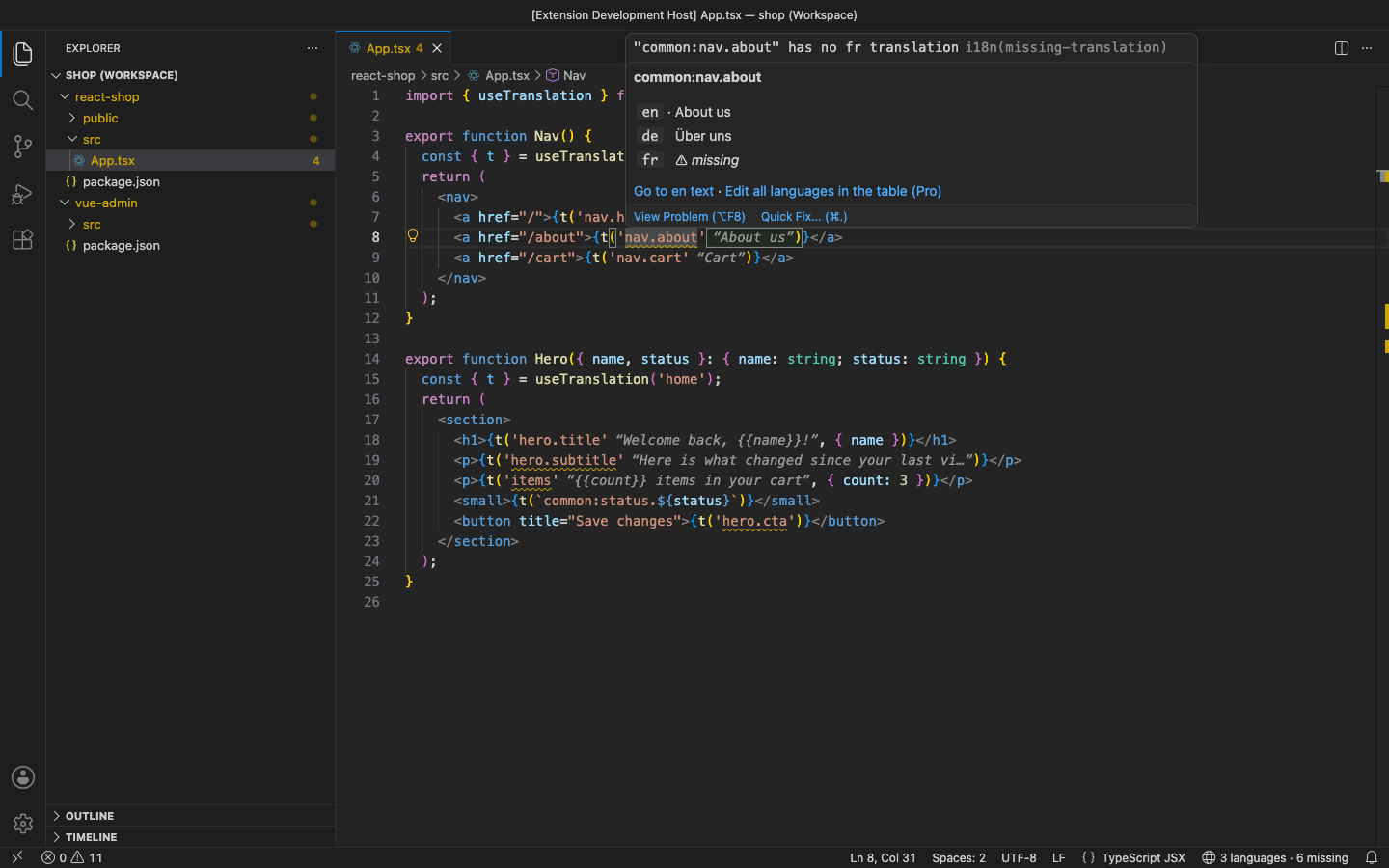
The real text appears next to every <code>t('key')</code>, <code>$t</code> and <code><FormattedMessage id></code> in your code, the hover shows every language, and each missing translation is flagged for its language. Locale files are found by themselves: <code>locales/en.json</code>, i18next namespaces in <code>public/locales/en/common.json</code>, next-intl <code>messages/</code>, vue-i18n YAML. No account and no telemetry. Free for everything below; Pro is a licence key that is checked offline.
$12 a year, or $36 once for a lifetime licence (one developer, all 1.x updates). Billing stops when you cancel, and there are no surprise price jumps: you keep the price you bought at. · My licences
Screenshots
Free
- Inline translations after
t('key'),$t,i18n.t,t.rich,<FormattedMessage id>,<Trans i18nKey>and more, in any language you pick - Hover with the text in every language and each missing one marked
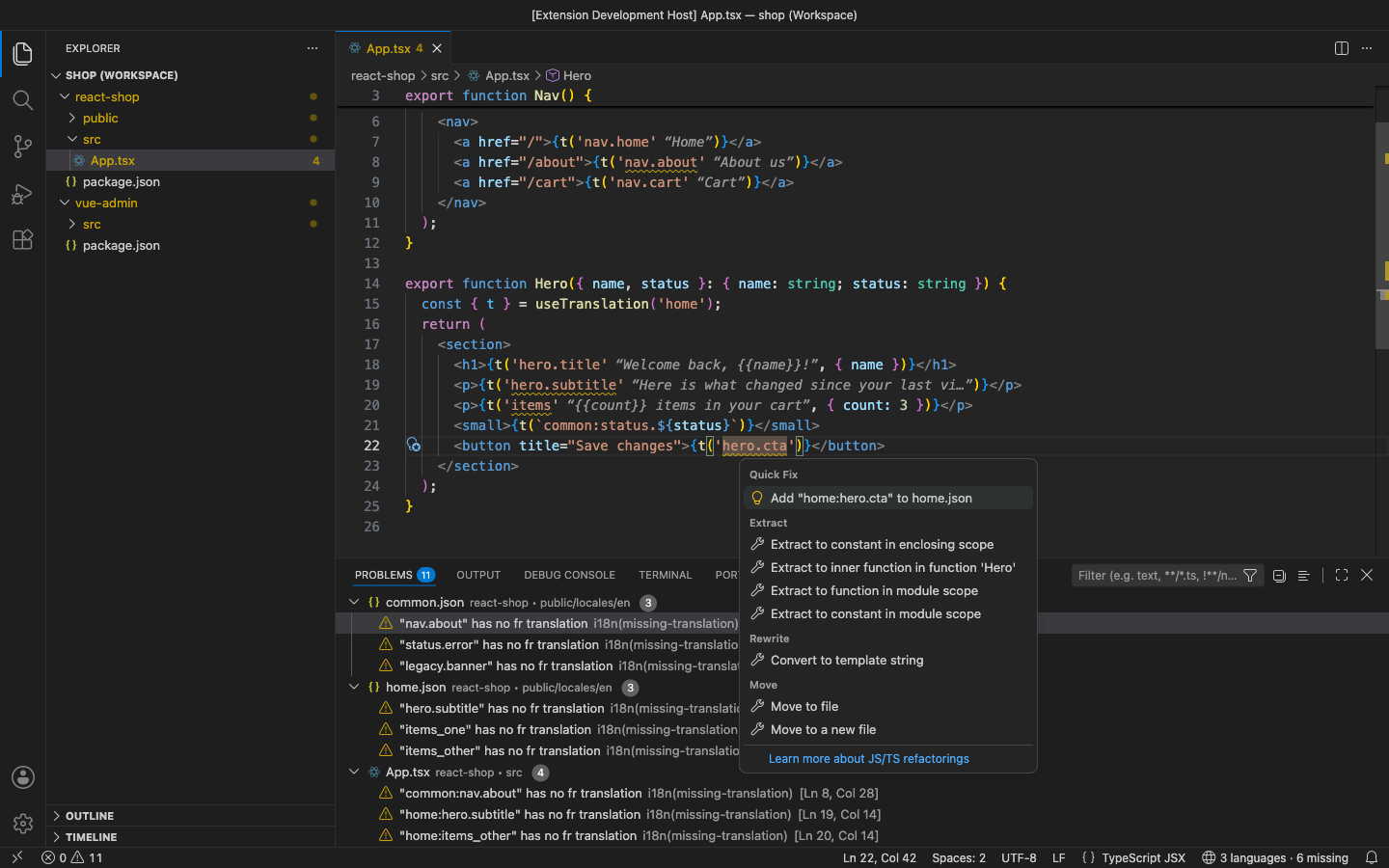
- Missing-key warnings per language, in code and on the key in the source locale file; unknown and duplicate keys too
- Go to definition from a key in code to the key in every locale file
- Quick fixes: add an unknown key to the right namespace file, or fill missing languages with the source text
- Auto-detection of JSON (nested, flat, FormatJS) and YAML layouts; i18next namespaces and keyPrefix, next-intl scopes and plurals understood
Pro adds
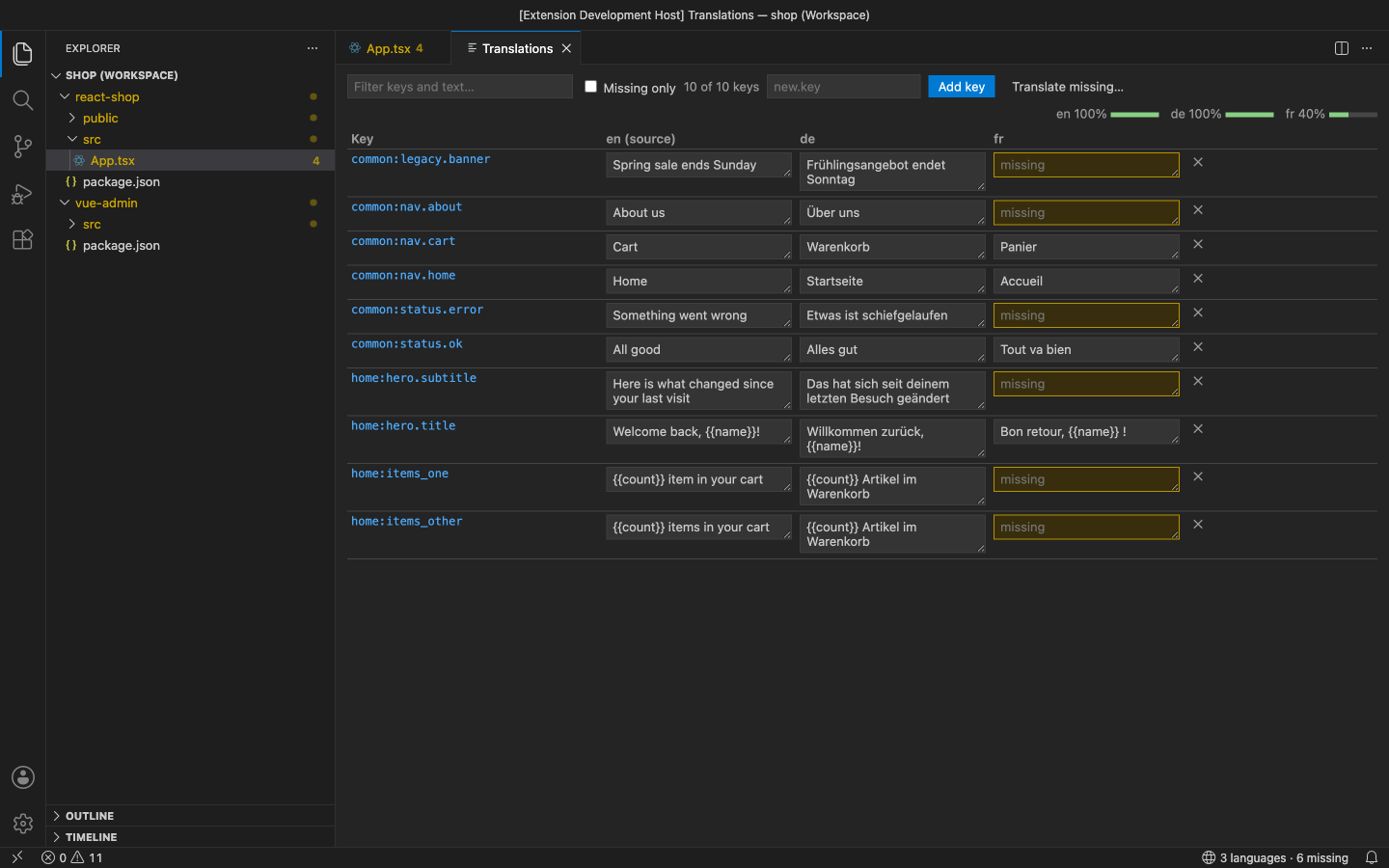
- Translation table: every key in every language side by side, with a Missing only filter, progress per language, and add / delete in all languages
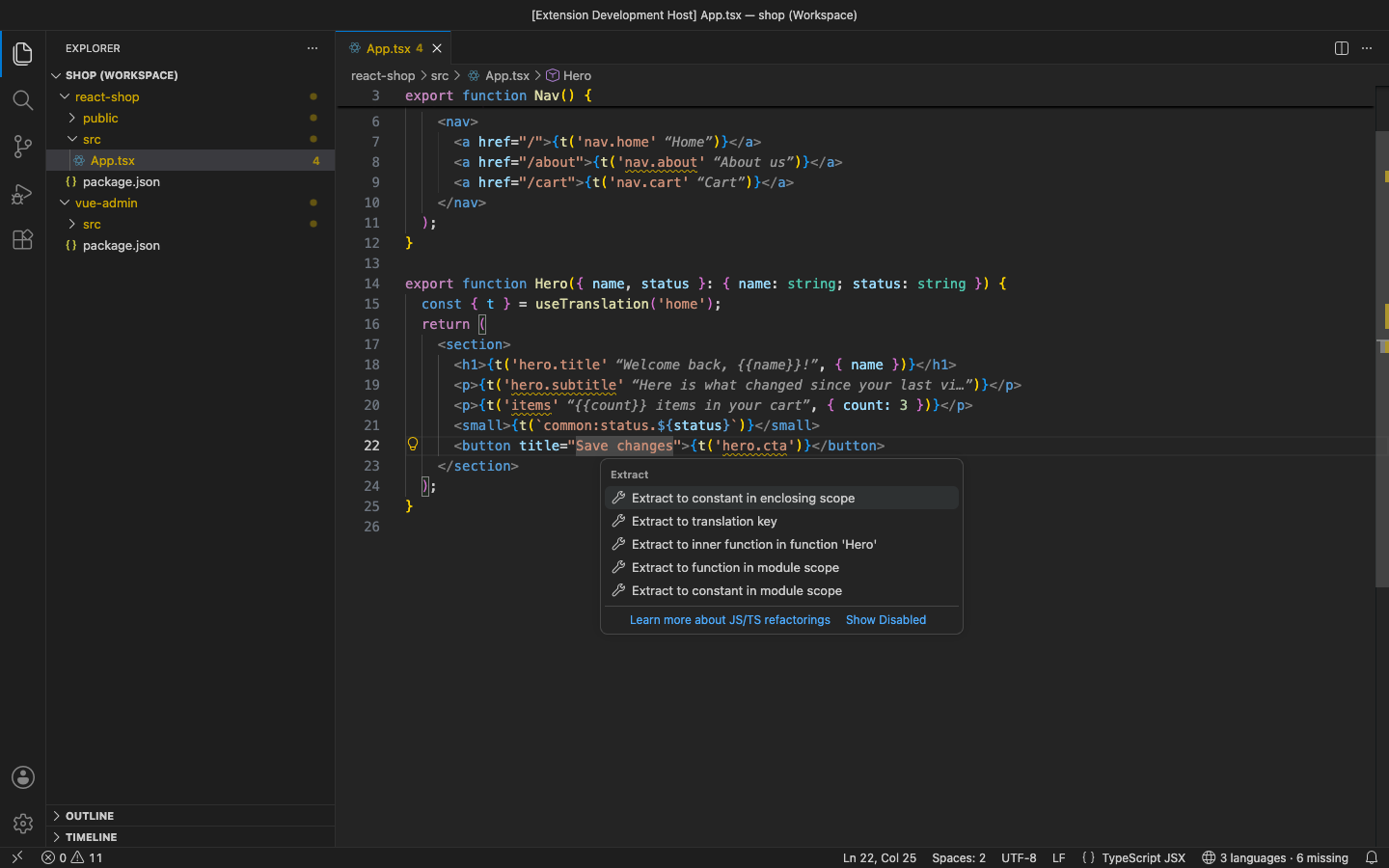
- Extract a hard-coded string to a key (code action), written for i18next, vue-i18n, next-intl or react-intl and into the component's namespace
- Unused-key cleanup: keys no code uses, with dynamic prefixes and plural forms understood, removed from every language in one step
- Rename a key or a whole group in every locale file and every usage in code
- XLIFF 1.2 and CSV export / import for translators and spreadsheets; only changed cells are written
- Machine translation of missing values with your own DeepL key; placeholders protected and checked
Good to know
- An independent extension by PuzariCloud. Not made, endorsed or supported by the i18next, Vue, next-intl or FormatJS projects, or by DeepL.
- Locale formats: JSON and YAML. DeepL needs your own DeepL API key (Free or Pro) and runs only when you start it.
- The key is checked offline with a public key built into the extension. One licence per developer; the yearly key expires a week after the paid year and each renewal emails a new key.
- In the free version, the (Pro) commands, the status bar and the hover say what Pro adds when you reach them. There are no timed pop-ups.
Install
Install i18n Translation Editor – Missing Keys & Inline Preview from the VS Code Marketplace or Open VSX and open a project with locale files. For Pro, run i18n Translation Editor: Enter Pro License Key and paste the key from your email.
Requirements: VS Code 1.90+ or a compatible editor (VSCodium, Cursor, Windsurf). Nothing else to install.
Price, cancelling and refunds
$12 a year, or $36 once for a lifetime licence (one developer, all 1.x updates). Billing stops when you cancel, and there are no surprise price jumps: you keep the price you bought at. Cancel from the link in your Paddle receipt; Pro keeps working until the end of the period you paid for.
Not happy? Email support@puzaricloud.in within 14 days of buying for a full refund. Paddle.com is our merchant of record: it handles checkout, tax and invoices. Privacy · Terms · Refund policy.