SQL Database Client for VS Code: PostgreSQL, MySQL, SQLite, SQL Server
A database client inside VS Code with <b>no connection limit</b>. The four drivers are pure JavaScript and built in, so there is nothing else to install. Press Ctrl/Cmd+Enter to run the statement at the cursor; the server pages and sorts the results. SSH tunnels work with a key, the agent or a password, and passwords stay in VS Code's secret storage. Free for everything below; Pro is a licence key that is checked offline.
$29 a year, or $87 once for a lifetime licence (one developer, all 1.x updates). Billing stops when you cancel, and there are no surprise price jumps: you keep the price you bought at. · My licences
Screenshots
Free
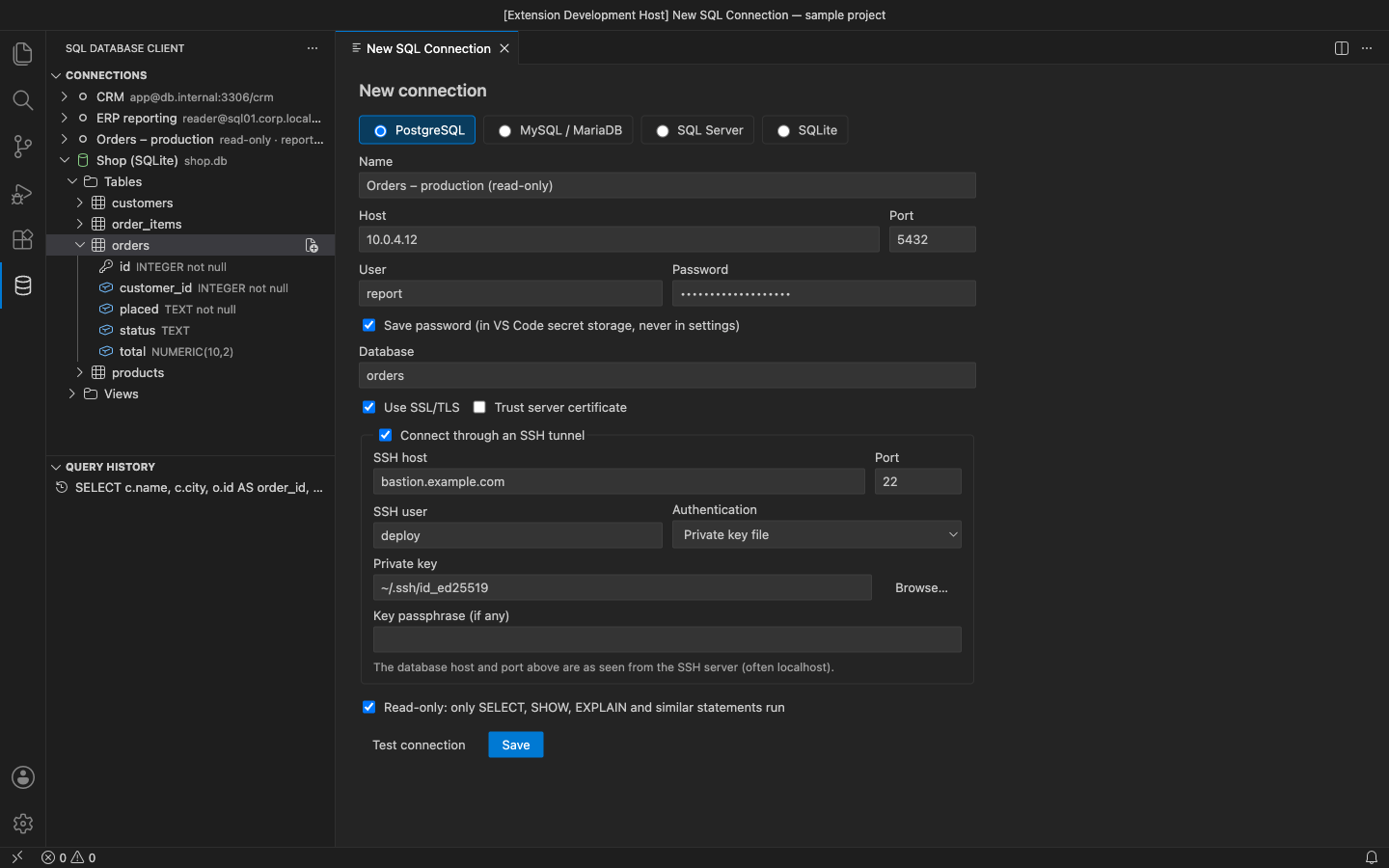
- Unlimited connections to PostgreSQL, MySQL/MariaDB, SQLite and SQL Server, with SSL/TLS and Test connection
- SSH tunnel with a private key (and passphrase), the SSH agent or a password
- Passwords in VS Code SecretStorage only, never in settings
- Explorer: databases, schemas, tables and views, columns with types and keys, loaded as you open them
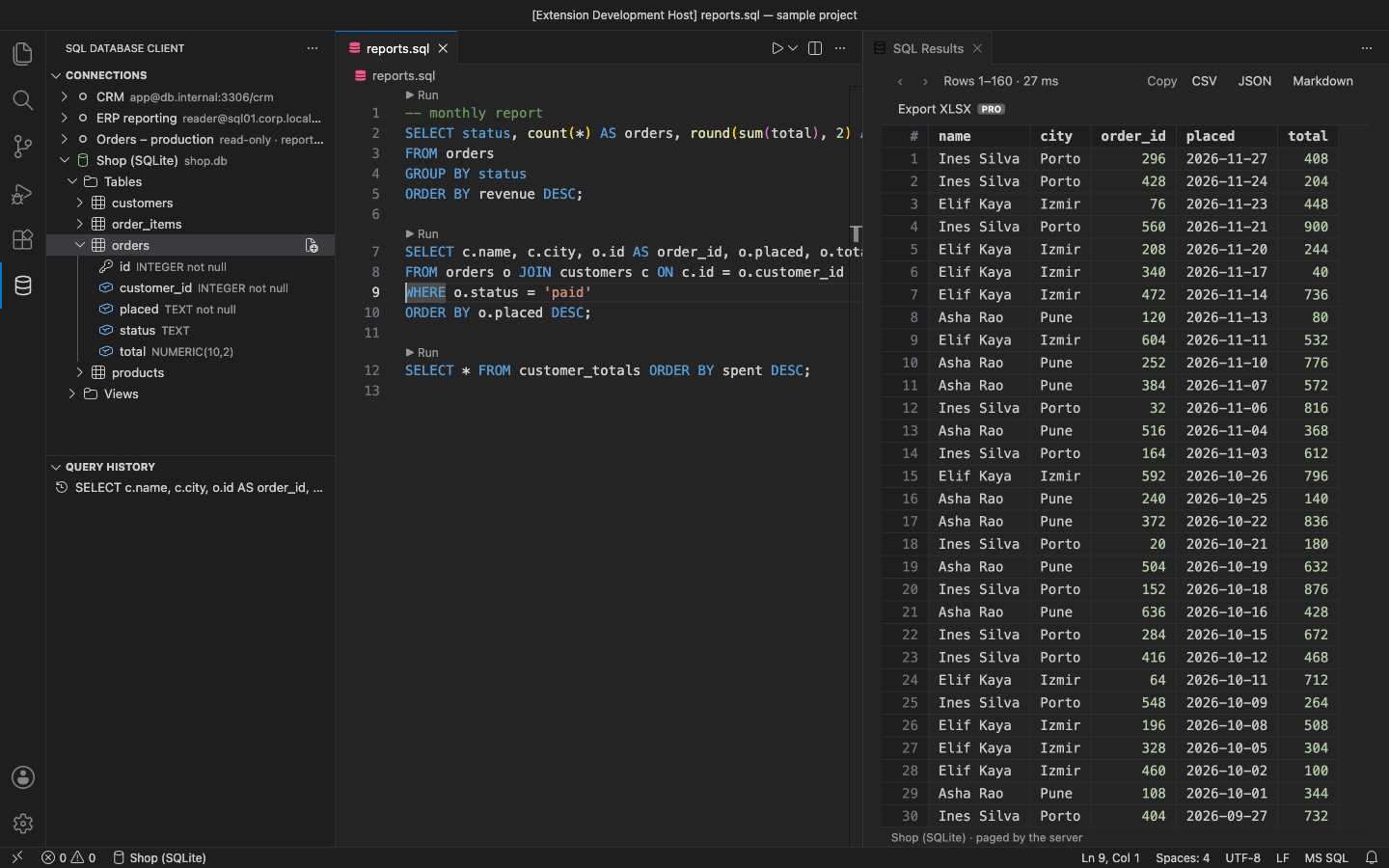
- Run the statement at the cursor, the selection or the whole file; each SQL file remembers its connection; a Run link above every statement
- Results grid paged and sorted by the server; copy rows as CSV, JSON or Markdown
- Query history, Cancel for a running query, and read-only connections (statement guard plus a read-only server session)
Pro adds
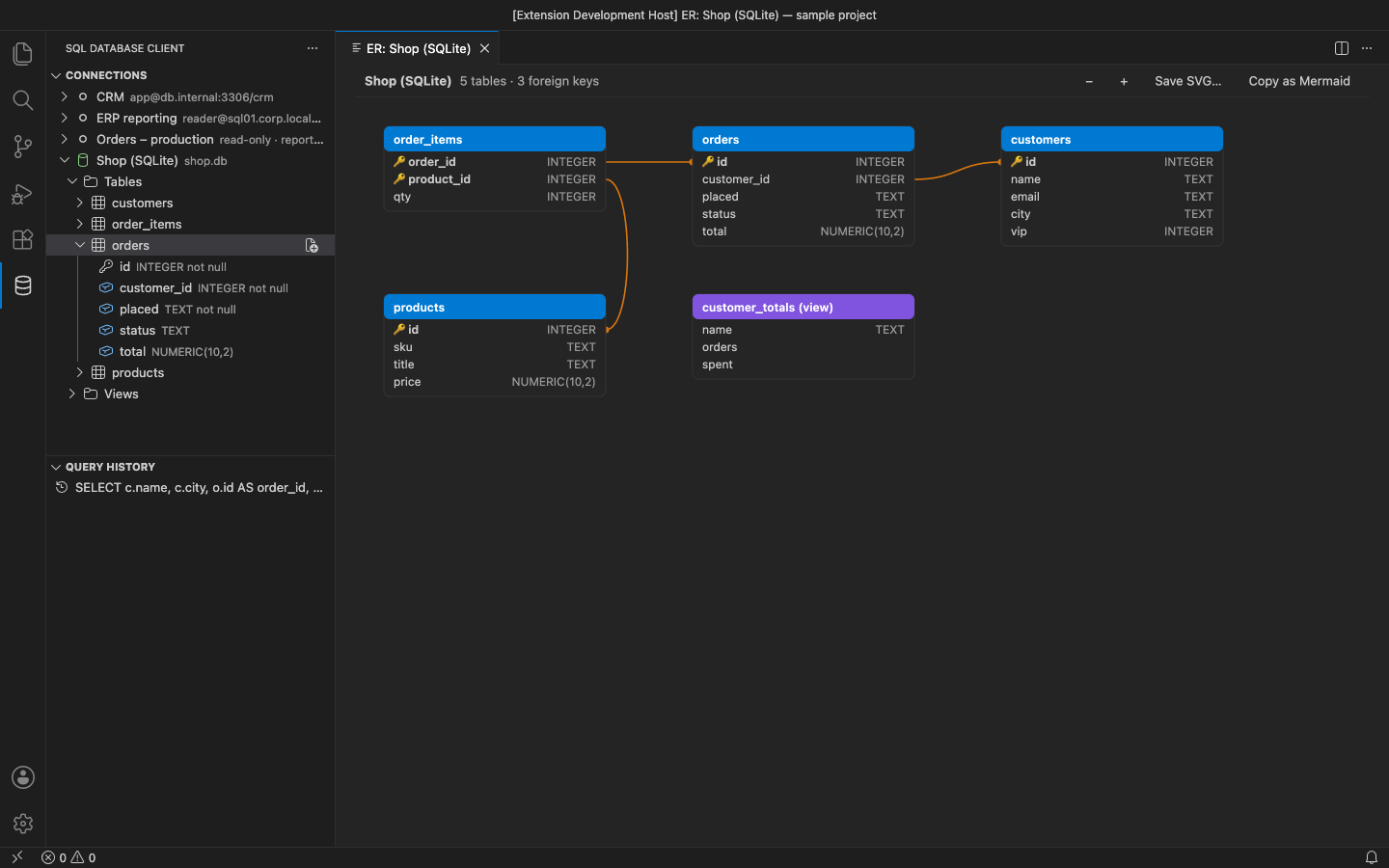
- ER diagram of a database or schema with foreign-key lines; save as SVG or copy as Mermaid
- Schema compare between two connections, databases or schemas, with a draft migration script
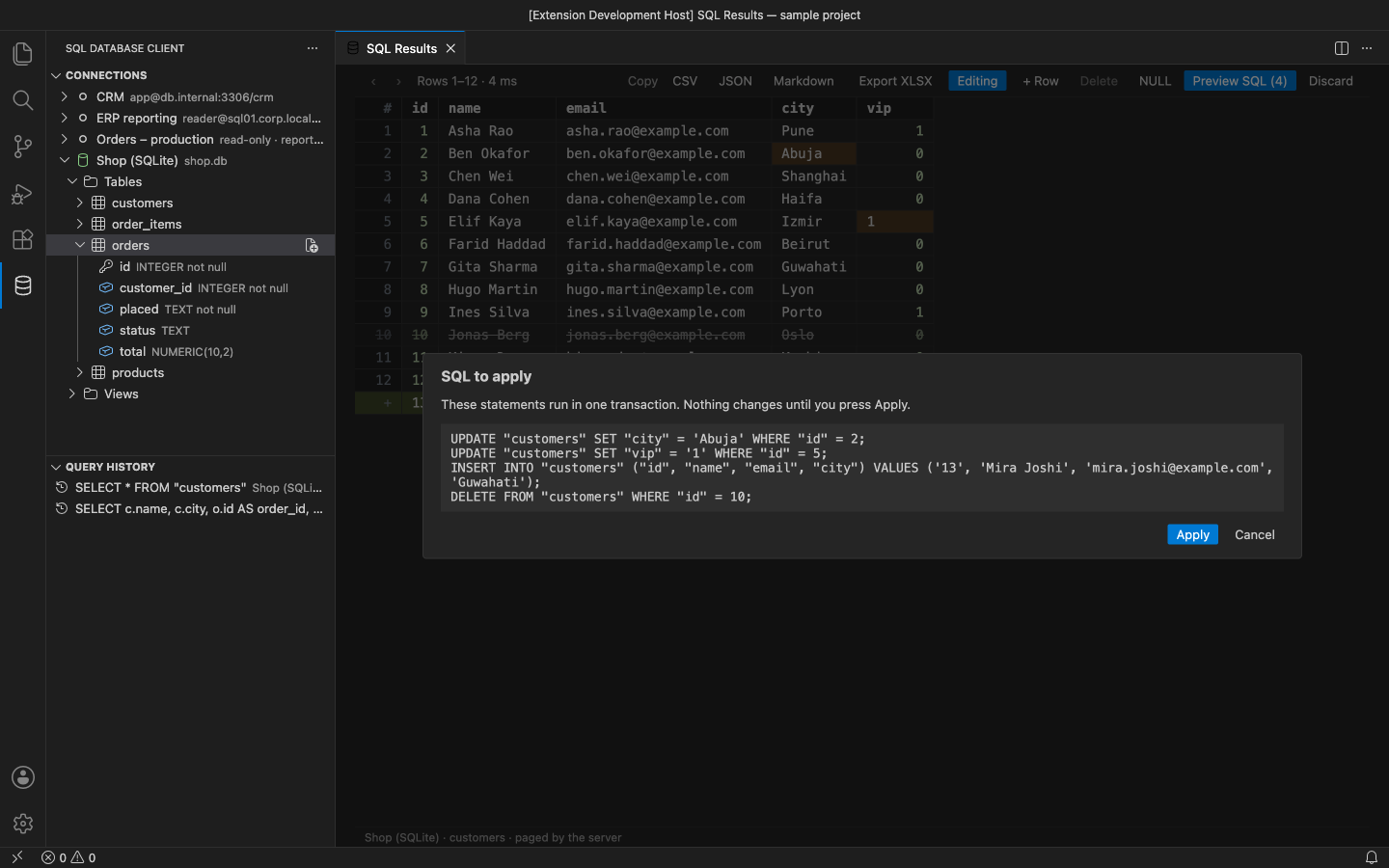
- Inline row editing: edit, add and delete rows, preview the generated SQL, apply it in one transaction (rows matched by primary key)
- Export results to Excel (.xlsx), every row, not just the page
Good to know
- An independent extension by PuzariCloud. Not made, endorsed or supported by the PostgreSQL, MySQL, MariaDB, SQLite or Microsoft SQL Server projects.
- This is the multi-database client. Our separate SQLite Viewer & Editor opens .db files as an editor.
- The key is checked offline with a public key built into the extension. One licence per developer; the yearly key expires a week after the paid year and each renewal emails a new key.
- In the free version, the Pro features carry a PRO badge and say what they do when you use them. There are no timed pop-ups.
Install
Install SQL Database Client – PostgreSQL, MySQL, SQLite, SQL Server from the VS Code Marketplace or Open VSX, open the database icon in the activity bar and choose Add Connection. For Pro, run SQL Database Client: Enter Pro License Key and paste the key from your email.
Requirements: VS Code 1.90+ desktop or a compatible editor (VSCodium, Cursor, Windsurf). PostgreSQL 10+, MySQL 5.7+ / MariaDB 10.3+, SQL Server 2017+, any SQLite file.
Price, cancelling and refunds
$29 a year, or $87 once for a lifetime licence (one developer, all 1.x updates). Billing stops when you cancel, and there are no surprise price jumps: you keep the price you bought at. Cancel from the link in your Paddle receipt; Pro keeps working until the end of the period you paid for.
Not happy? Email support@puzaricloud.in within 14 days of buying for a full refund. Paddle.com is our merchant of record: it handles checkout, tax and invoices. Privacy · Terms · Refund policy.