TODO Comments Explorer for VS Code: Owners, Age & Export
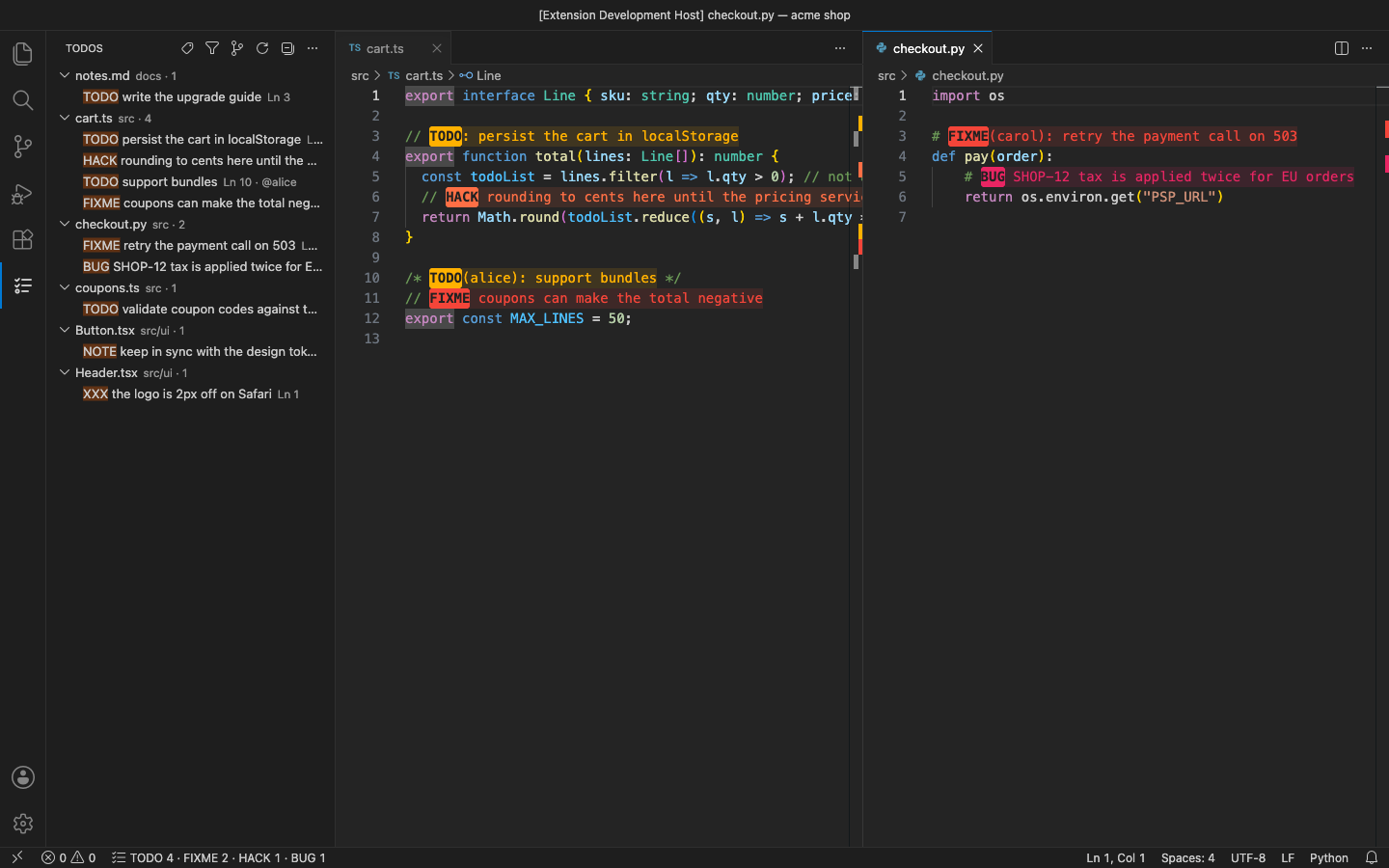
Every <code>TODO</code>, <code>FIXME</code>, <code>HACK</code>, <code>BUG</code>, <code>NOTE</code> and <code>XXX</code> comment in your workspace, in one tree, highlighted in the editor and counted in the status bar. The scan uses the ripgrep inside VS Code, wherever your VS Code version keeps it, so there is nothing to install and no "ripgrep not found". Only real comments count: a variable called <code>todoList</code> is never highlighted. No account and no telemetry. Free for everything below; Pro is a licence key that is checked offline.
$5 a year, or $15 once for a lifetime licence (one developer, all 1.x updates). Billing stops when you cancel, and there are no surprise price jumps: you keep the price you bought at. · My licences
Screenshots
Free
- TODO, FIXME, HACK, BUG, NOTE, XXX and your own tags (or your own regular expression), matched as the first word of a comment in any language, or a Markdown task
- Tree by file or by tag, with
TODO(alice)assignees, a text filter and a keyboard shortcut to focus it - Highlighting of the tag, the tag and text, or the whole line, with a colour per tag
- Status bar counts per tag (
TODO 12 · FIXME 3) - Include / exclude globs and .gitignore respected; build output and minified files skipped by default
- Fast on big repositories: one ripgrep pass (20,000 files in under a second in our tests), then only the file you edit is re-read
Pro adds
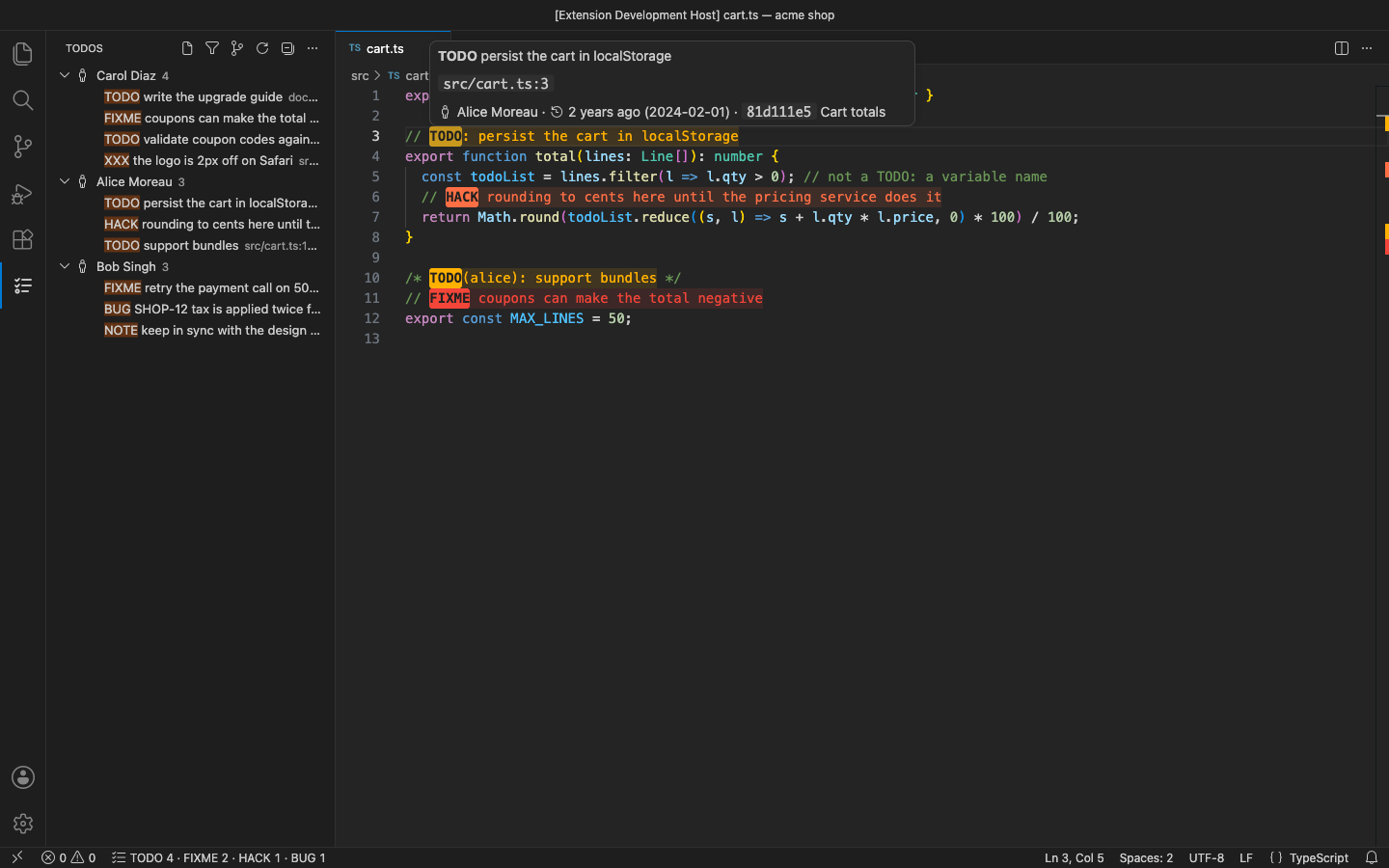
- Owner and age of every TODO from git blame: group the tree by author or by age (this week … older than 2 years), and see who, when and which commit in the hover
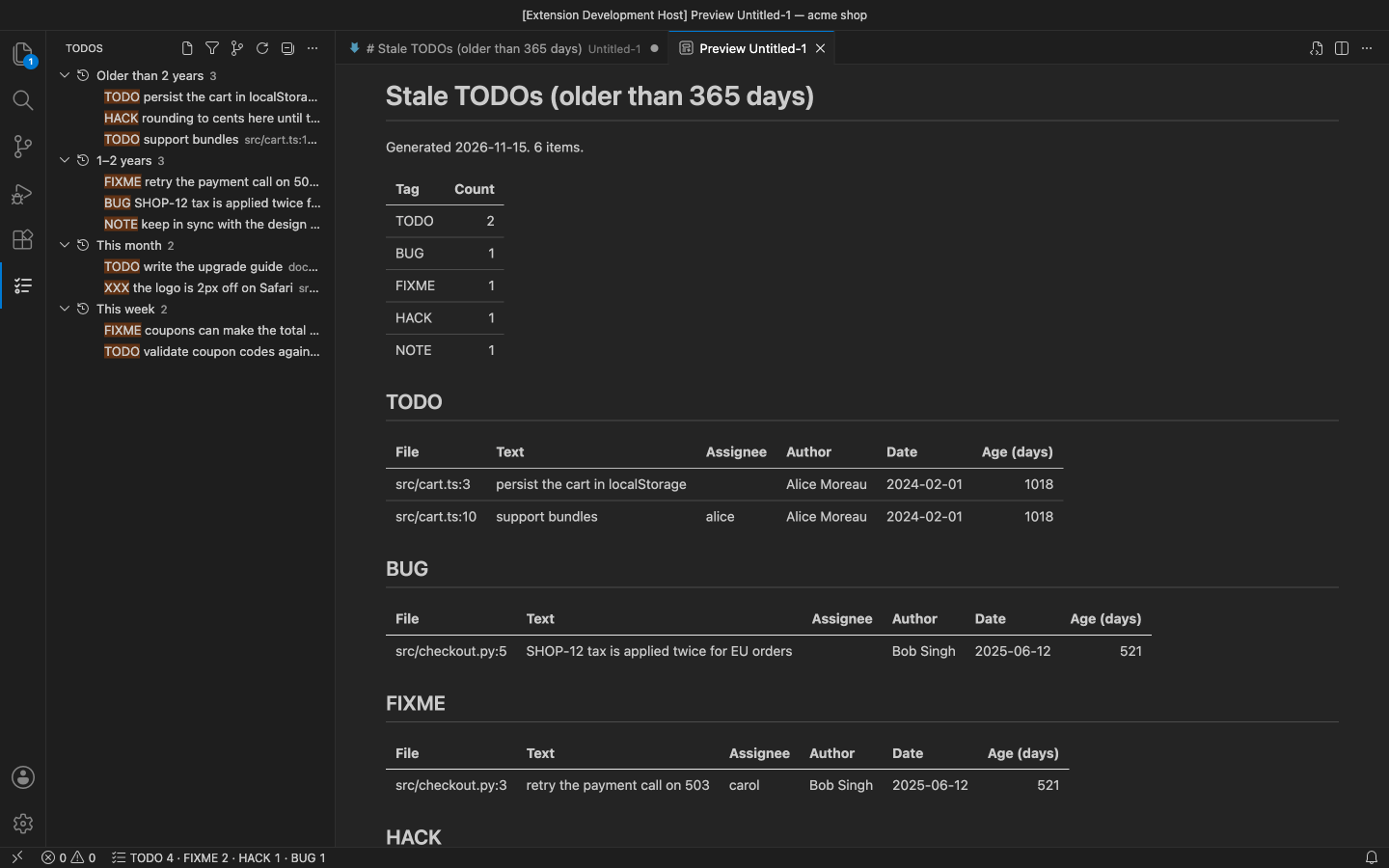
- Stale-TODO report: everything older than N days, oldest first, with author and date
- Export to Markdown, CSV or JSON with owner, email, date, age, commit and issue links
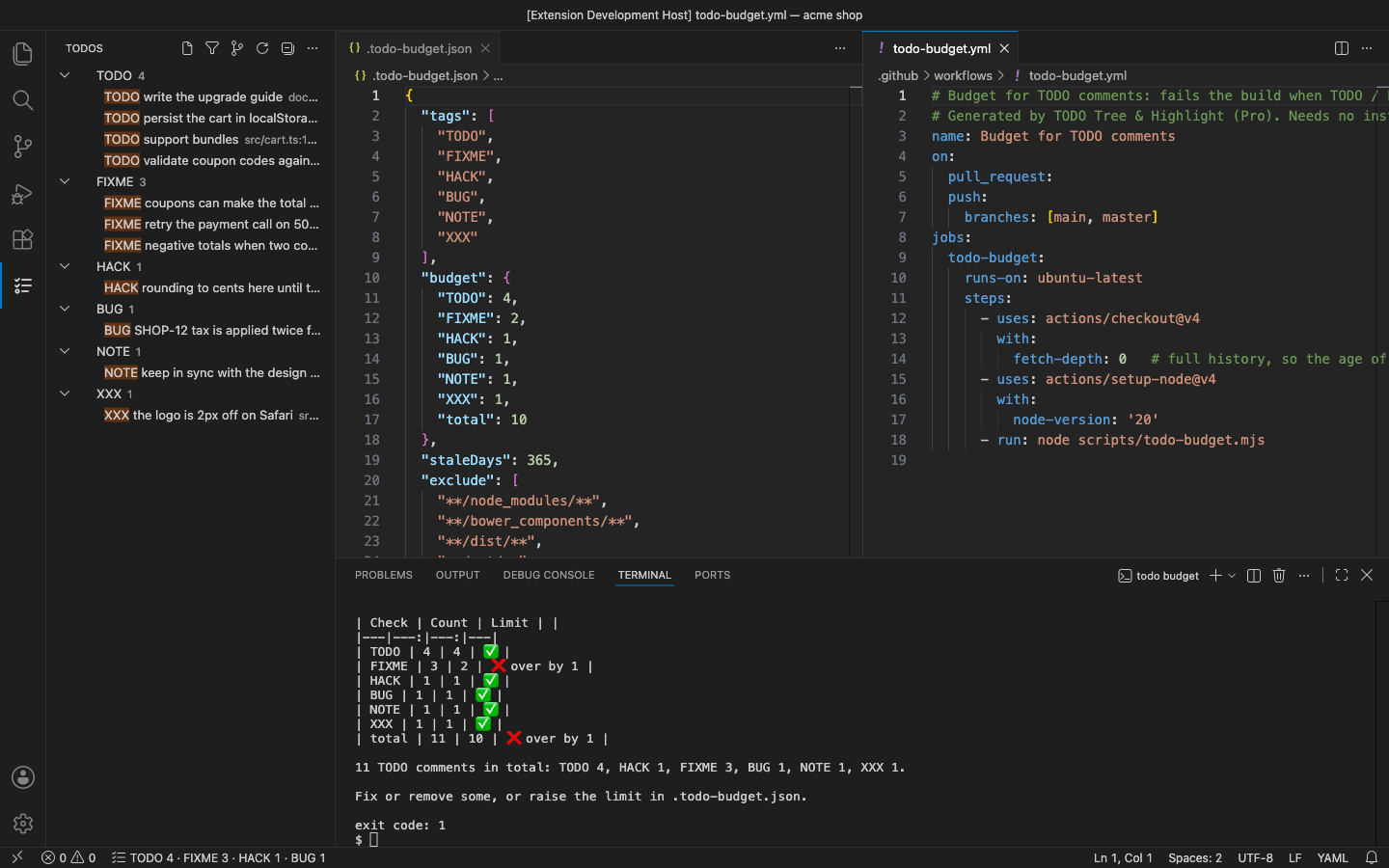
- TODO budget for CI: limits per tag in .todo-budget.json, a dependency-free Node script, an npm script and a GitHub Actions workflow that writes a summary and fails the build when over
- Issue keys as links: #123 to your GitHub, GitLab, Bitbucket or Codeberg issues, ABC-123 to Jira, or your own patterns
- Branch filter: only the TODOs in files, or on lines, changed on this branch since it left main
Good to know
- An independent extension by PuzariCloud. Not made, endorsed or supported by the authors of other TODO extensions.
- Owner, age, the stale report, the branch filter and #123 links need git and a trusted workspace. Multi-line TODOs are not supported.
- The key is checked offline with a public key built into the extension. One licence per developer; the yearly key expires a week after the paid year and each renewal emails a new key.
- In the free version, the (Pro) commands, the group-by menu, tooltips and the status bar say what Pro adds when you reach them. There are no timed pop-ups.
Install
Install TODO Comments Explorer – Owners, Age & Export from the VS Code Marketplace or Open VSX and open the TODOs view in the activity bar. For Pro, run TODO Comments Explorer: Enter Pro License Key and paste the key from your email.
Requirements: VS Code 1.90+ or a compatible editor (VSCodium, Cursor, Windsurf). Nothing else to install; the Pro git features need git.
Price, cancelling and refunds
$5 a year, or $15 once for a lifetime licence (one developer, all 1.x updates). Billing stops when you cancel, and there are no surprise price jumps: you keep the price you bought at. Cancel from the link in your Paddle receipt; Pro keeps working until the end of the period you paid for.
Not happy? Email support@puzaricloud.in within 14 days of buying for a full refund. Paddle.com is our merchant of record: it handles checkout, tax and invoices. Privacy · Terms · Refund policy.