Local Coding Time Tracker for VS Code: No Account, Per-Project Reports
See how long you code, per project and per language, <b>without an account, an API key or a server</b>. Tracking starts on its own from your edits, saves and cursor moves, stops after the idle timeout, and today's time sits in the status bar. Activity is written to plain <code>activity-YYYY-MM.jsonl</code> files on your own disk and <b>nothing is sent anywhere</b>: the extension has no network code. Free for everything below; Pro is a licence key that is checked offline.
$9 a year, or $27 once for a lifetime licence (one developer, all 1.x updates). Billing stops when you cancel, and there are no surprise price jumps: you keep the price you bought at. · My licences
Screenshots
Free
- Automatic tracking from edits, saves, cursor moves, file switches and window focus, with an idle timeout you set
- Status bar: today's total and the current project's time; click for the report
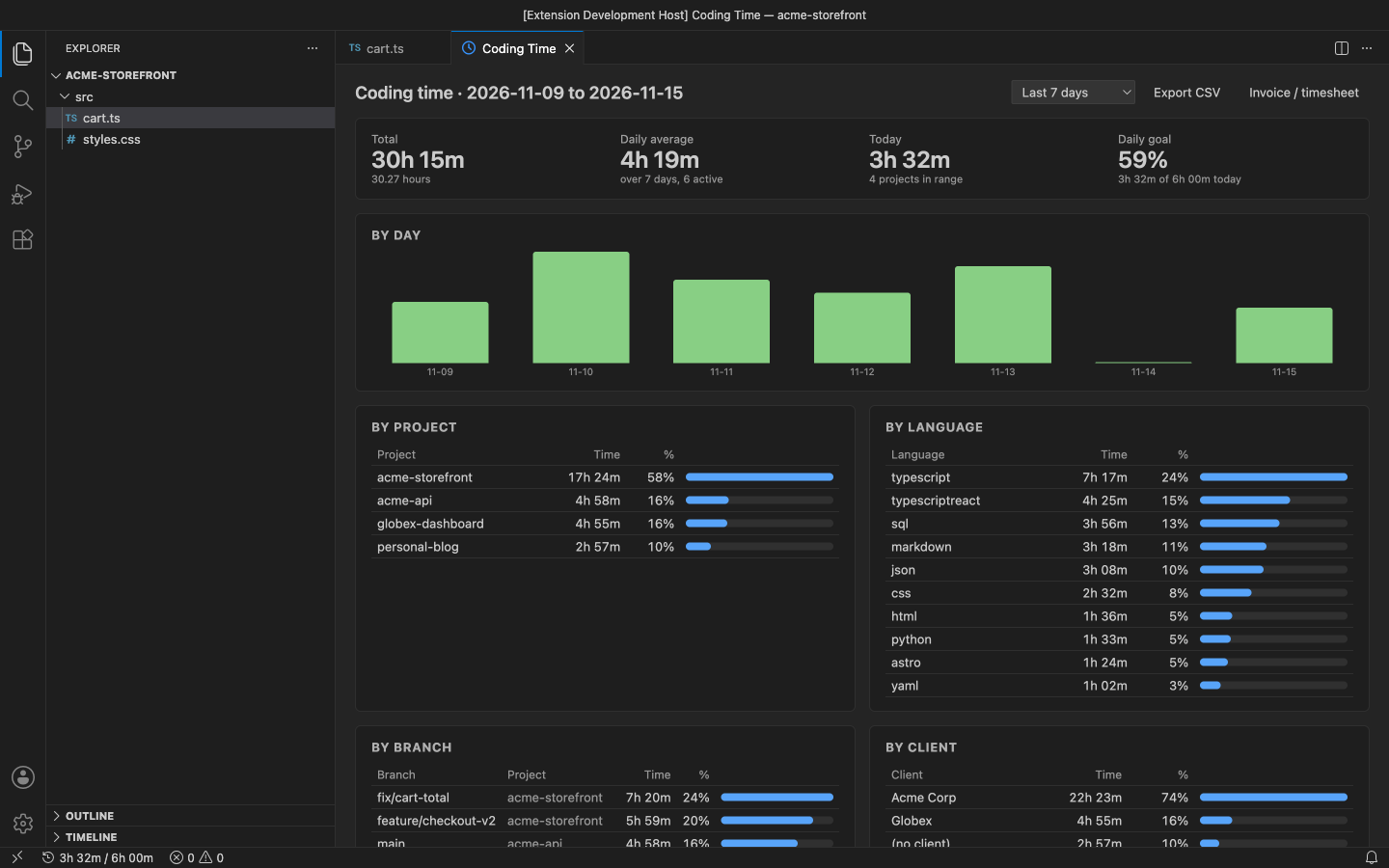
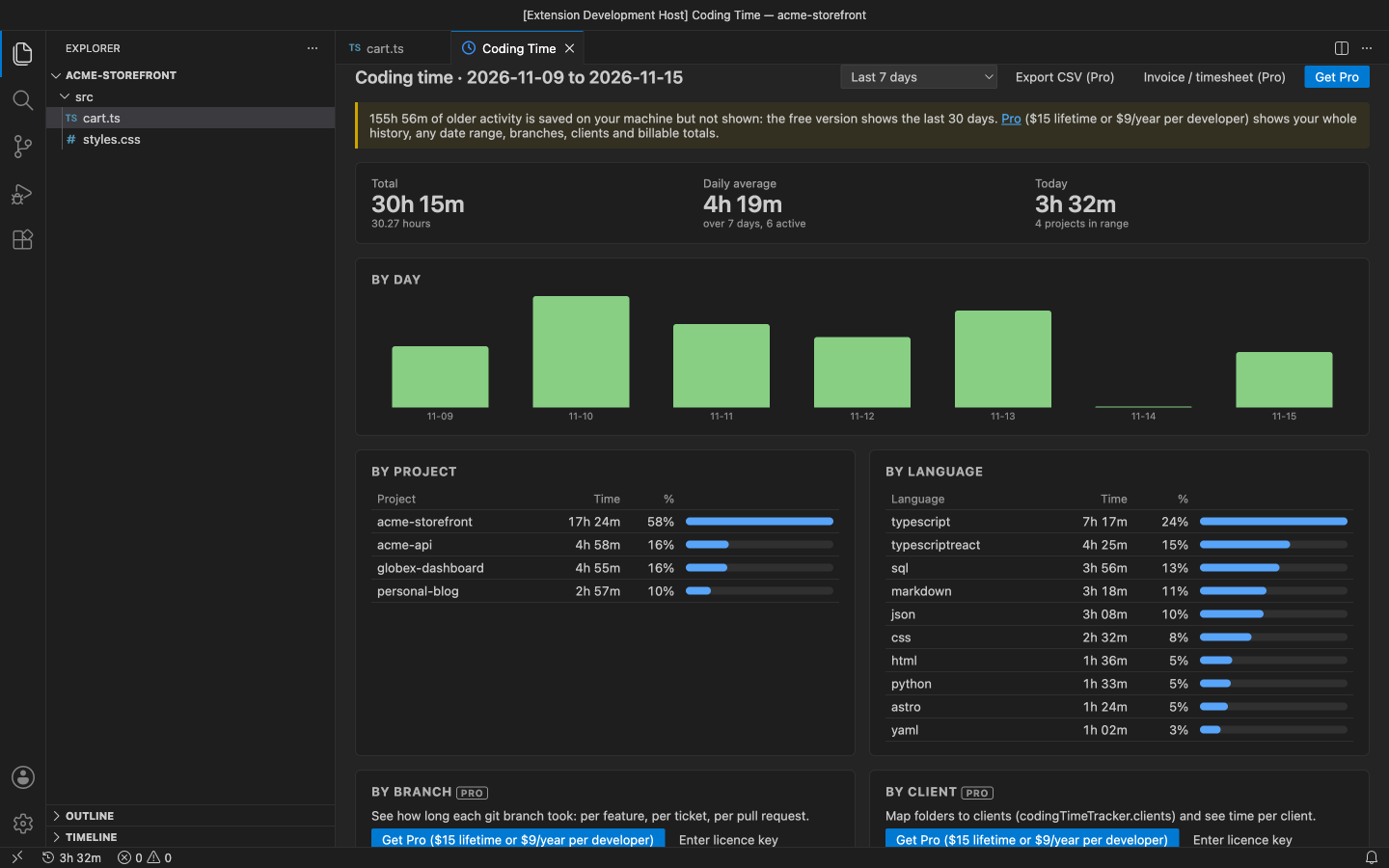
- Report for today, the last 7 days or the last 30 days: total, daily average, a bar per day, time by project and by language
- Pause / resume, and projects that are never tracked
- Your data in a documented JSON Lines format, in VS Code's storage or a folder you choose; several windows count overlapping time once
Pro adds
- Unlimited history: every day you have tracked, including time recorded before you bought Pro
- Any date range: this month, last month, 90 days, all time or custom dates
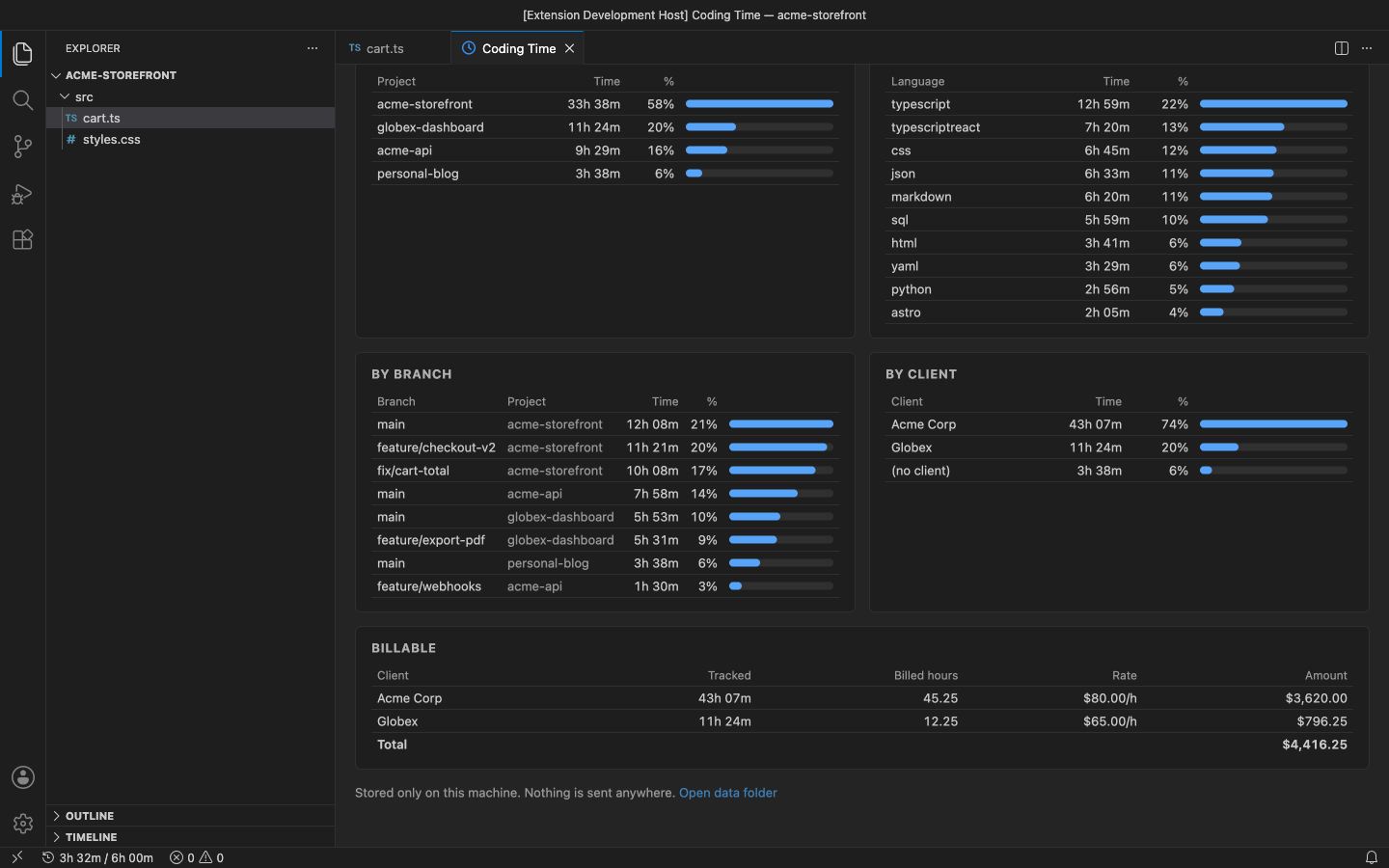
- Time by git branch and by client (map folders or project names to clients)
- Hourly rates per client or project, rounding, billable totals
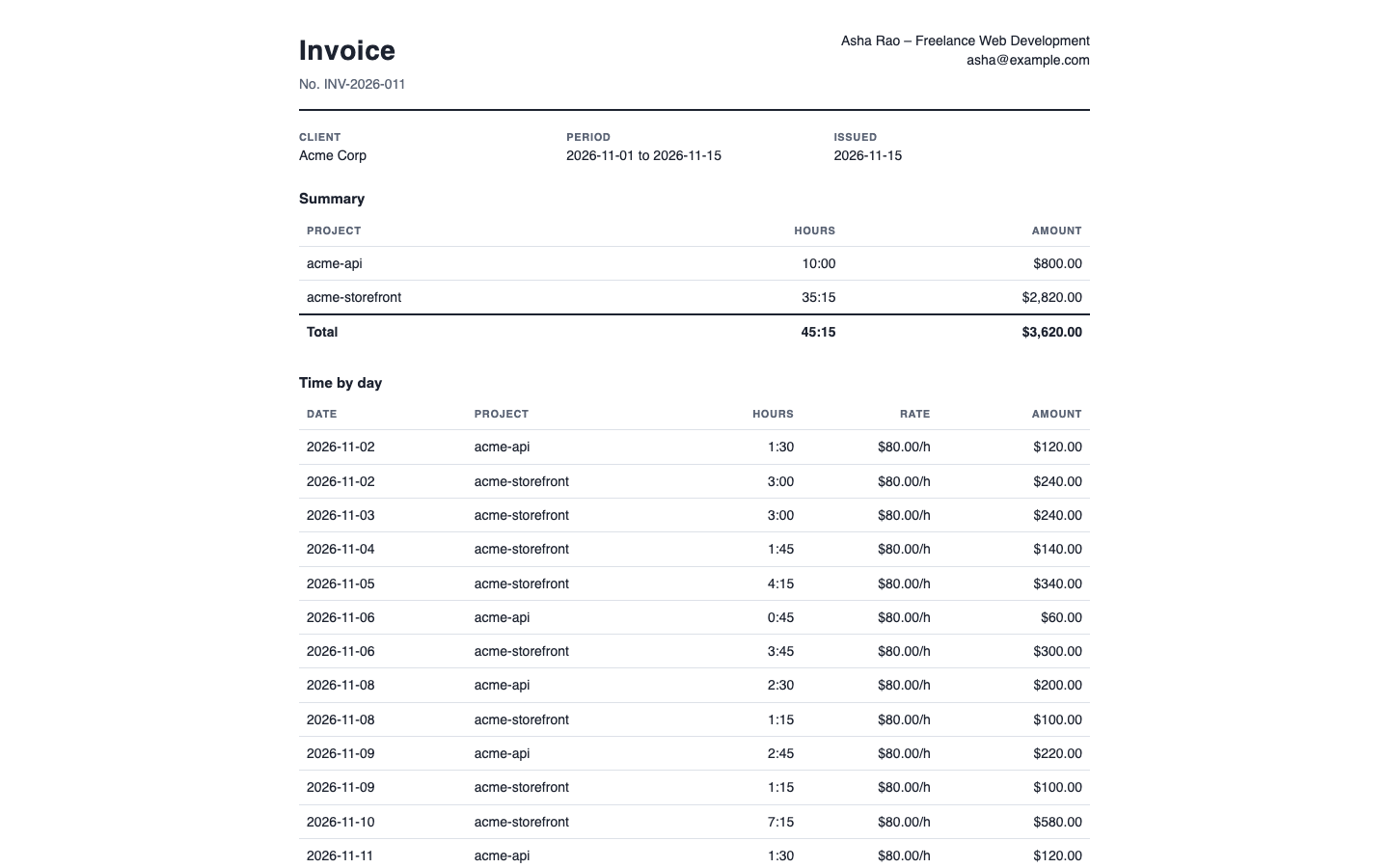
- CSV export and a printable HTML invoice or timesheet for one client
- Daily goal with progress in the status bar
Good to know
- An independent extension by PuzariCloud.
- It records start and end times, the project name and folder, the language and the git branch. File names, file contents and keystrokes are never recorded.
- The key is checked offline with a public key built into the extension. One licence per developer; the yearly key expires a week after the paid year and each renewal emails a new key.
- In the free version, the five (Pro) commands and the locked report sections say what they add. There are no timed pop-ups.
Install
Install Local Coding Time Tracker – No Account, Per-Project Reports from the VS Code Marketplace or Open VSX. Tracking starts on its own; click the clock in the status bar or run Coding Time: Show Report. For Pro, run Coding Time: Enter Pro License Key and paste the key from your email.
Requirements: VS Code 1.90+ or a compatible editor (VSCodium, Cursor, Windsurf). Nothing else to install.
Price, cancelling and refunds
$9 a year, or $27 once for a lifetime licence (one developer, all 1.x updates). Billing stops when you cancel, and there are no surprise price jumps: you keep the price you bought at. Cancel from the link in your Paddle receipt; Pro keeps working until the end of the period you paid for.
Not happy? Email support@puzaricloud.in within 14 days of buying for a full refund. Paddle.com is our merchant of record: it handles checkout, tax and invoices. Privacy · Terms · Refund policy.