SFTP/FTP Upload on Save for VS Code: Deploy to Your Server
Save a file and it is on your server. <b>SFTP, FTP and FTPS</b>, read from the <code>.vscode/sftp.json</code> you already use with the popular SFTP extension: same keys, comments allowed, nothing to change. Passwords and key passphrases are asked for once and kept in VS Code SecretStorage, never in a project file, and every transfer and error is in the log. Free for everything below; Pro is a licence key that is checked offline.
$12 a year, or $36 once for a lifetime licence (one developer, all 1.x updates). Billing stops when you cancel, and there are no surprise price jumps: you keep the price you bought at. · My licences
Screenshots
Free
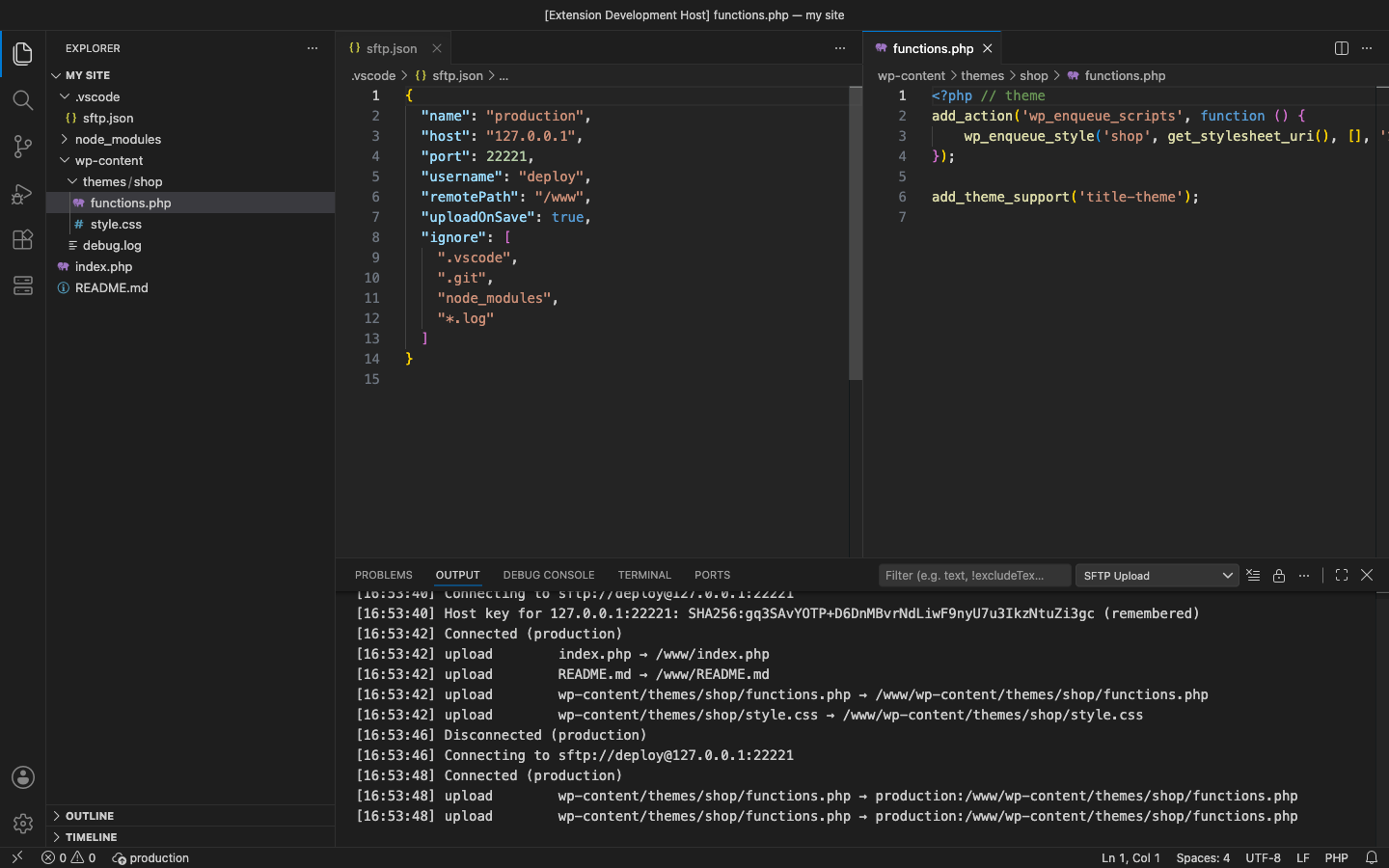
- Upload on save to one server per workspace folder (
"uploadOnSave": true) - Upload and Download from the Explorer and editor menus: files, several files, or whole folders
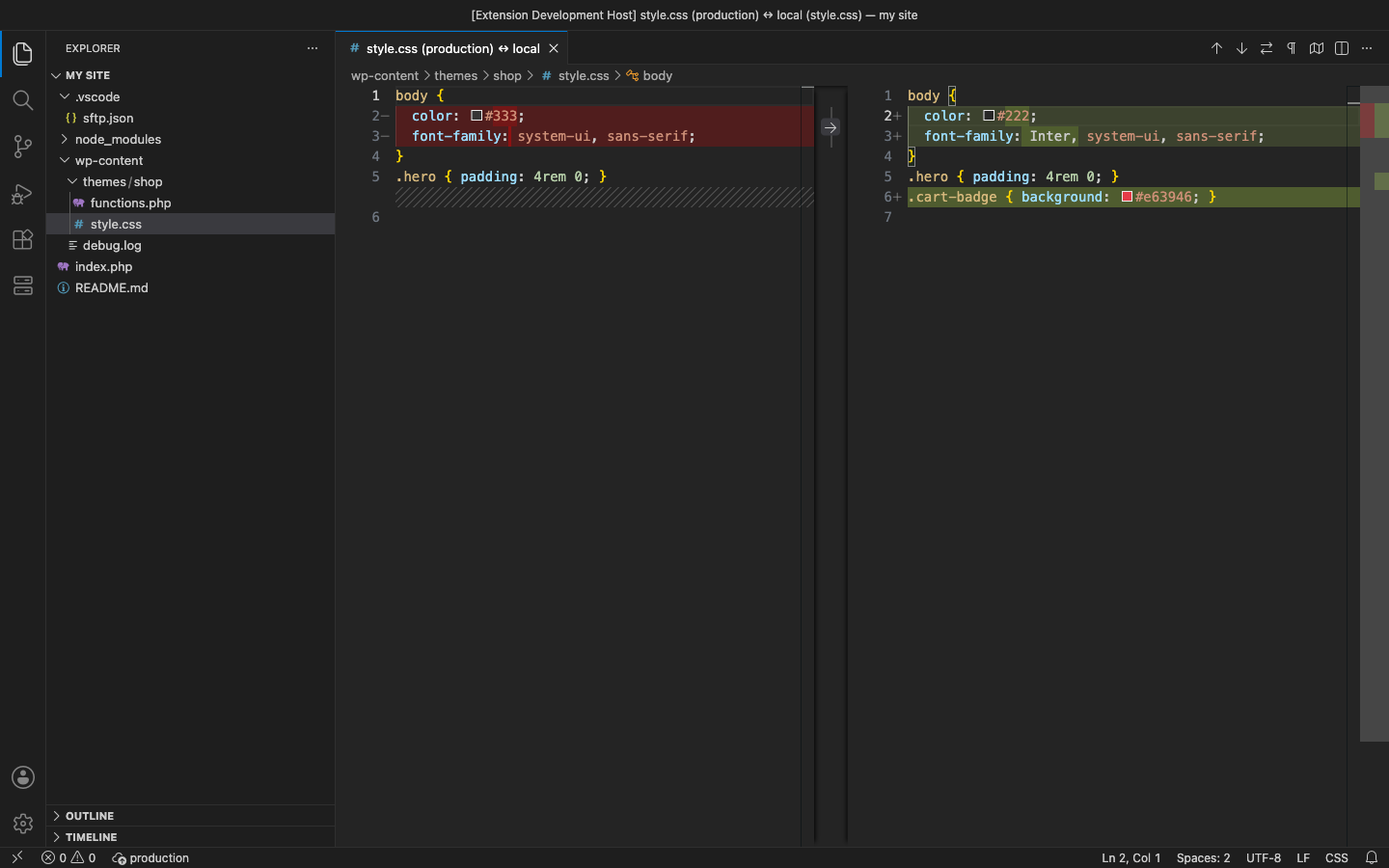
- Compare with Remote: the server copy next to your file in the diff editor
.gitignore-style ignore rules andignoreFile;.vscode/sftp.jsonitself is never uploaded- SFTP with password, private key (with passphrase) or ssh-agent; FTP; FTPS explicit or implicit; host keys remembered and checked
- Log with the server's own error messages, and a status bar that shows the server and turns red when a transfer fails
Pro adds
- Several servers at once: one save goes to staging and production, and you choose which servers are used
- Switch Profile between the
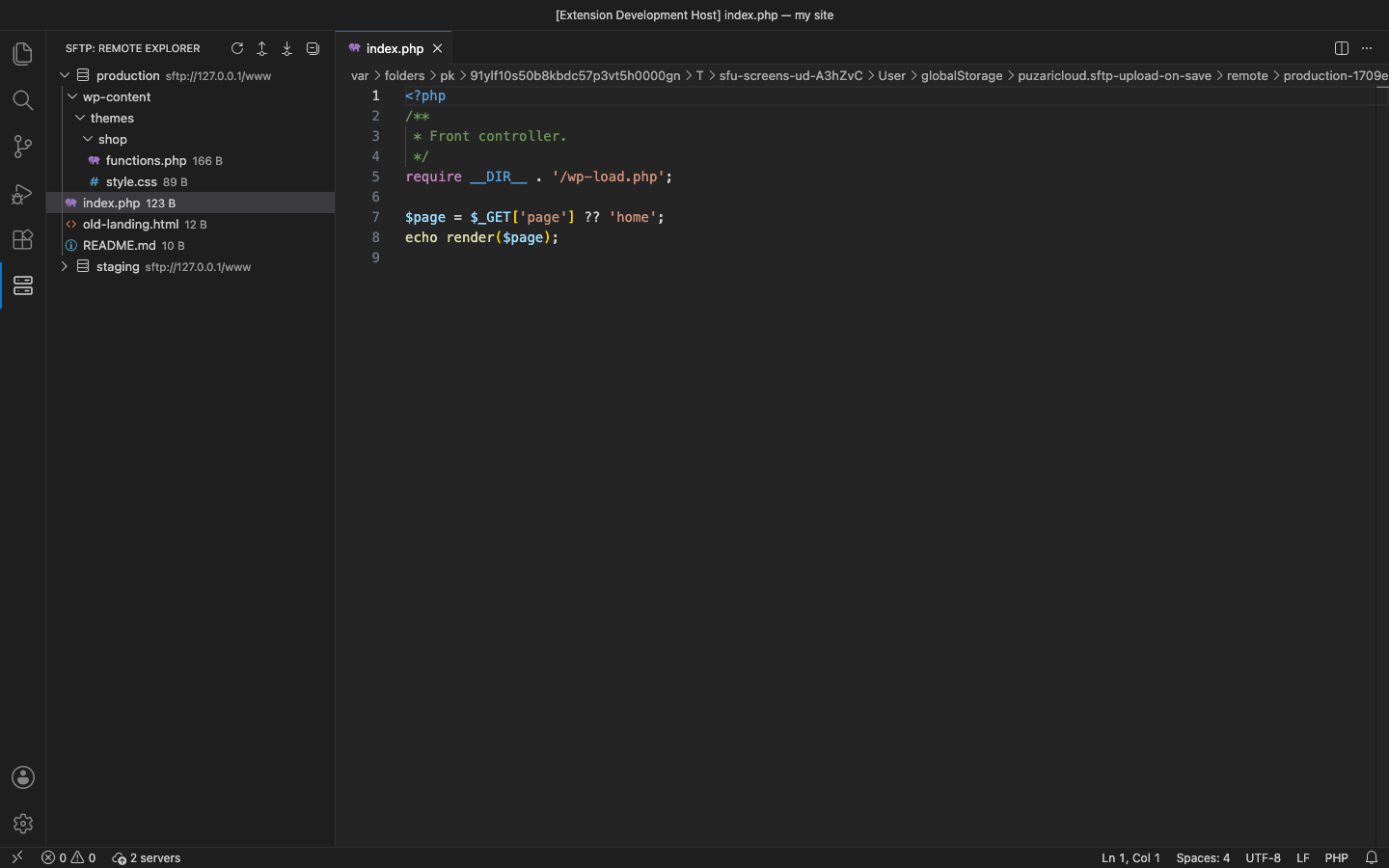
profilesin sftp.json without editing it - Remote Explorer: browse each server, open a remote file and save it straight back, download, rename, delete
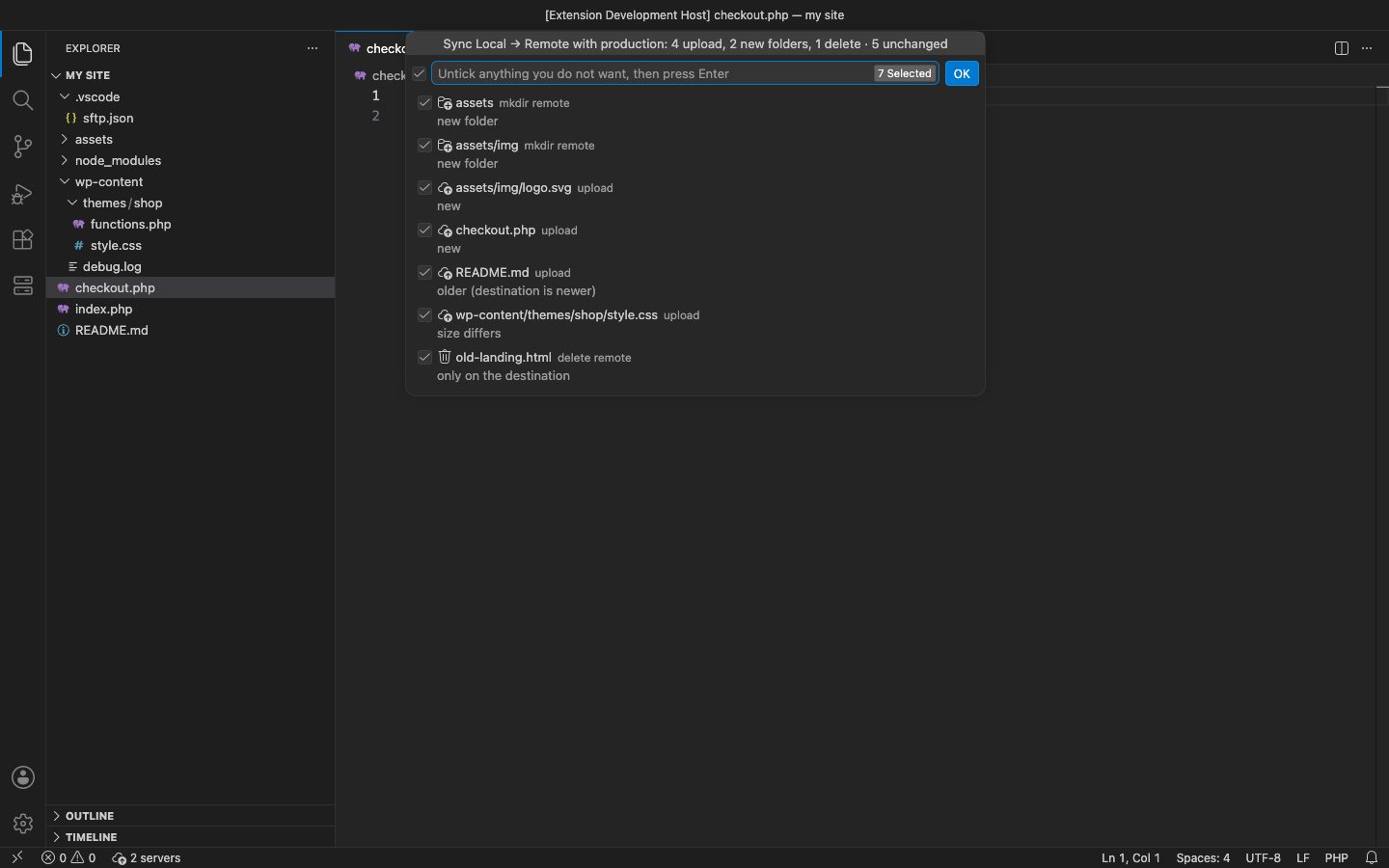
- Folder diff & sync, local → remote or remote → local, with a preview of every upload, download and delete that you can untick
- Jump hosts (
hop, one or a chain) and SOCKS5 / HTTP proxies for SFTP - Global config: servers and defaults in your user settings, for projects without an sftp.json
Good to know
- An independent extension by PuzariCloud. It reads the sftp.json format of the SFTP extension for VS Code, and is not made, endorsed or supported by its authors.
- Folder sync compares size and modified time; it deletes files only when
syncOption.deleteis set and you keep them ticked in the preview. Jump hosts and proxies are for SFTP. - The key is checked offline with a public key built into the extension. One licence per developer; the yearly key expires a week after the paid year and each renewal emails a new key.
- In the free version, the (Pro) commands, the Remote Explorer and the status bar say what Pro adds when you reach them. There are no timed pop-ups.
Install
Install SFTP/FTP Upload on Save – Deploy to Remote Server from the VS Code Marketplace or Open VSX. Keep your .vscode/sftp.json, or run SFTP: Create or Open Config. For Pro, run SFTP: Enter Pro License Key and paste the key from your email.
Requirements: VS Code 1.90+ or a compatible editor (VSCodium, Cursor, Windsurf), in a trusted workspace. An SFTP, FTP or FTPS server you can log in to.
Price, cancelling and refunds
$12 a year, or $36 once for a lifetime licence (one developer, all 1.x updates). Billing stops when you cancel, and there are no surprise price jumps: you keep the price you bought at. Cancel from the link in your Paddle receipt; Pro keeps working until the end of the period you paid for.
Not happy? Email support@puzaricloud.in within 14 days of buying for a full refund. Paddle.com is our merchant of record: it handles checkout, tax and invoices. Privacy · Terms · Refund policy.