Azure DevOps Pull Requests, Pipelines & Work Items for VS Code
The pull requests waiting for your review, the ones you created and every active PR of the project, in a VS Code side bar. Each changed file opens as a real diff; comment and vote (approve, approve with suggestions, wait for author, reject) from the tree. Sign in with a personal access token kept in VS Code SecretStorage. No account with us and no telemetry. Free for everything below; Pro is a licence key that is checked offline.
$15 a year, or $45 once for a lifetime licence (one developer, all 1.x updates). Billing stops when you cancel, and there are no surprise price jumps: you keep the price you bought at. · My licences
Screenshots
Free
- Sign in with a personal access token; the token is checked right away and errors say which scope or setting to fix
- Organization and project picker; paste any Azure DevOps URL and the project is taken from it
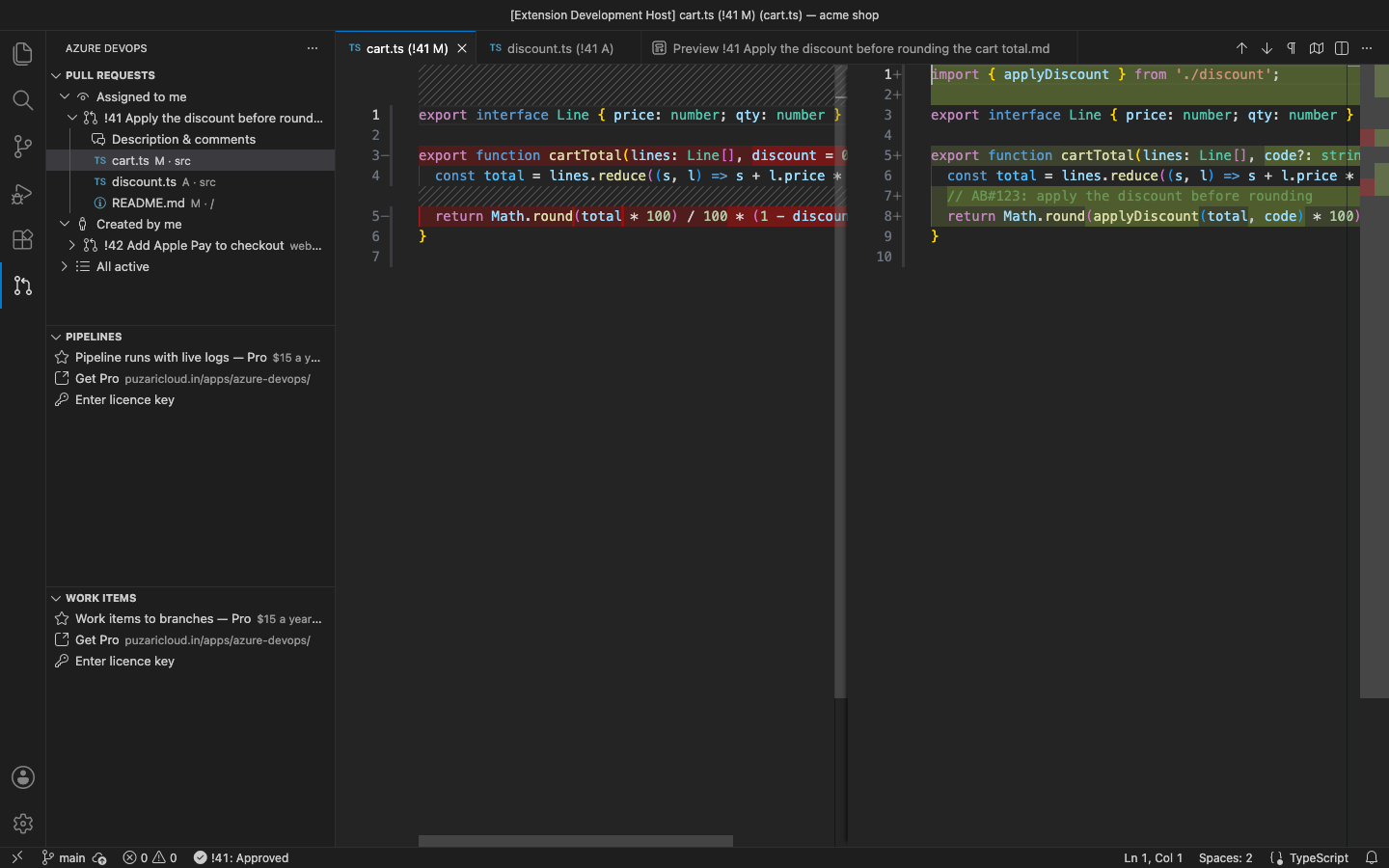
- Pull Requests view: Assigned to me, Created by me and All active, with repository, branches, author, draft state and your vote
- Changed files as VS Code diffs (merge base vs the last iteration), added, edited, deleted and renamed files, nothing cloned
- Description, reviewers with their votes and the comment threads in a Markdown preview; add a general comment
- Vote: Approve, Approve with Suggestions, Wait for Author, Reject, Reset
Pro adds
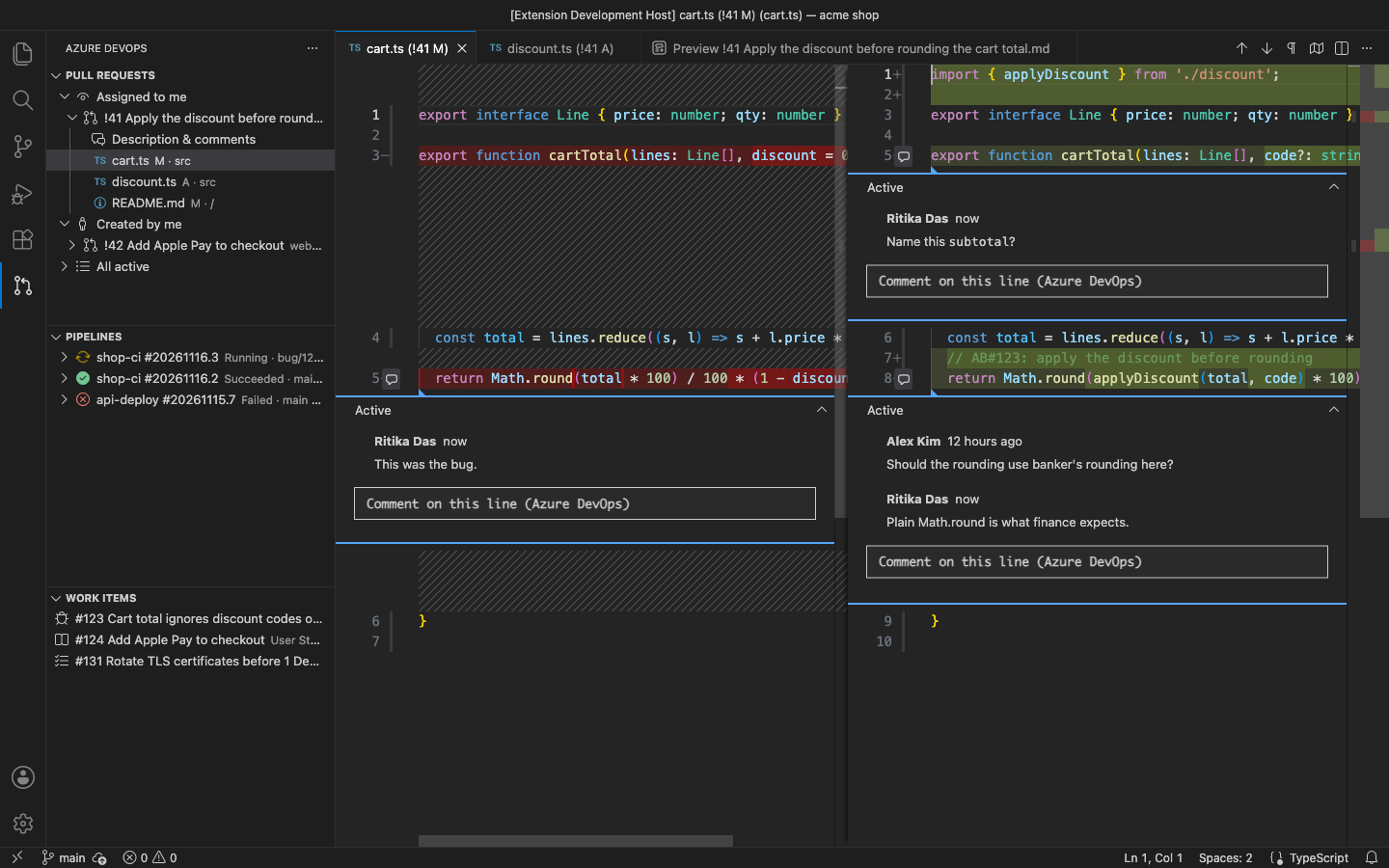
- Inline review threads on diff lines: every thread on the right line of the old or new side, reply, or start a new one from the gutter
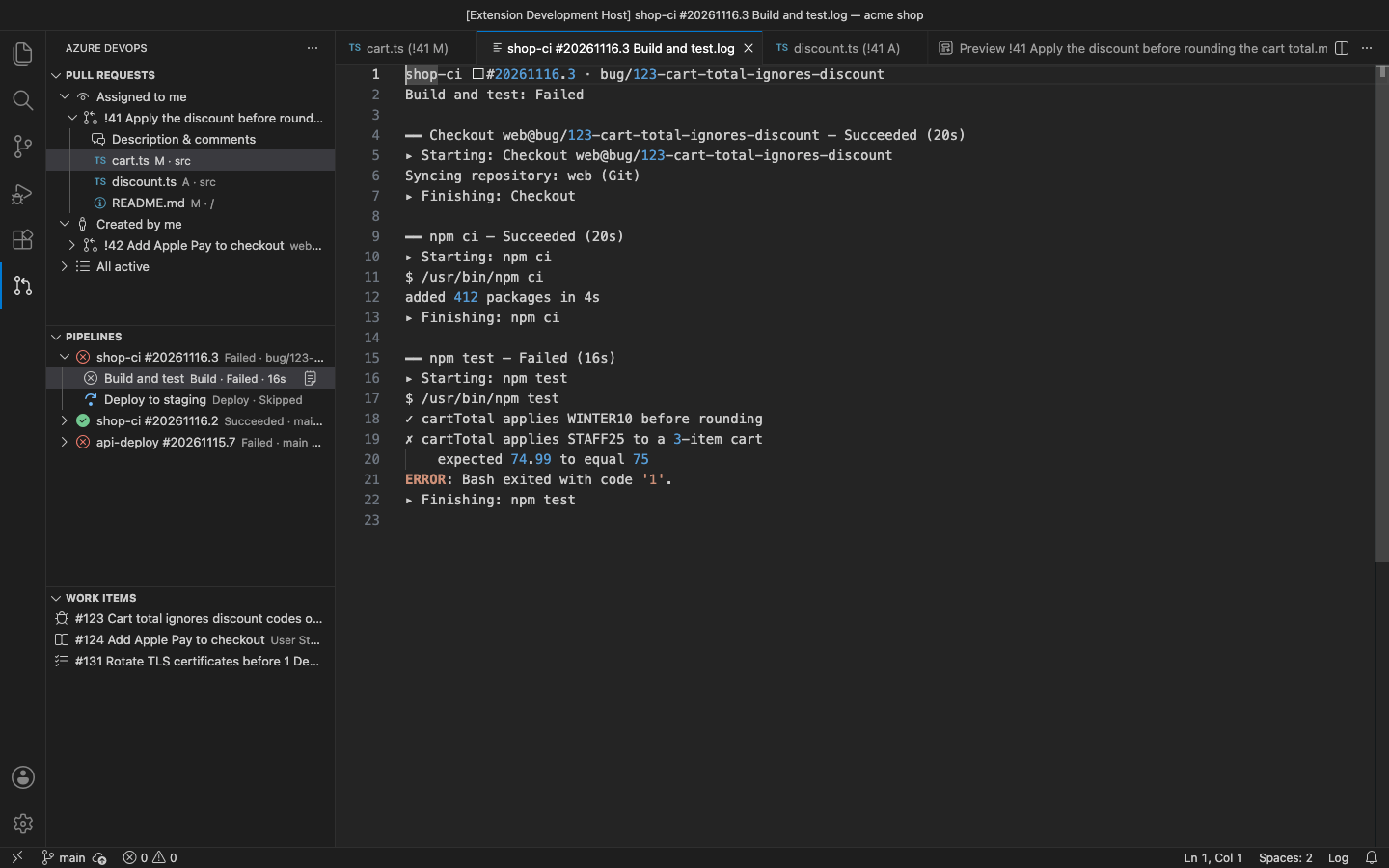
- Pipeline runs: recent runs with stages and jobs; a job log that refreshes every few seconds while it runs
- Work items to branches: your open work items in a side bar, a branch from an item with its id in the name
- Create a pull request from the current branch (draft or ready) with the work item linked, and complete / merge it: squash, merge, rebase or semi-linear
- Azure DevOps Server / TFS with your own collection URL, and several organizations at once
Good to know
- An independent extension by PuzariCloud. Not made, endorsed or supported by Microsoft.
- Needs a personal access token: Code (Read & write); for Pro also Build (Read) and Work Items (Read & write). OAuth / Entra sign-in is not supported.
- Live logs poll the REST API; some tasks only publish their log lines when they finish. Azure DevOps Server 2020 or newer.
- The key is checked offline with a public key built into the extension. One licence per developer; the yearly key expires a week after the paid year and each renewal emails a new key.
- In the free version the Pipelines and Work Items views show one Pro row, and Pro commands say what they do. There are no timed pop-ups.
Install
Install Azure DevOps Pull Requests, Pipelines & Work Items from the VS Code Marketplace or Open VSX, open the Azure DevOps view and sign in with a personal access token. For Pro, run Azure DevOps: Enter Pro License Key and paste the key from your email.
Requirements: VS Code 1.90+ or a compatible editor (VSCodium, Cursor, Windsurf). An Azure DevOps organization (or Azure DevOps Server 2020+) and a personal access token.
Price, cancelling and refunds
$15 a year, or $45 once for a lifetime licence (one developer, all 1.x updates). Billing stops when you cancel, and there are no surprise price jumps: you keep the price you bought at. Cancel from the link in your Paddle receipt; Pro keeps working until the end of the period you paid for.
Not happy? Email support@puzaricloud.in within 14 days of buying for a full refund. Paddle.com is our merchant of record: it handles checkout, tax and invoices. Privacy · Terms · Refund policy.