Code Screenshots for VS Code: Beautiful Code Images & SVG
Select code, press <code>Cmd+Alt+Shift+C</code> and get a clean image of it in exactly the colours your editor shows, with a macOS-style window, the file name and the real line numbers. Save it as a PNG or copy it to the clipboard for Slack, slides, docs or a post. No account and no telemetry. Free for everything below; Pro is a licence key that is checked offline.
$5 a year, or $15 once for a lifetime licence (one developer, all 1.x updates). Billing stops when you cancel, and there are no surprise price jumps: you keep the price you bought at. · My licences
Screenshots
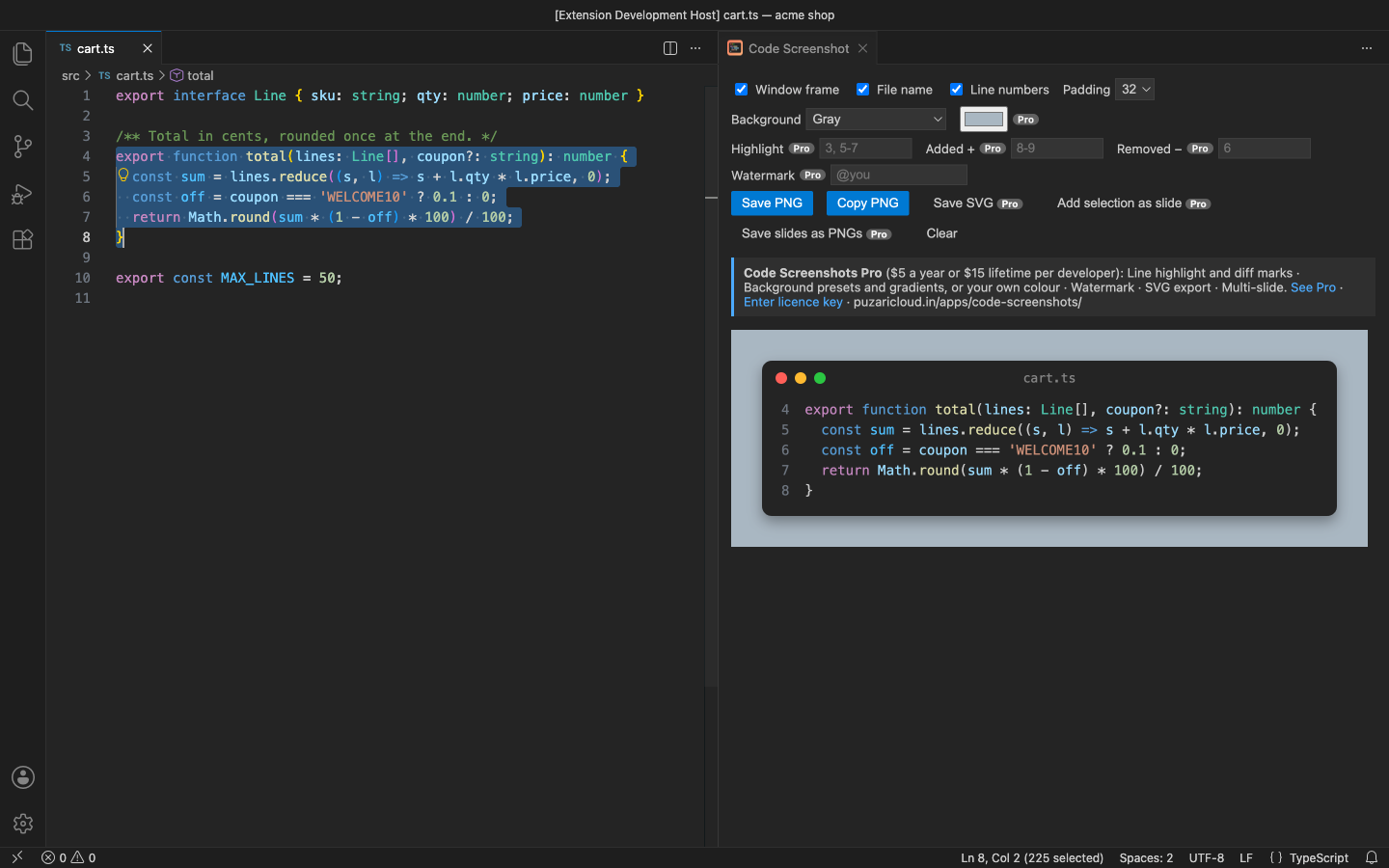
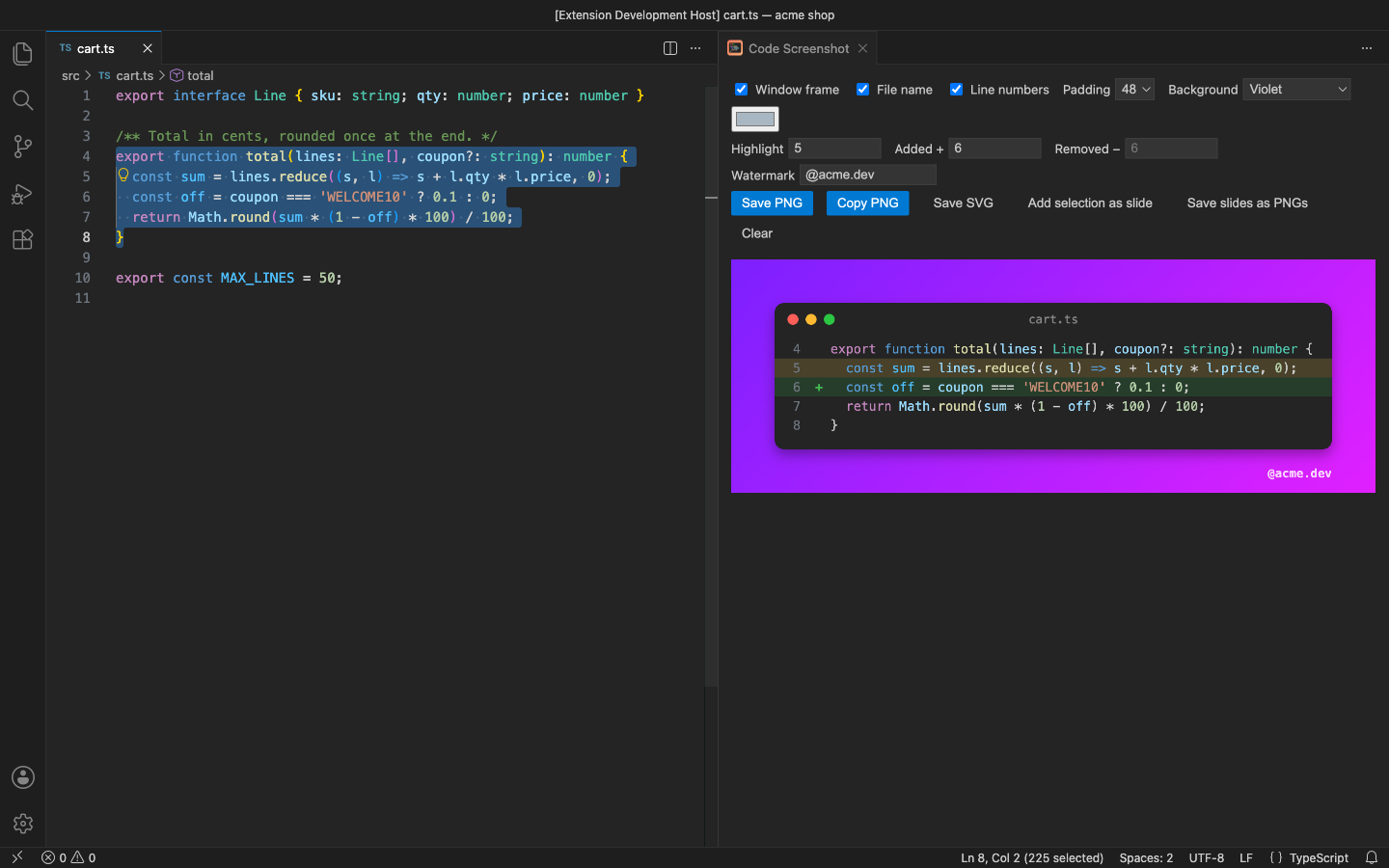
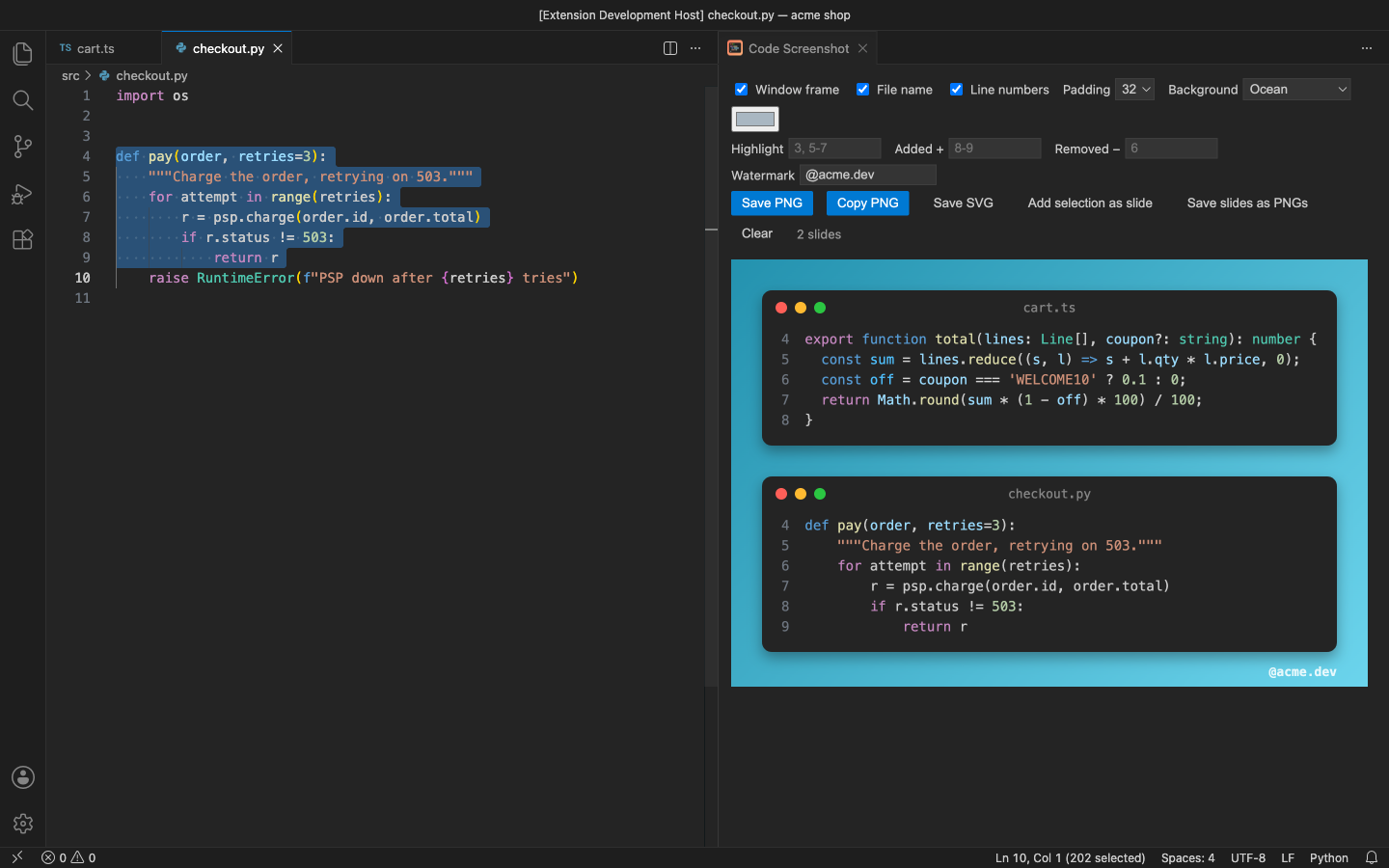
Free
- PNG of the selection, or the whole file, in your current theme's token colours, at 2× resolution (1–4×)
- macOS-style window frame with the file name, or a plain card
- The file's real line numbers; common indentation removed and tabs expanded
- Padding and a gray or transparent background
- Save PNG or copy the image straight to the clipboard; your clipboard text is put back after the capture
Pro adds
- Line highlight (
3, 5-7) and diff marks: lines marked as added (+) or removed (−) - Background presets and gradients (Sunset, Ocean, Violet, Mint, Candy, Sky, Midnight, White) or your own colour
- Watermark: your name, @handle or site in the corner
- SVG export with real, selectable text that stays sharp at any size
- Multi-slide: collect snippets from several files and save them as one image or one PNG per slide
Good to know
- An independent extension by PuzariCloud. Not made, endorsed or supported by the authors of other code screenshot tools.
- The colours come from VS Code's Copy with Syntax Highlighting; when a screenshot is started without a key press or click, the image uses your theme's text colour. The SVG uses your editor font when the viewer has it.
- The key is checked offline with a public key built into the extension. One licence per developer; the yearly key expires a week after the paid year and each renewal emails a new key.
- In the free version the Pro controls on the panel carry a Pro badge and say what they do when you use them. There are no timed pop-ups.
Install
Install Code Screenshots – Beautiful Code Images & SVG from the VS Code Marketplace or Open VSX, select code and run Code Screenshots: Screenshot Selection. For Pro, run Code Screenshots: Enter Pro License Key and paste the key from your email.
Requirements: VS Code 1.90+ or a compatible editor (VSCodium, Cursor, Windsurf). Nothing else to install.
Price, cancelling and refunds
$5 a year, or $15 once for a lifetime licence (one developer, all 1.x updates). Billing stops when you cancel, and there are no surprise price jumps: you keep the price you bought at. Cancel from the link in your Paddle receipt; Pro keeps working until the end of the period you paid for.
Not happy? Email support@puzaricloud.in within 14 days of buying for a full refund. Paddle.com is our merchant of record: it handles checkout, tax and invoices. Privacy · Terms · Refund policy.