NGINX Config for VS Code: Syntax, Format, Lint & Security Check
Edit <code>nginx.conf</code>, <code>sites-available/*</code> and <code>conf.d/*.conf</code> with highlighting, hover docs for every common directive, completion and a formatter that keeps your comments. Mistakes that make <code>nginx -t</code> fail, like a missing <code>;</code> or an unbalanced brace, are underlined as you type. No account and no telemetry. Free for everything below; Pro is a licence key that is checked offline.
$9 a year, or $27 once for a lifetime licence (one developer, all 1.x updates). Billing stops when you cancel, and there are no surprise price jumps: you keep the price you bought at. · My licences
Screenshots
Free
- Highlighting for nginx.conf, sites-available / sites-enabled, conf.d and snippets; Lua blocks highlighted as Lua
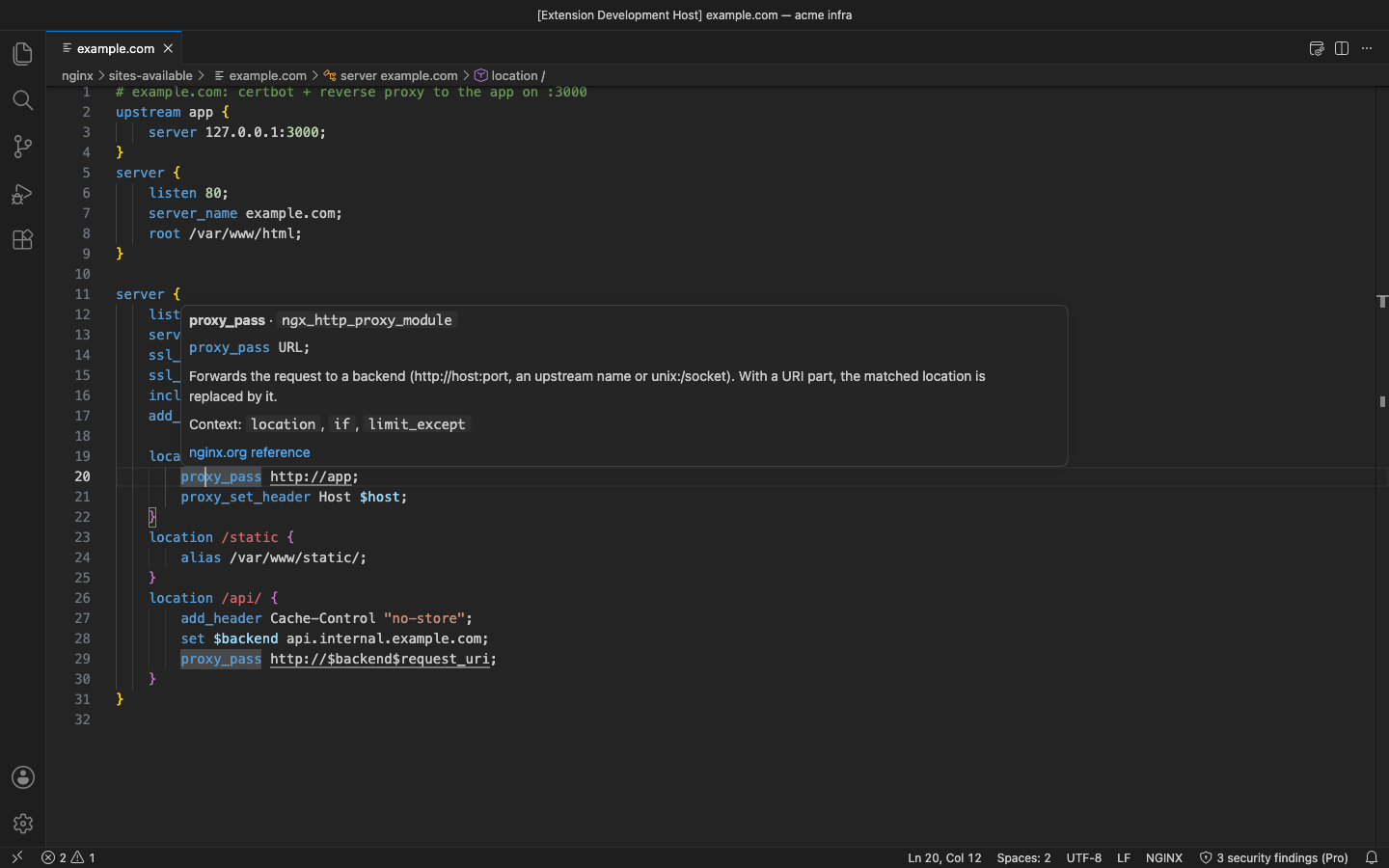
- Hover docs for about 190 core and http-module directives: syntax, where it is allowed, a short explanation and a link to nginx.org
- Completion of directive names, the ones allowed in the current block first
- Formatter that keeps comments, quoted strings, multi-line log_format values and *_by_lua_block bodies exactly as written; formatting twice changes nothing
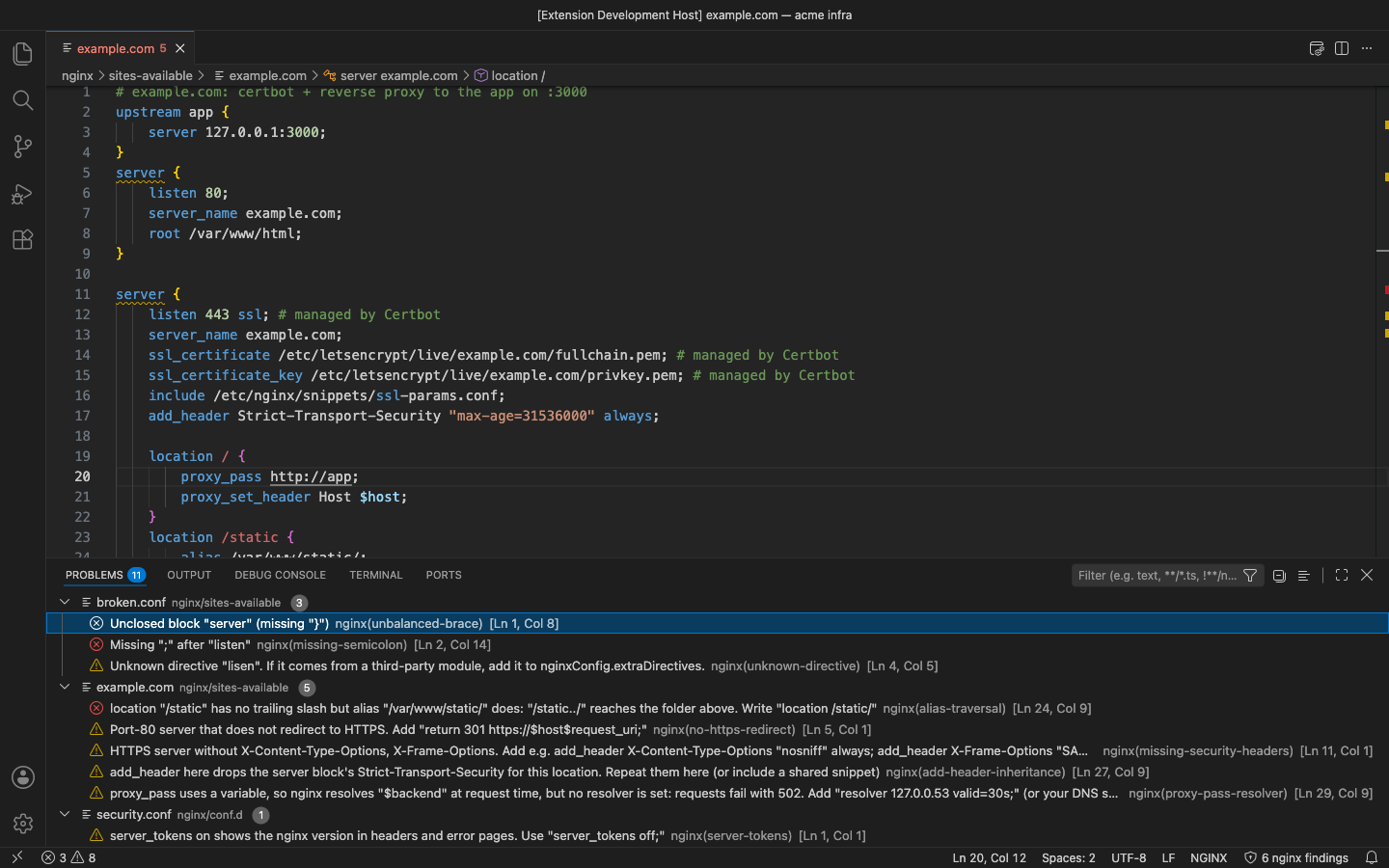
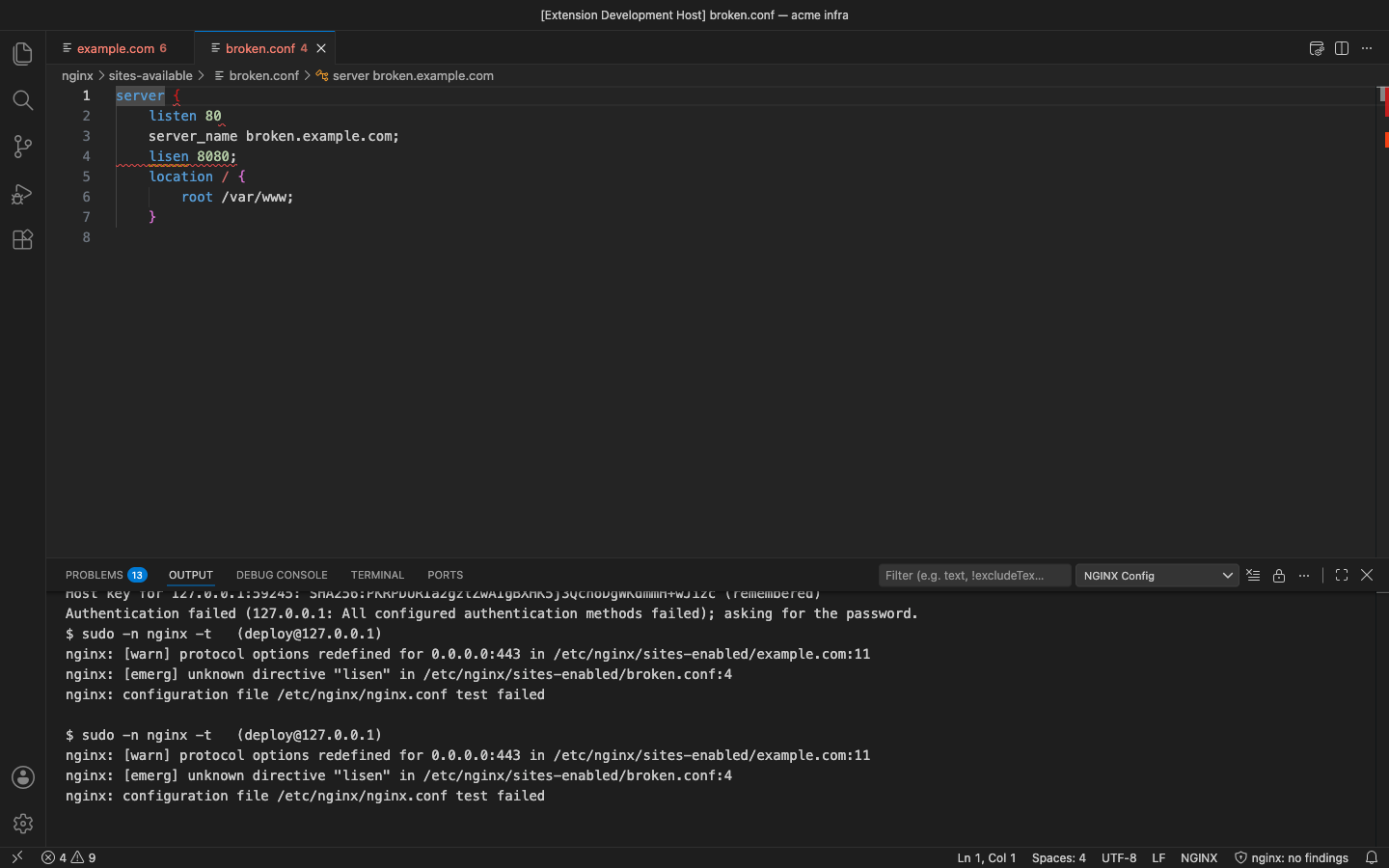
- Syntax checks as you type: unbalanced braces, a missing semicolon, an open quote, unknown directive names
- Outline and breadcrumbs for http, server, location, upstream and map blocks, plus snippets for an HTTPS reverse proxy
Pro adds
- Security lint with 10 rules: weak ssl_protocols and ciphers, missing Strict-Transport-Security / X-Content-Type-Options / X-Frame-Options, alias path traversal, if inside location, server_tokens on, autoindex on
- The add_header trap: a header added in a location silently drops every add_header of the server block; the finding names the headers you lose
- HTTP to HTTPS: port-80 servers that do not redirect, and proxy_pass with a variable but no resolver
- Include resolution: follows include lines and globs from your nginx prefix, maps /etc/nginx/ paths to your local copy and checks every included file
- nginx -t on your own server over SSH (key, ssh-agent or a password kept in SecretStorage; optional sudo -n), with each error shown on the right line
Good to know
- An independent extension by PuzariCloud. Not made, endorsed or supported by F5 / NGINX or the authors of other nginx extensions.
- Directive descriptions are short summaries written for this extension; each hover links to the official nginx.org reference.
- nginx -t checks the config that is on the server, so upload your edits first. The Windows Pageant agent is not supported; the OpenSSH agent and key files are.
- The key is checked offline with a public key built into the extension. One licence per developer; the yearly key expires a week after the paid year and each renewal emails a new key.
- In the free version the status bar shows how many security findings Pro has for the file and the Pro commands say what they do. There are no timed pop-ups.
Install
Install NGINX Config – Syntax, Format, Lint & Security Check from the VS Code Marketplace or Open VSX and open any nginx config. For Pro, run NGINX Config: Enter Pro License Key and paste the key from your email.
Requirements: VS Code 1.90+ or a compatible editor (VSCodium, Cursor, Windsurf). Nothing else to install; nginx -t over SSH needs an SSH login to your server.
Price, cancelling and refunds
$9 a year, or $27 once for a lifetime licence (one developer, all 1.x updates). Billing stops when you cancel, and there are no surprise price jumps: you keep the price you bought at. Cancel from the link in your Paddle receipt; Pro keeps working until the end of the period you paid for.
Not happy? Email support@puzaricloud.in within 14 days of buying for a full refund. Paddle.com is our merchant of record: it handles checkout, tax and invoices. Privacy · Terms · Refund policy.