AI Code Review for VS Code - GPT, Claude, Gemini, DeepSeek, Ollama
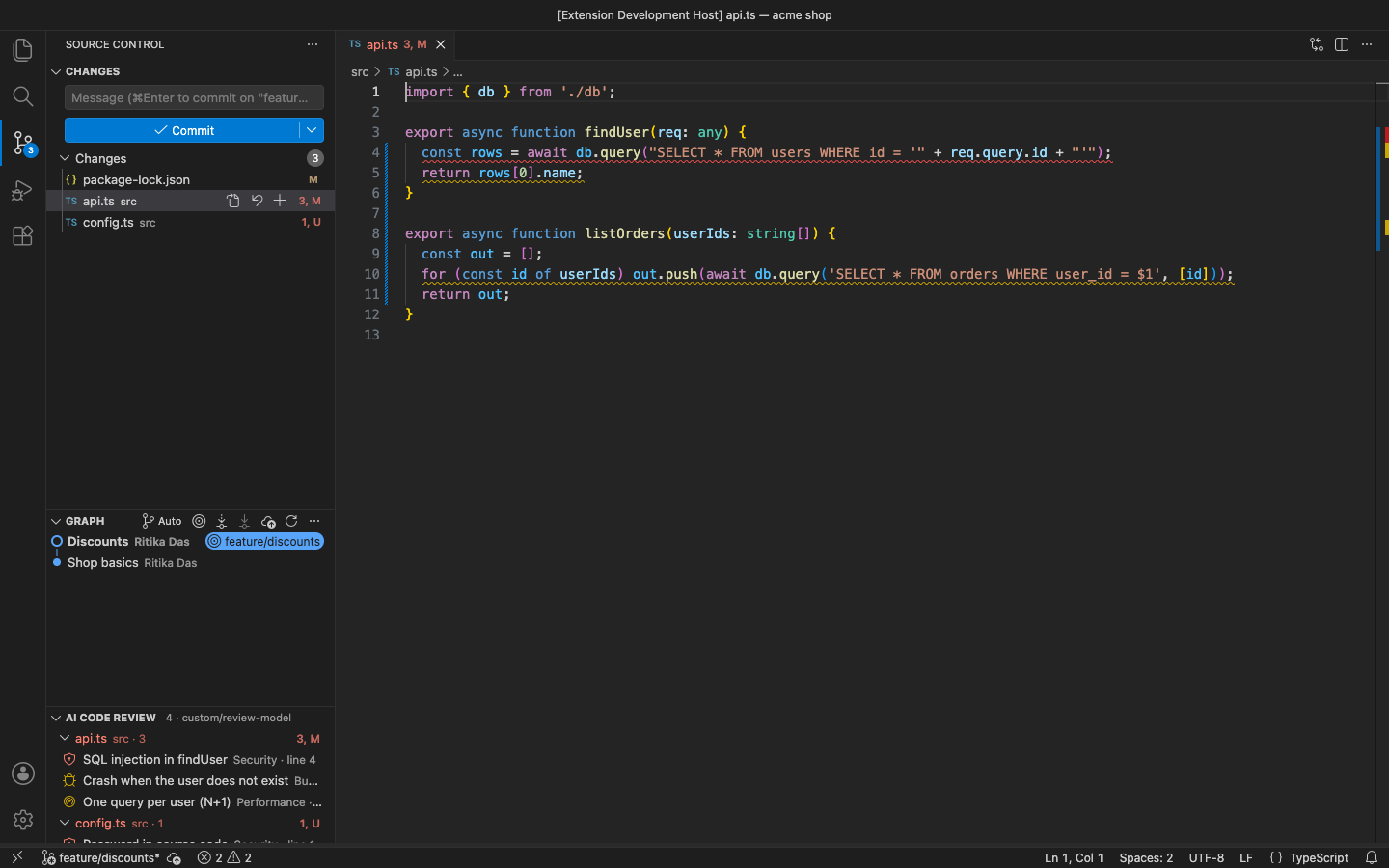
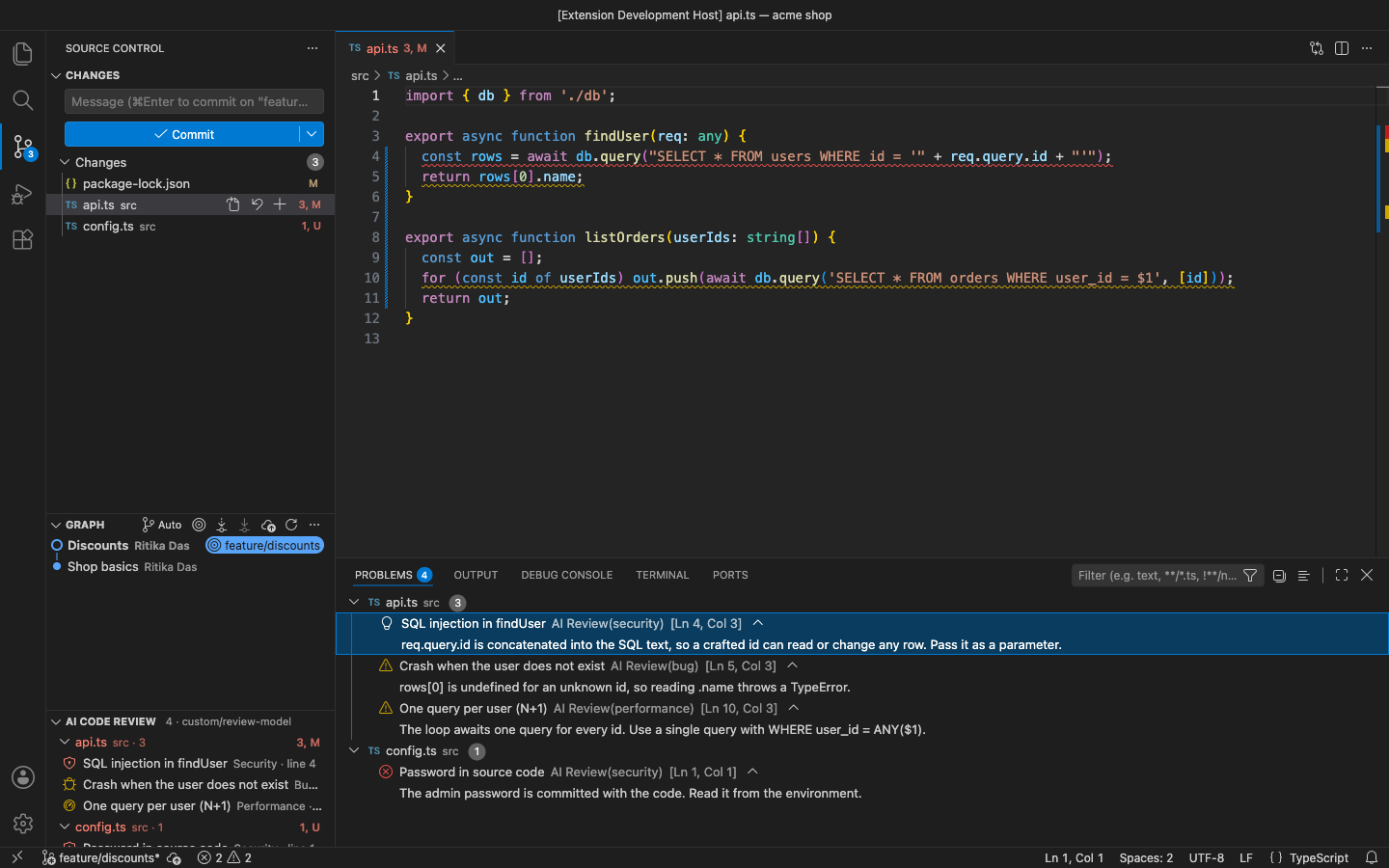
Review your uncommitted changes, a file or a selection with the AI model you choose, before you commit. Findings appear as squiggles in the editor, in the Problems panel and in a tree next to Source Control. No account, no sign-in and no daily limit: you use your own API key or a local model, and your code goes only to that provider. Free for everything below; Pro is a licence key that is checked offline.
$19 a year, or $57 once for a lifetime licence (one developer, all 1.x updates). Billing stops when you cancel, and there are no surprise price jumps: you keep the price you bought at. · My licences
Screenshots
Free
- Review uncommitted changes (staged, unstaged and new files) from a button in the Source Control title bar; review the current file or a selection
- Findings as diagnostics with a category (security, bug, performance, style): squiggles, the Problems panel and a tree grouped by file; hover shows the suggested fix
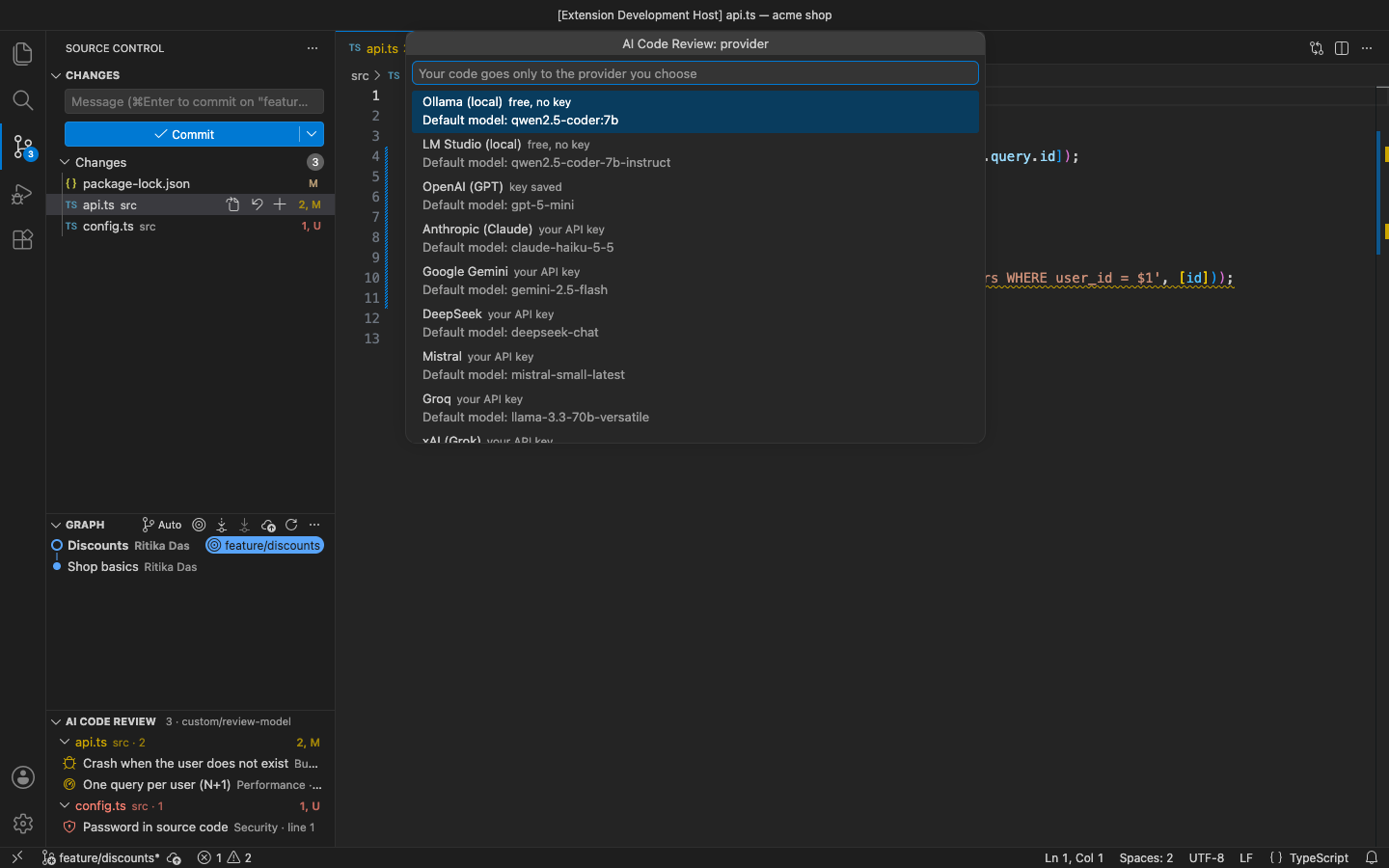
- Local models with no key: Ollama, LM Studio, any OpenAI-compatible endpoint, and the editor's own language models
- One cloud provider with your own key: OpenAI, Anthropic Claude, Google Gemini, DeepSeek, Mistral, Groq, xAI Grok, OpenRouter, Qwen, Moonshot or Azure OpenAI; any model name
- Review profiles (quick, thorough, security), findings in your language, ignore a finding for good
- Large changes are split into requests under a token budget; lock files, generated files and binaries are skipped; the estimated tokens are shown before a large review is sent
Pro adds
- Branch review: every change on your branch against the base branch, before you push or open a pull request
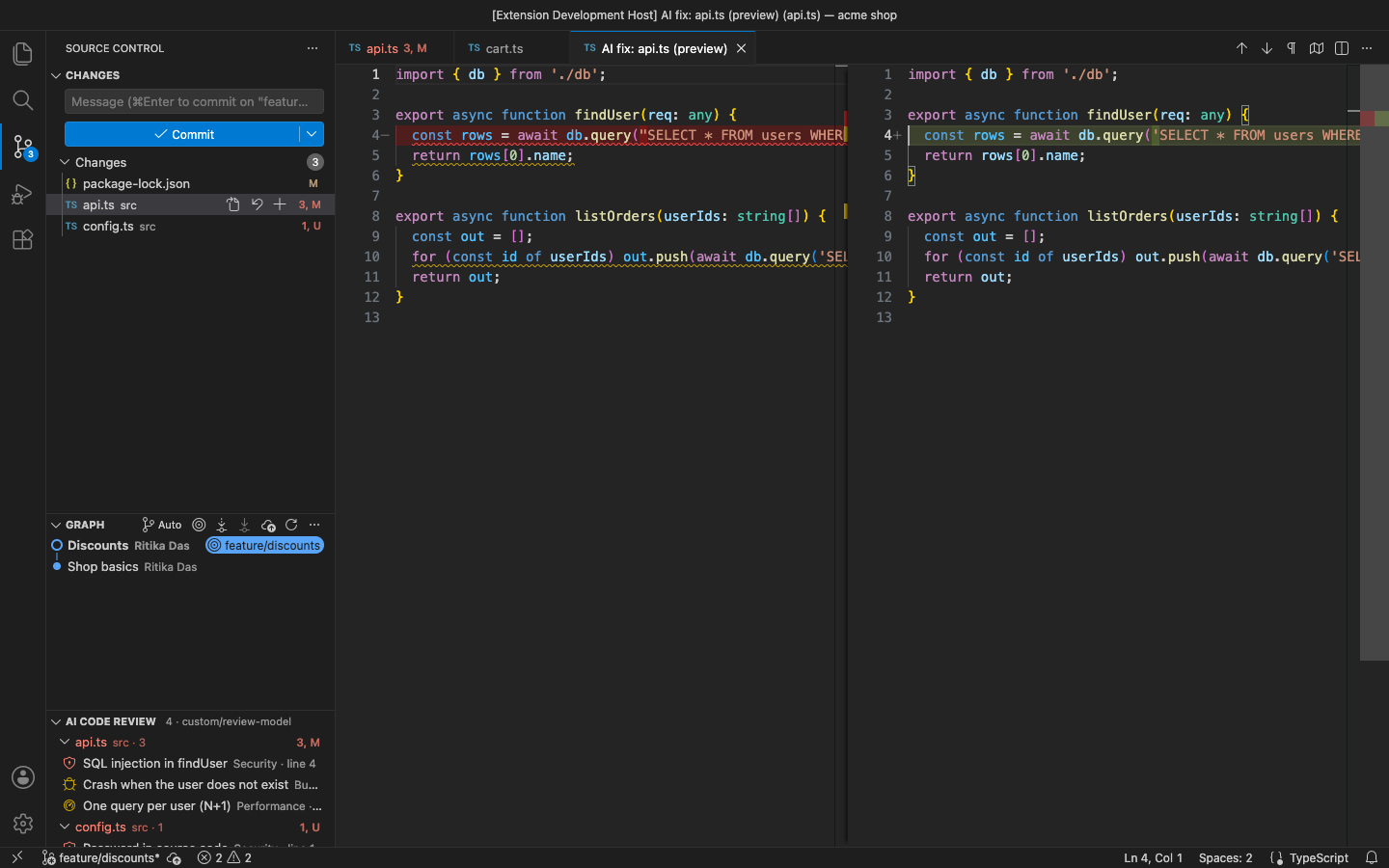
- Apply AI fix: the suggested change opens as a diff first and is applied with one click
- Team rules: a .ai-review.md file in the repository that every review follows
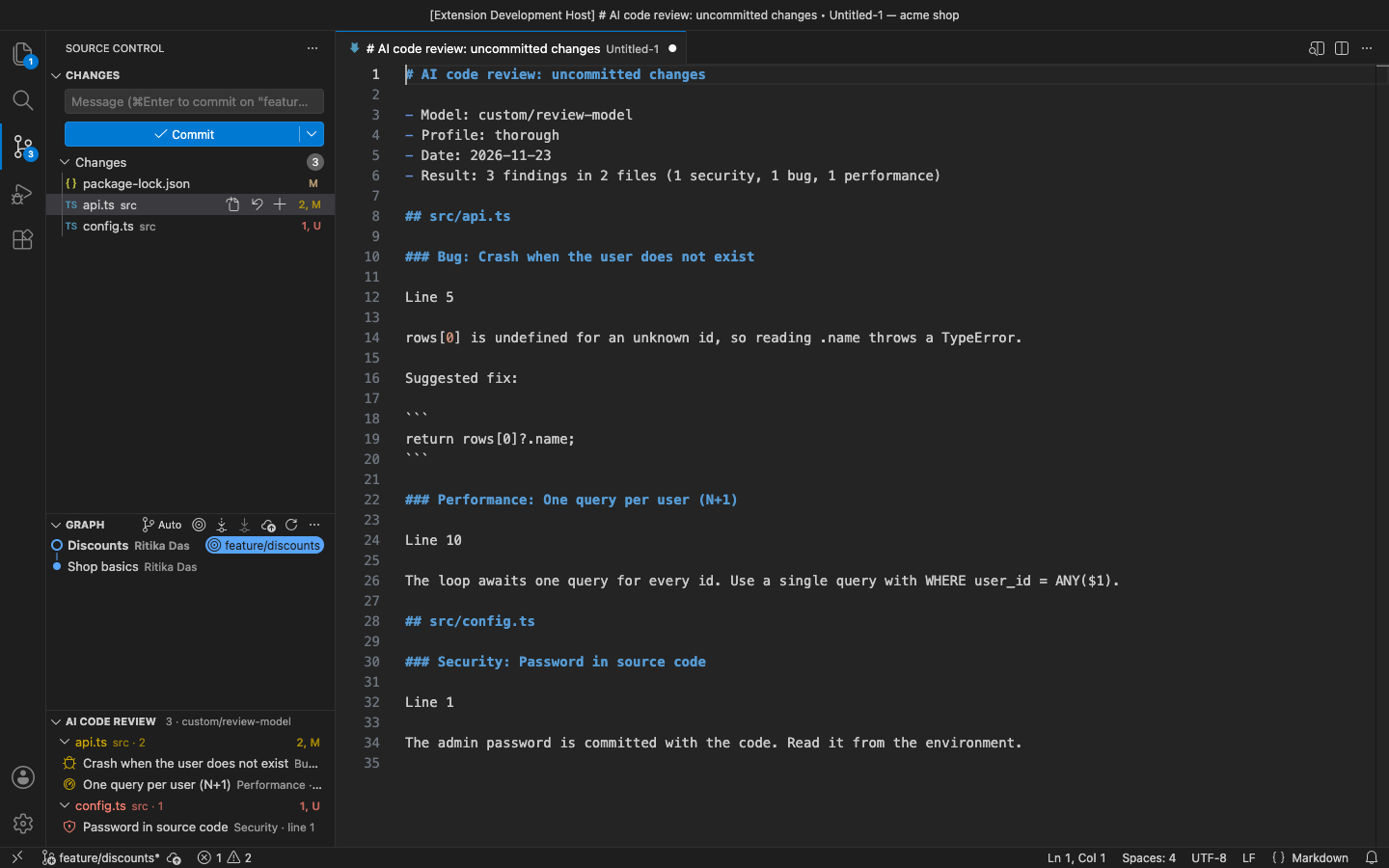
- Export the review to Markdown and copy it as a pull request comment
- Any number of cloud providers side by side
Good to know
- An independent extension by PuzariCloud. Not made or endorsed by OpenAI, Anthropic, Google or any other model provider.
- You bring the model: an API key from a provider (you pay them for the tokens) or a local model. We do not resell model access.
- The model sees the diff, not the whole repository. It can miss problems and it can be wrong; read a fix before you apply it.
- The key is checked offline with a public key built into the extension. One licence per developer; the yearly key expires a week after the paid year and each renewal emails a new key.
- Pro commands are visible in the free version and say what they do when used. There are no timed pop-ups.
Install
Install AI Code Review - GPT, Claude, Gemini, DeepSeek, Ollama from the VS Code Marketplace or Open VSX, run AI Code Review: Choose AI Provider and Model, then press the review button in the Source Control title bar. For Pro, run AI Code Review: Enter Pro License Key and paste the key from your email.
Requirements: VS Code 1.90+ or a compatible editor (VSCodium, Cursor, Windsurf). An API key from a supported provider, or Ollama / LM Studio on your machine.
VS Code Marketplace Open VSX (VSCodium, Cursor, Windsurf)
Guides
- AI code review in VS Code with a local Ollama model
- Bito vs Sourcery vs CodeRabbit vs Qodo vs bring-your-own-key AI code review
Price, cancelling and refunds
$19 a year, or $57 once for a lifetime licence (one developer, all 1.x updates). Billing stops when you cancel, and there are no surprise price jumps: you keep the price you bought at. Cancel from the link in your Paddle receipt; Pro keeps working until the end of the period you paid for.
Not happy? Email support@puzaricloud.in within 14 days of buying for a full refund. Paddle.com is our merchant of record: it handles checkout, tax and invoices. Privacy · Terms · Refund policy.