Settings Layers for VS Code - Shared Team Settings, Per-OS Settings & Variables
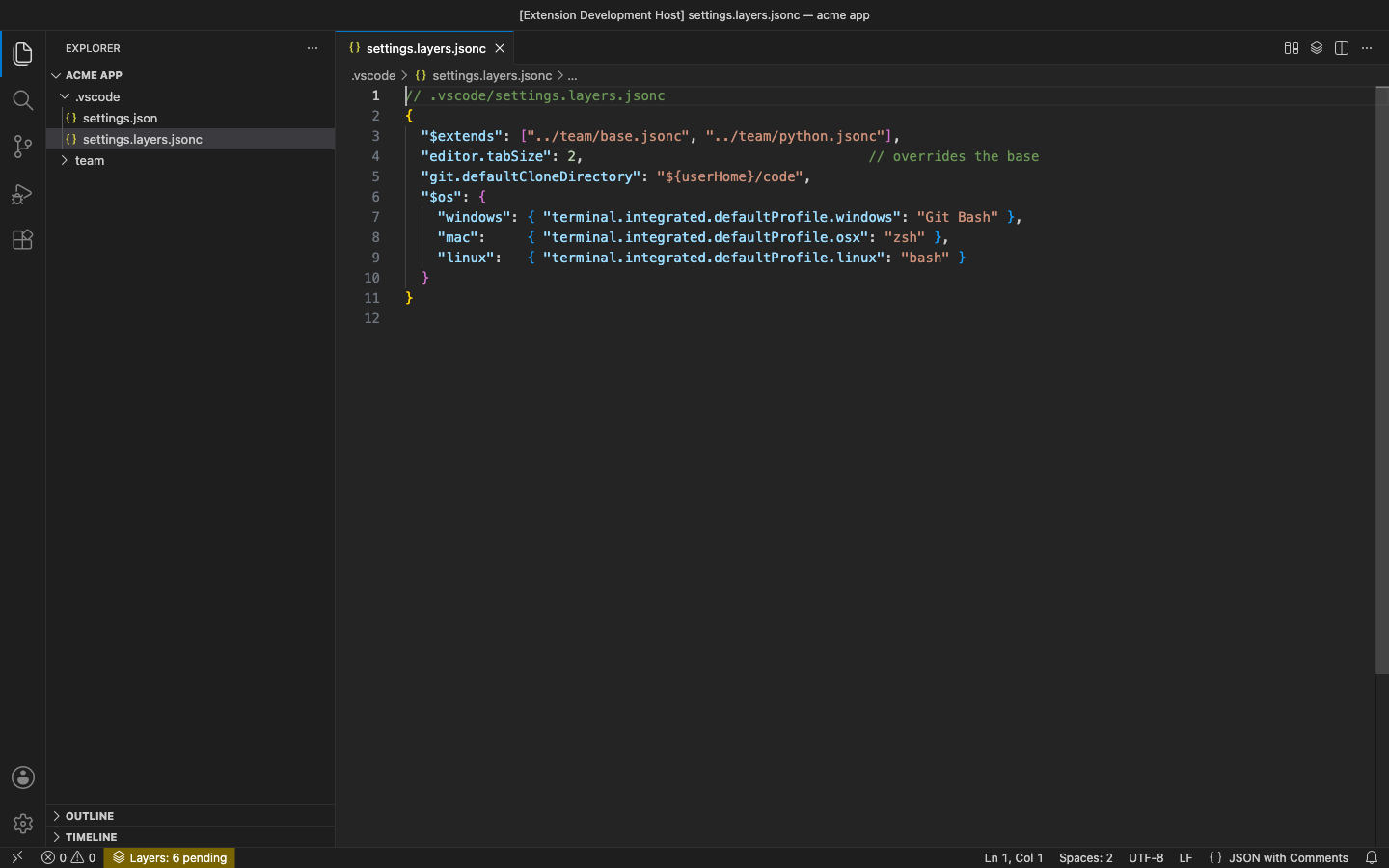
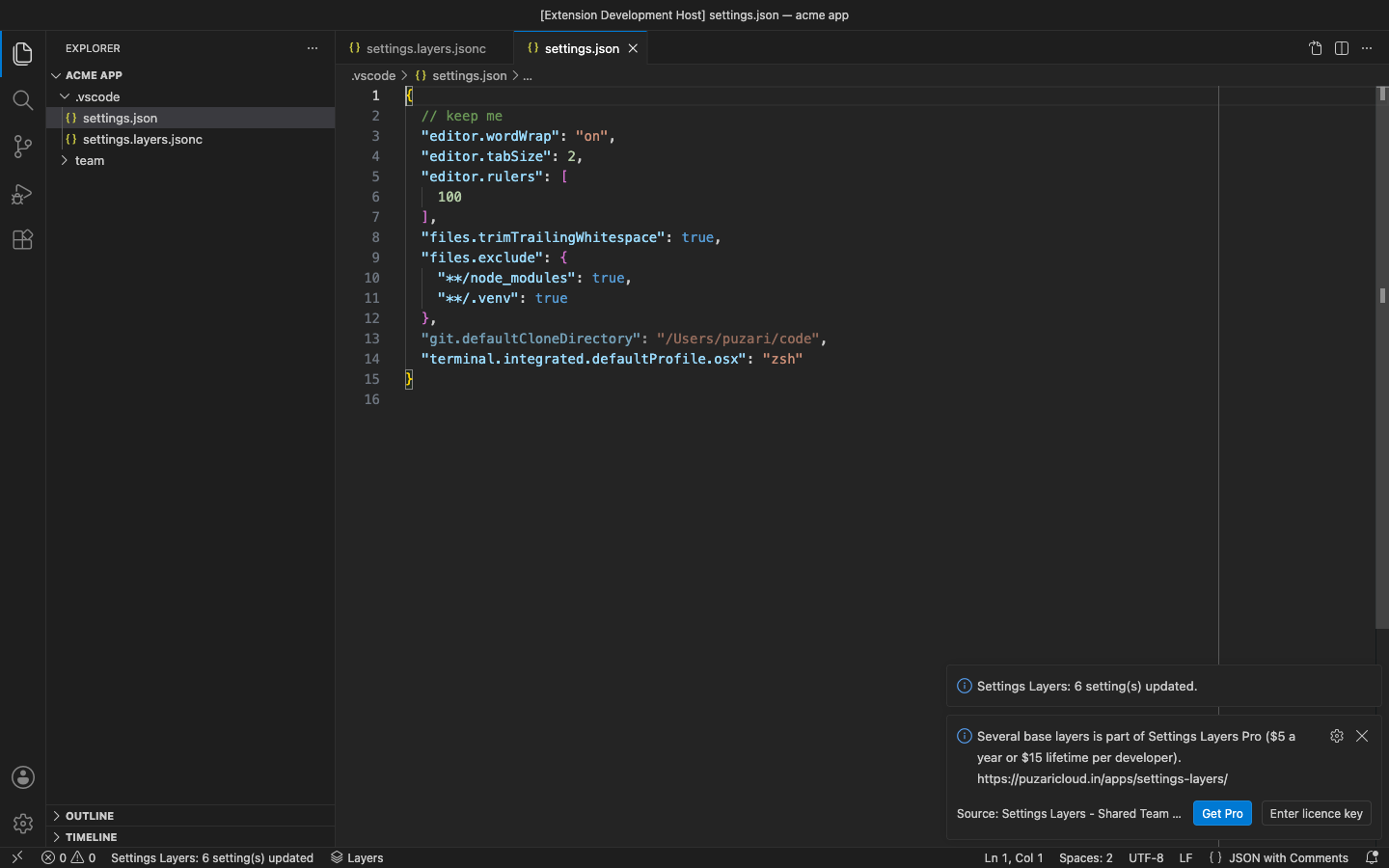
VS Code has no extends for settings.json, no per-OS settings and no variables in most settings. Settings Layers adds all three. You keep one small layers file in the repo; it can extend a shared base file, add Windows, macOS and Linux blocks and use variables. The extension merges everything into .vscode/settings.json: you preview the diff, apply it, and you can revert. No account and no telemetry. Free for everything below; Pro is a licence key that is checked offline.
$5 a year, or $15 once for a lifetime licence (one developer, all 1.x updates). Billing stops when you cancel, and there are no surprise price jumps: you keep the price you bought at. · My licences
Screenshots
Free
- A layers file for each workspace folder (
.vscode/settings.layers.jsonc) that$extendsone local base file: a team file in the repo or a file in your dotfiles (~/…works) - Per-OS blocks:
$oswithwindows,macandlinux, for paths, shells and fonts that differ between machines - Variables in any setting:
${env:NAME},${userHome},${workspaceFolder},${workspaceFolderBasename},${os},${hostname},${pathSeparator} - Preview diff:
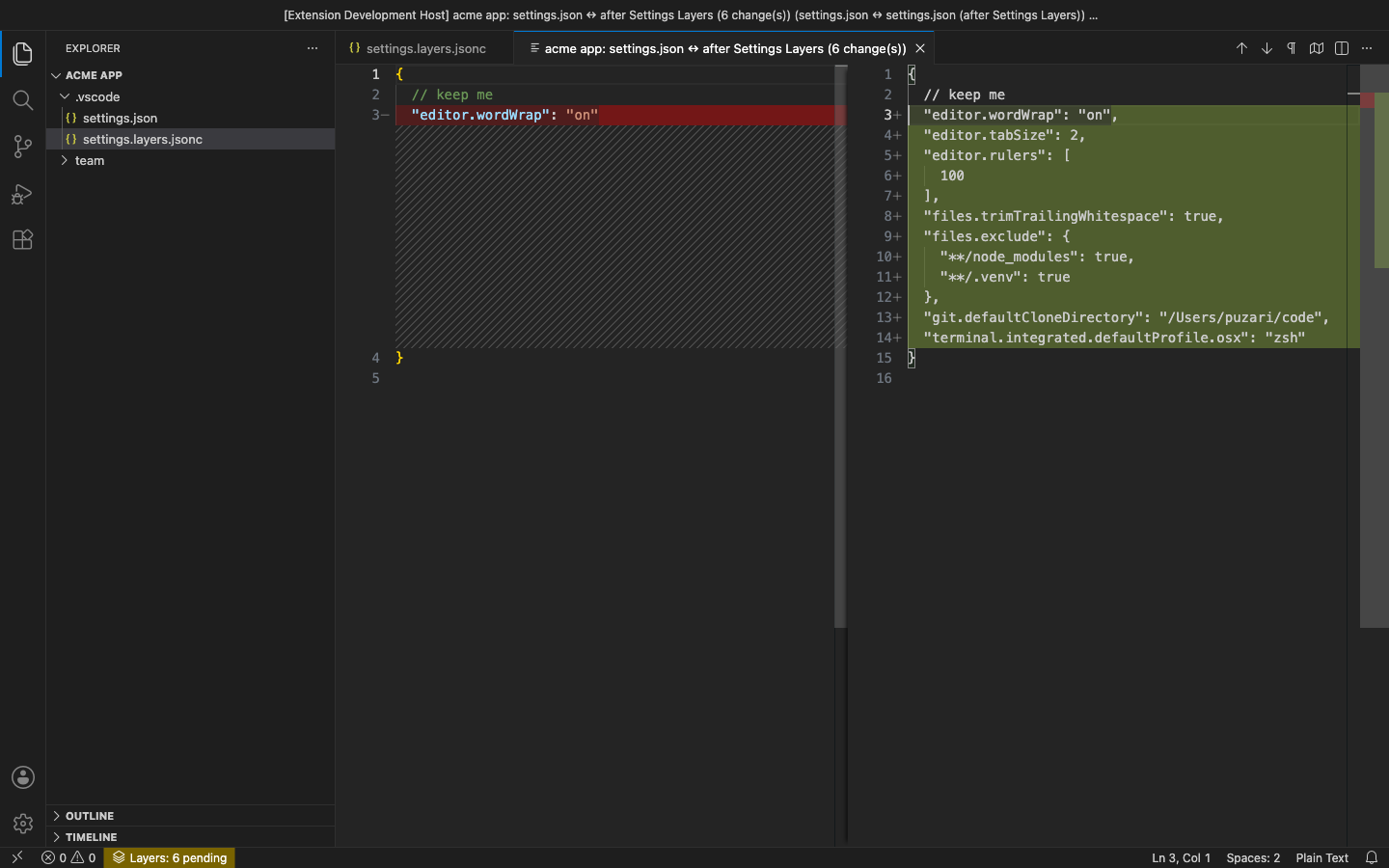
settings.jsonnext to the result, before anything is written - Your edits are kept: a layered setting you changed by hand is left alone on the next apply, and the message says so. Apply (Overwrite My Changes) replaces it anyway
- Revert: puts back the values that were there before and removes the keys the layers added
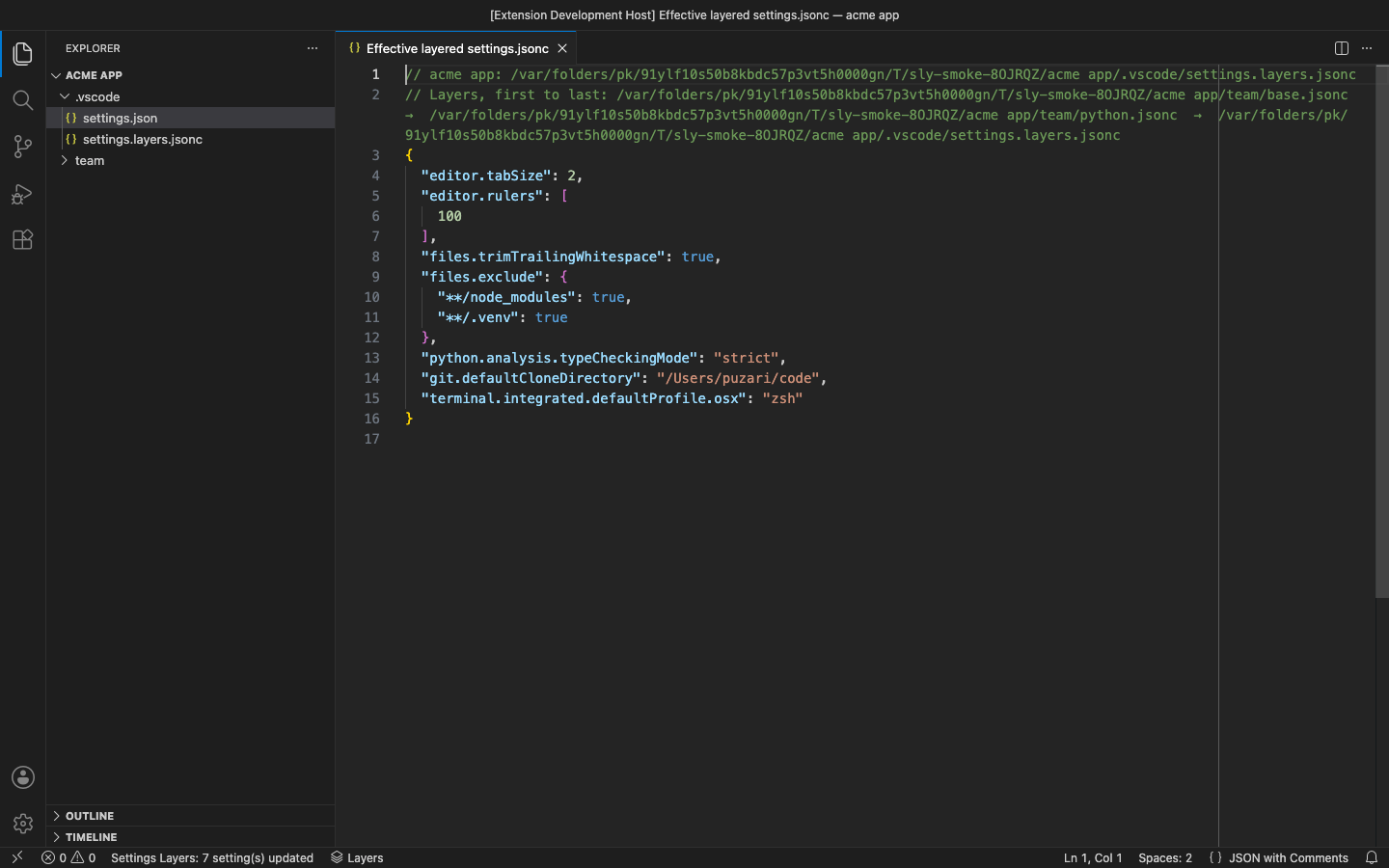
- Show Effective Layered Settings (the merged result, the layers in order, skipped items and errors) and a status bar item that shows pending changes
- Comments in
settings.jsonstay. Objects such asfiles.excludeare merged key by key, arrays are replaced, andnullremoves a setting that a base set. Multi-root workspaces: each folder has its own layers file
Pro adds
- Several base layers: any number of
$extendsentries, and bases that extend other bases - Remote layers:
$extendsanhttps://URL (team settings in a gist or on an internal server); the last good copy is cached for offline use - Auto-apply: layers are applied on startup and whenever a layer file changes
- User layers: a layers file for your User settings, such as dotfiles shared by all your machines
$hostsand$remoteblocks: settings for one machine name, or for SSH, WSL, Dev Containers and Codespaces
Good to know
- An independent extension by PuzariCloud. Not made or endorsed by Microsoft.
- In the free version, Pro items are skipped, never applied halfway, and the apply message names each skipped item. There are no timed pop-ups.
- It runs only in trusted workspaces, because layer files from a repository write settings. Desktop editors only: VS Code for the Web is not supported.
- A User layers file (Pro) can write only settings that VS Code or an installed extension has registered.
- When a layer stops setting a key, the key is removed from
settings.jsontogether with a comment directly attached to it. - The key is checked offline with a public key built into the extension. One licence per developer; the yearly key expires a week after the paid year and each renewal emails a new key.
Install
Install Settings Layers - Shared Team Settings, Per-OS Settings & Variables in settings.json from the VS Code Marketplace or Open VSX, run Settings Layers: Create or Open Layers File, then Settings Layers: Apply Settings Layers. For Pro, run Settings Layers: Enter Pro License Key and paste the key from your email.
Requirements: VS Code 1.90+ or a compatible desktop editor (VSCodium, Cursor, Windsurf).
Open VSX (VSCodium, Cursor, Windsurf)
Price, cancelling and refunds
$5 a year, or $15 once for a lifetime licence (one developer, all 1.x updates). Billing stops when you cancel, and there are no surprise price jumps: you keep the price you bought at. Cancel from the link in your Paddle receipt; Pro keeps working until the end of the period you paid for.
Not happy? Email support@puzaricloud.in within 14 days of buying for a full refund. Paddle.com is our merchant of record: it handles checkout, tax and invoices. Privacy · Licence terms (EULA) · Terms · Refund policy.